29
6. FRONT PANEL
6.1. Front Panel
The front panel located on the upper part of the UPS informs the user about operating status,
alarm conditions and measurements. It also provides access to controls and configuration
parameters.
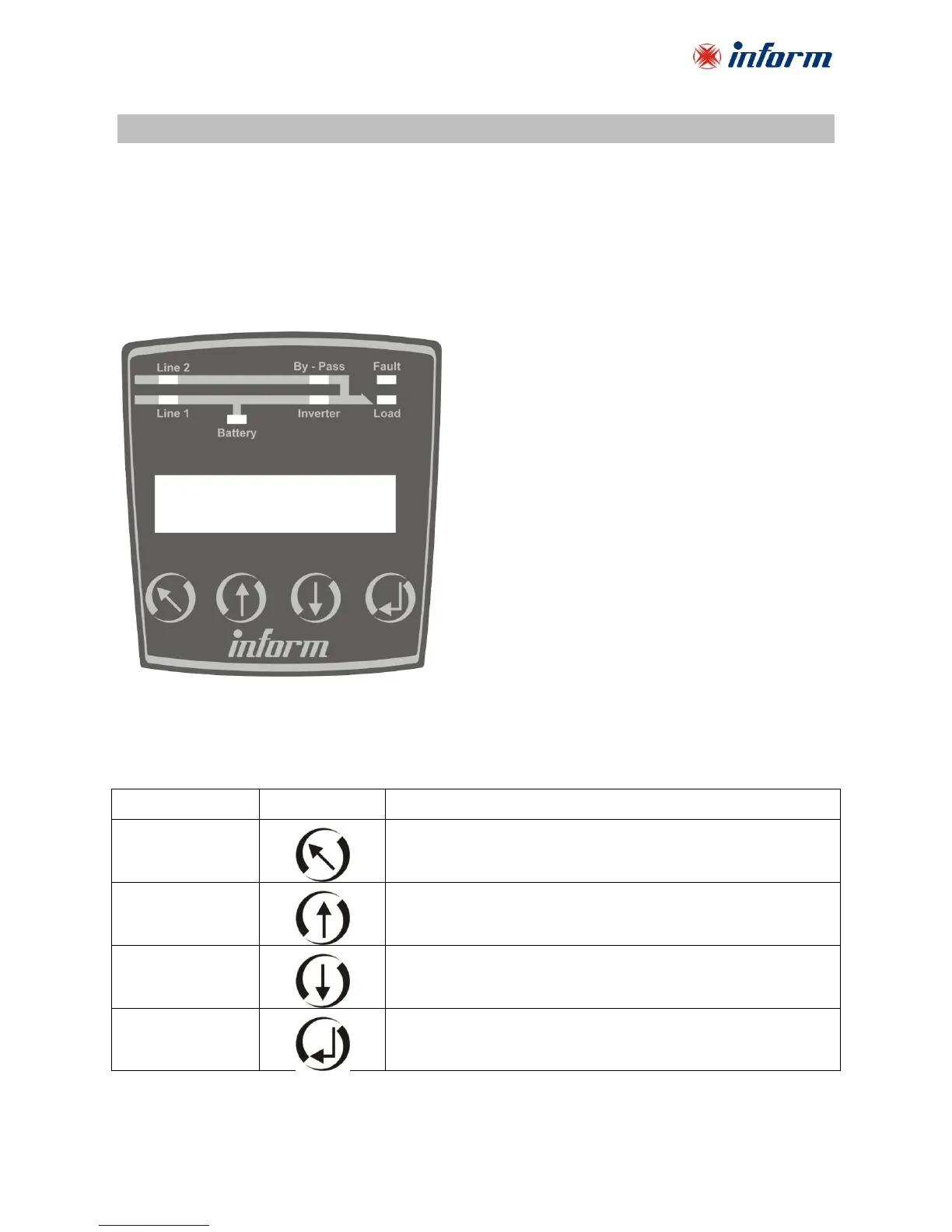
Front panel shown below consists of three parts. As mimic panel provides basic information about
the energy flow path and existing alarms, LCD (liquid crystal display) offers detailed information and
provides access to controls. Keypad enables the user to move in the menu and to make selections.
6.1.1. Keypad
Functions of the buttons are given below:
Scrolls the available menus/values upwards. It increases the
value each time it is pushed when changing a parameter.
Scrolls the available menus/values downwards. It decreases
the value each time it is pushed when changing a parameter.



 To Next Page