x R02 0000 05174/10Copyright © 2018INGENICO INC.
Moby/5500 allows merchants to convert a smart phone or a tablet into a
powerful & secure POS solution.
Usage
ON
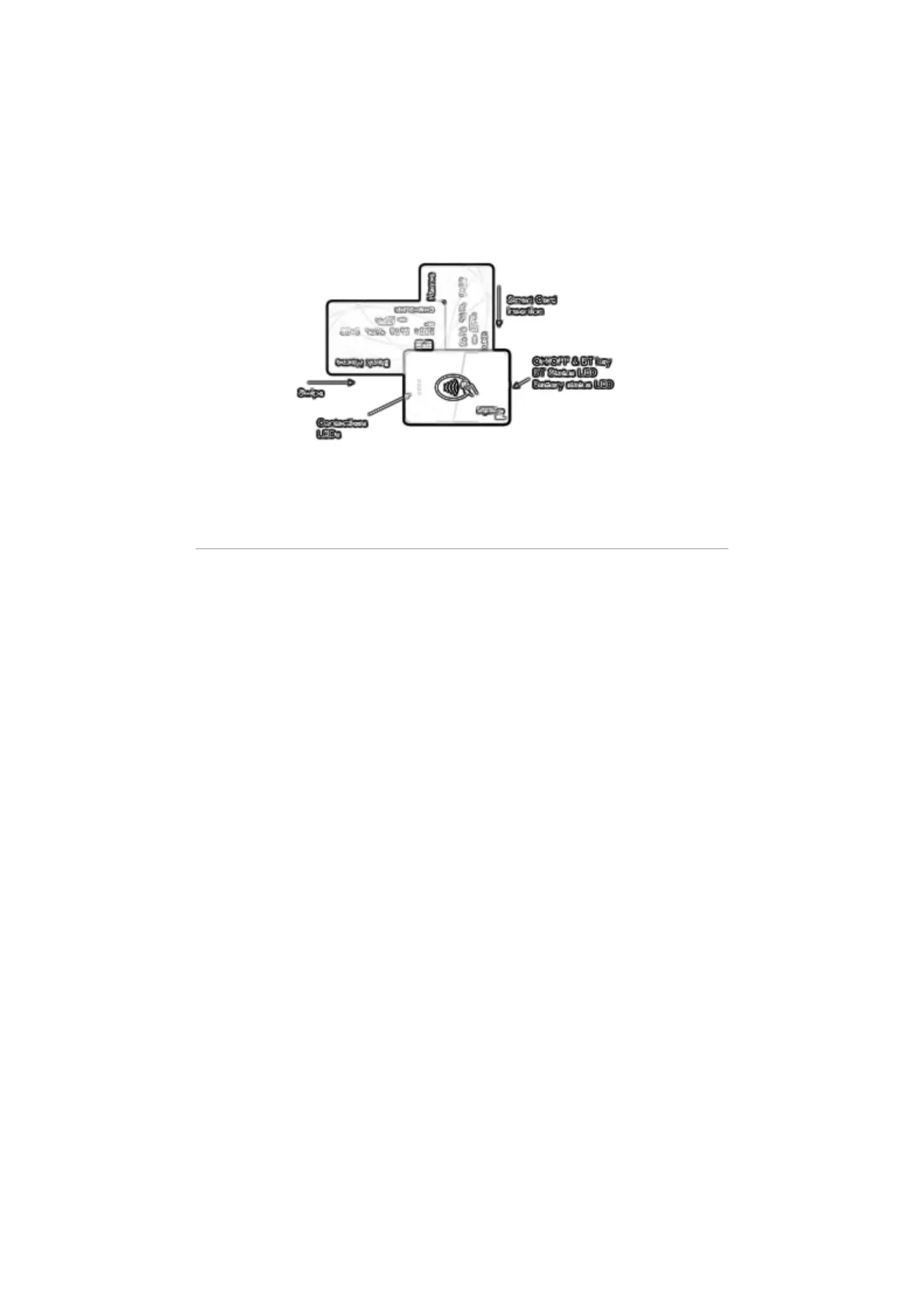
To power on the reader press the Side Button.
OFF
By default, the Moby/5500 powers off on its own after 3 minutes. It
should be noted that your payment application may assign a different
value. Alternatively, you can long press the Side button to turn it OFF.
BLUETOOTH PAIRING AND CONNECTION
Bluetooth is enabled and the Moby/5500 is discoverable for as long as
the reader is turned on.
Pairing: Pairing of Moby/5500 with your mobile phone/tablet must be
initiated from the mobile app that is being used. From the point where
the mobile app displays the device name and 6-digit passkey, do the
following:
1. Tap OK, and the Moby/5500 will be temporarily paired for 30
seconds
2. The Moby/5500 will beep, and both the mobile app and the
Moby/5500 will display the same pattern of LEDs
3. Tap Confirm on the mobile app to validate that the LED pattern is
the same on both the Moby/5500 and mobile app
4. Pairing should now be complete
Connectivity: Once the Moby/5500 is paired to you mobile phone/tablet, it
will automatically connect to your mobile app during subsequent use.


 To Next Page