EasyManua.ls Logo

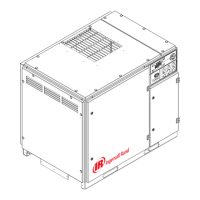
Ingersoll-Rand HP 60 - User Manual

Ingersoll-Rand HP 60
62 pages
Print Icon
To Next Page IconTo Next Page
Loading...
XFE/EPE/HPE 50
XF/EP/HP 60
XF/EP/HP/XP 75-100
ML/MM/MH 37-75
OPERATORS/
INSTRUCTION MANUAL
OPTIONS
Before installation or starting the compressor for the
first time, this manual should be studied carefully to
obtain a clear knowledge of the unit and of the duties
to be performed while operating and maintaining the
unit.
RETAIN THIS MANUAL WITH UNIT.
This Technical manual contains IMPORTANT SAFETY
DATA and should be kept with the air compressor at all
times.
FORM: APDD 696C
July 2002
More Than Air. Answers.
Online answers: http://www.air.irco.com
Phone: 1-800-526-3615
CCN: 80440332 REV: C

Questions and Answers

  • A
    Andrew HillAug 9, 2025
    What to do if my Ingersoll-Rand HP 60 shuts down?
    • N
      noah72Aug 9, 2025
      If your Ingersoll-Rand Air Compressor shuts down, ensure the installation area has adequate ventilation and the cooling fan is operating. If not, reset the circuit breaker inside the starter box. Check and add coolant if required. Clean dirty cooler cores. Also, inspect for a restricted or malfunctioning blowdown valve or minimum pressure check valve, and check for air leaks from the tank or blowdown piping. Adjust sump pressure, check for defective sensor, bad sensor connection, or broken sensor wires. Try interchanging any two line connections (L1, L2, L3) at the starter. Check for loose wires and the supply voltage. Verify the heater size and inspect starter contactors.
  • C
    Candice BoydAug 15, 2025
    Why does my Ingersoll-Rand Air Compressor have low system air pressure?
    • A
      Andrew RuizAug 15, 2025
      If your Ingersoll-Rand Air Compressor has low system air pressure, first check if the compressor is running in 'Unload' Mode and press the 'UNLOAD/LOAD' button. If it is in 'UNLOAD/STOP' mode, set the off-line set point at a higher value. Check and replace the filter if required. Inspect and repair the air system piping. Finally, check the control system operation, and consider installing a larger or an additional compressor.
  • J
    Joel RodriguezAug 20, 2025
    How to troubleshoot a Ingersoll-Rand Air Compressor that fails to start?
    • J
      Janet Thompson DVMAug 20, 2025
      If your Ingersoll-Rand Air Compressor fails to start, check the fuses, transformers, and wiring connections to ensure 110/120V control voltage is available. Inspect the contactors. Rotate the emergency stop button to disengage it and press the 'SET' button twice. Manually reset the main or fan motor over-load relay and press the 'SET' button twice. Also, check for a defective sensor, a bad sensor connection, or broken sensor wires.
  • D
    Derek RivasAug 27, 2025
    What to do if my Ingersoll-Rand HP 60 Air Compressor has high coolant consumption?
    • S
      Susan HicksAug 27, 2025
      If your Ingersoll-Rand Air Compressor has high coolant consumption or coolant in the air system, check the coolant level and lower it by draining if it's excessive. Inspect the separator pressure drop; if it's low, replace the element. Remove and inspect the orifice/screen, and clean if required. Ensure you operate at the rated pressure and reduce the system load. Inspect and repair any leaks.
  • M
    Mark FloresSep 2, 2025
    How to remove water from the air system of my Ingersoll-Rand HP 60?
    • R
      robin81Sep 2, 2025
      If there is water in the air system of your Ingersoll-Rand Air Compressor, inspect and clean the moisture separator/drain trap; replace the separator/trap if defective. Install enclosure panels and slope the drain line away from the trap. Install a drip leg.

Summary

0.0 SAFETY AND WARNINGS

0.1 SAFETY INSTRUCTIONS

Reading manual, hazard awareness, common sense, qualified maintenance.

0.2 SAFETY PRECAUTIONS

Explanation of DANGER, WARNING, CAUTION, NOTICE signal words.

SAFETY SHUTDOWN AND GENERAL WARNINGS

HIGH AIR TEMPERATURE SHUTDOWN CHECK

Procedure to check the high discharge air temperature shutdown function.

OPERATIONAL SAFETY WARNINGS

FAN BLADE, MOVING PARTS, AND ROTATION SAFETY

Safety warnings regarding exposed fan blades, moving parts, and correct motor rotation.

ADDITIONAL SAFETY NOTICES

HOT SURFACES AND COOLANT HANDLING SAFETY

Warnings about hot surfaces and safe handling of hot coolant during servicing.

HIGH PRESSURE AIR AND COOLANT FILTER SAFETY

Safety warnings concerning high-pressure air and proper coolant filter replacement.

ELECTRICAL AND CONTROL SYSTEM SAFETY

HAZARDOUS VOLTAGE AND POWER INLET SAFETY

Warnings about hazardous voltage and proper electrical power inlet connections.

2.0 INSTALLATION GUIDELINES

2.1 VENTILATION REQUIREMENTS

Guidelines for ensuring adequate ventilation to prevent overheating.

2.2 FOUNDATION REQUIREMENTS

Instructions for selecting and preparing a suitable foundation for the compressor.

2.3 PIPING AND SYSTEM CONNECTIONS

Recommendations for air discharge piping and filter bowl safety.

2.4 ELECTRICAL INSTALLATION

WIRING, FUSES, AND TRANSFORMER DIAGRAMS

Verifying line voltage, starter box, fuse table, and control transformer wiring.

DRIVE MOTOR ROTATION CHECK

Procedure for checking the correct rotation direction of the drive motor.

ELECTRICAL INSTALLATION AND MOTOR CHECKS

DRIVE MOTOR ROTATION VERIFICATION

Detailed steps for verifying drive motor rotation direction.

INTELLISYS CONTROL SYSTEM OPERATION

EMERGENCY STOP AND MAIN DISCONNECT PROCEDURES

Procedures for using the emergency stop and main disconnect switch safely.

FAN MOTOR ROTATION AND STARTUP INSTRUCTIONS

Checking fan motor rotation and Intellisys startup instructions.

2.5 OUTDOOR SHELTERED INSTALLATION

GUIDELINES FOR OUTDOOR INSTALLATIONS

Procedures for installing the compressor in an outdoor sheltered environment.

3.0 INTELLISYS CONTROLLER

INTELLISYS CONTROLLER LAYOUT AND INDICATORS

Overview of the Intellisys controller display, buttons, and indicators.

INTELLISYS CONTROL FUNCTIONS

EMERGENCY STOP AND POWER INDICATOR LIGHTS

Explanation of the emergency stop switch and power indicator lights.

INTELLISYS PUSH BUTTON OPERATIONS

Description of START, UNLOAD/LOAD, and UNLOADED STOP push buttons.

INTELLISYS NAVIGATION AND CALIBRATION

DISPLAY SELECT, SET, AND ARROW BUTTON FUNCTIONS

Functions of DISPLAY SELECT, SET, and ARROWS buttons for navigation and adjustments.

INTELLISYS SETTINGS AND WARNINGS

INTELLISYS ALARMS

LIST OF ALARM MESSAGES AND CAUSES

List of common alarms, their causes, and reset methods.

4.7 COMPRESSOR CONTROL SYSTEM FEATURES

COMPRESSOR OPERATING MODES AND TIMERS

COMPRESSOR START;STOP AND LOAD CONTROL

5.0 SCHEDULED PREVENTATIVE MAINTENANCE

5.1 MAINTENANCE SCHEDULE AND INTERVALS

A detailed schedule of maintenance tasks based on running hours or time.

MAINTENANCE MANAGEMENT AND PROCEDURES

COOLANT FILTER MAINTENANCE

COOLANT AND SEPARATOR SYSTEM MAINTENANCE

COOLANT SEPARATOR ELEMENT REPLACEMENT

CLEANING AND LUBRICATION PROCEDURES

MOTOR LUBRICATION AND BEARING MAINTENANCE

MOTOR LUBRICATION AND STORAGE PRECAUTIONS

STORAGE, CHANGEOUT, AND CONTROLLER REMOVAL

HOSE REPLACEMENT AND MONITORING

6.0 TROUBLE SHOOTING CHART

COMPRESSOR STARTUP AND SHUTDOWN ISSUES

Troubleshooting common problems related to compressor starting and unexpected shutdowns.

ADVANCED TROUBLESHOOTING

Ingersoll-Rand HP 60 Specifications

General IconGeneral
BrandIngersoll-Rand
ModelHP 60
CategoryAir Compressor
LanguageEnglish

Related product manuals