Cloud IoT Helper
The cloud IoT helper can be launched by the “magic wand”, it is used to assist users to
configure AWS IoT, Azure IoT or Google Cloud IoT usage.
Advanced
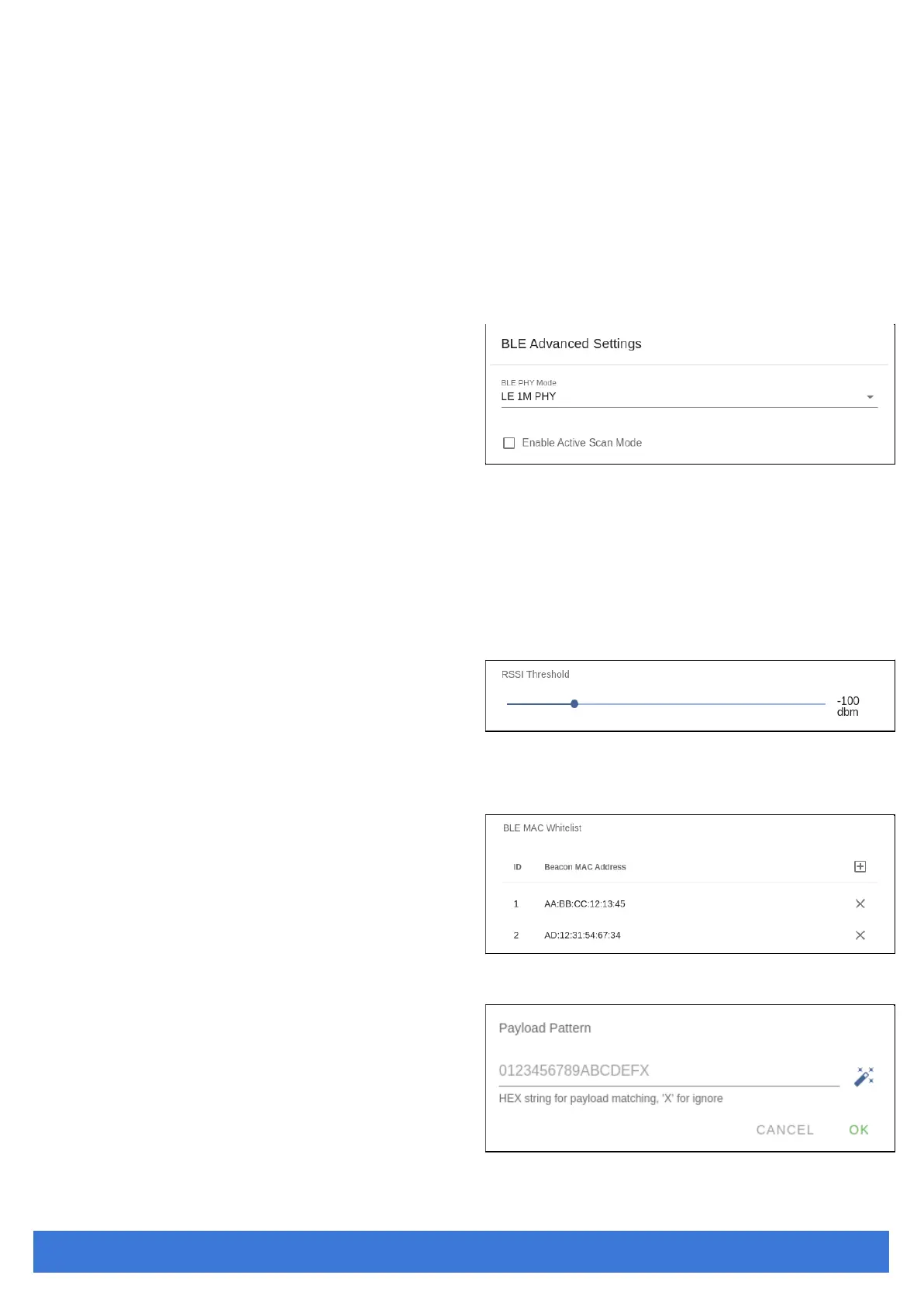
BLE Configuration
BLE PHY Mode
Users can choose to use LE 1M PHY or
LE Coded PHY (Long-Range Mode).
Active Scan Mode
Enable active scanning.
BLE Filter
Users can set the BLE filter to filter out the unwanted BLE advertising data. There are three
kinds of filters supported by iGS03.
RSSI Threshold
If the bar is pulled right to -50dBm, only
the BLE tag/beacon with RSSI larger
than or equal to -50dBm will be transmitted to the server.
Payload Whitelist
Set patterns to configure the BLE
payload whitelist. Devices will only
report the BLE payload which matches
one of the patterns.
Click on the “plus” button to add a new
pattern. The character ‘X’ in pattern
means ignore the character. Also you
can click the “magic wand” to select a
preset pattern for iBeacon, Eddystone,
or INGICS beacons.



 To Next Page