Range of
Temperature(T)
Celsius
Celsius Error
Range of
Temperature(T)
Fahrenheit
Fahrenheit Error
-40℃≤T<10℃ ±2℃ -40℉≤T<50℉ ±3℉
10℃≤T<80℃
80℃≤T≤100℃
±1℃
±2℃
50℉≤T<176℉
176℉≤T≤212℉
±2℉
±3℉
Display unit: Celsius℃orFahrenheit℉
Ambient temperature:-20℃~40℃/-4.0℉~104℉
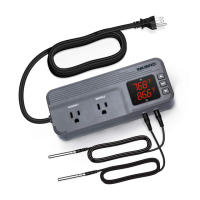
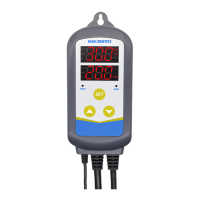
① PV: In the normal mode, it displays current temperature; in the setting
mode, it displays menu code.
② SV: In the normal mode, it displays the temperature value when stopping
heating; in the setting mode, it displays menu setting.
③ Red indicator: ON - heating output is turned on; OFF- heating output is off.
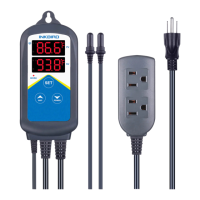
④/⑤ Output socket
⑥ Setting button (SET), Increase button ( ), Decrease button ( ):
Please refer to the button description for more details.
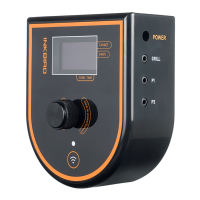
WI FI
POWER
Control Panel
04
Temperature: 0℃~60℃/32℉~140℉;
Humidity:20~80%RH (Unfrozen or condensation state)
Warranty: Controller 2 years, probe 1 year
Storageenvironment:
Output socket
Output socket
Output socket
Output socket


 To Next Page