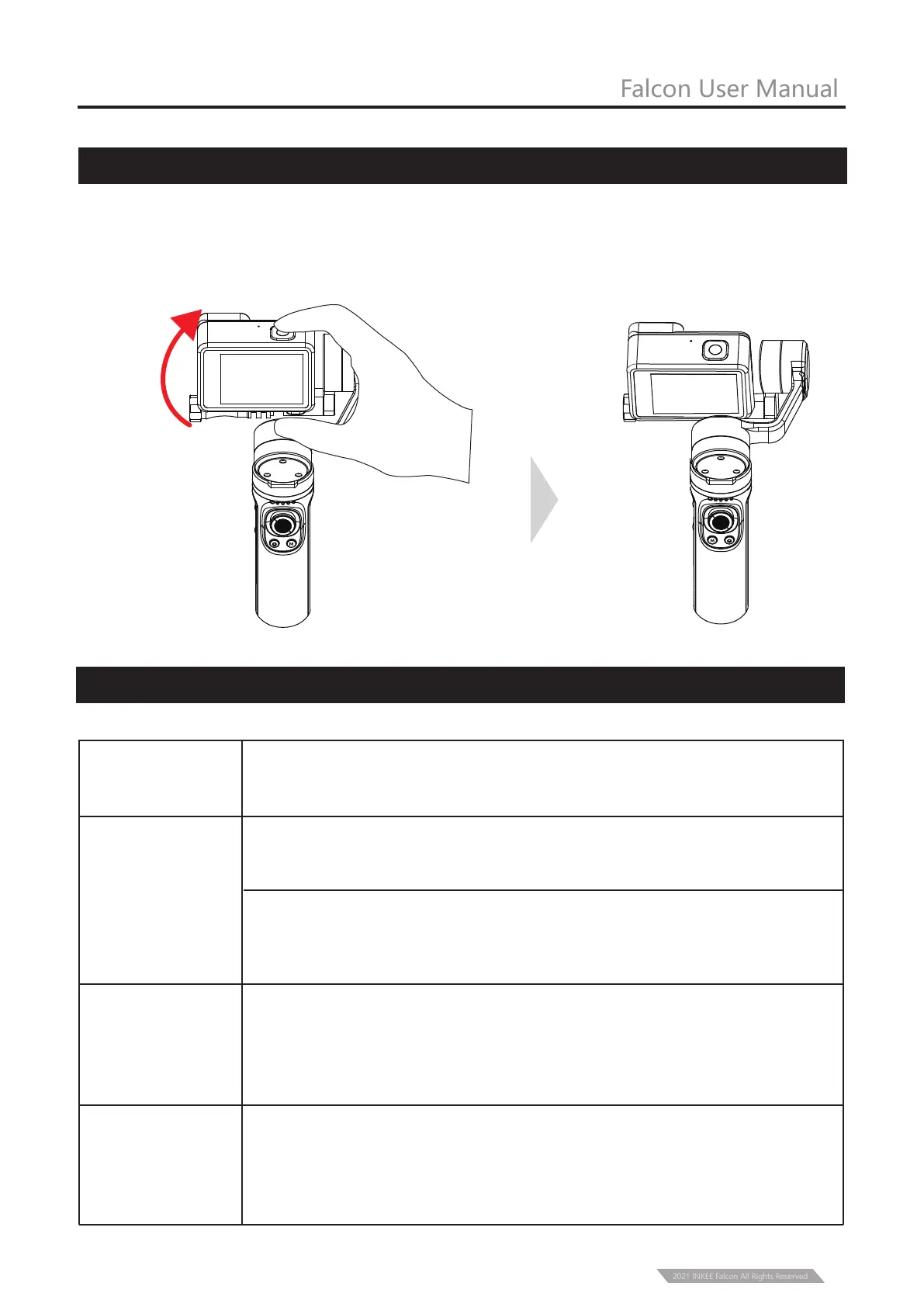
Grasp the camera and pull it to the specified angle in the tilt direction, stay for half a second
and then lock the current angle.
Indicator
Light Status
Description
Falcon User Manual
Manual Lock
Indicator Light Status
11
In shutdown and standby mode, the current power is 0-25%, 25-50%,
50-75%, 75-100% from the left.
Blue LED Light
Represent the mode state after Turning on, in proper sequence from left to
right are: PF mode, HL mode, FPV mode, Flashlight mode(FL), under Lock
mode(GL) the LED all bright, Vertical Shooting Mode (FL flashes).
Green LED Light
Display the Bluetooth connection status. It is always on when the Bluetooth
is connected while it is always off when no connection. After pairing is
cleared, the light will flash slowly during the Bluetooth scanning, if there is
connected then always on if not then off light.
Red LED Light
Display the current upgrade status. The red-light flashes rapidly during
upgrade, and it will turn off after three seconds when upgrade completed.
When the power is lower then 10% the red-light flashes slowly, Red light
flashing indicates upgrade failure
2021 INKEE Falcon All Rights Reserved



 To Next Page