PF
HL
FPV
FL
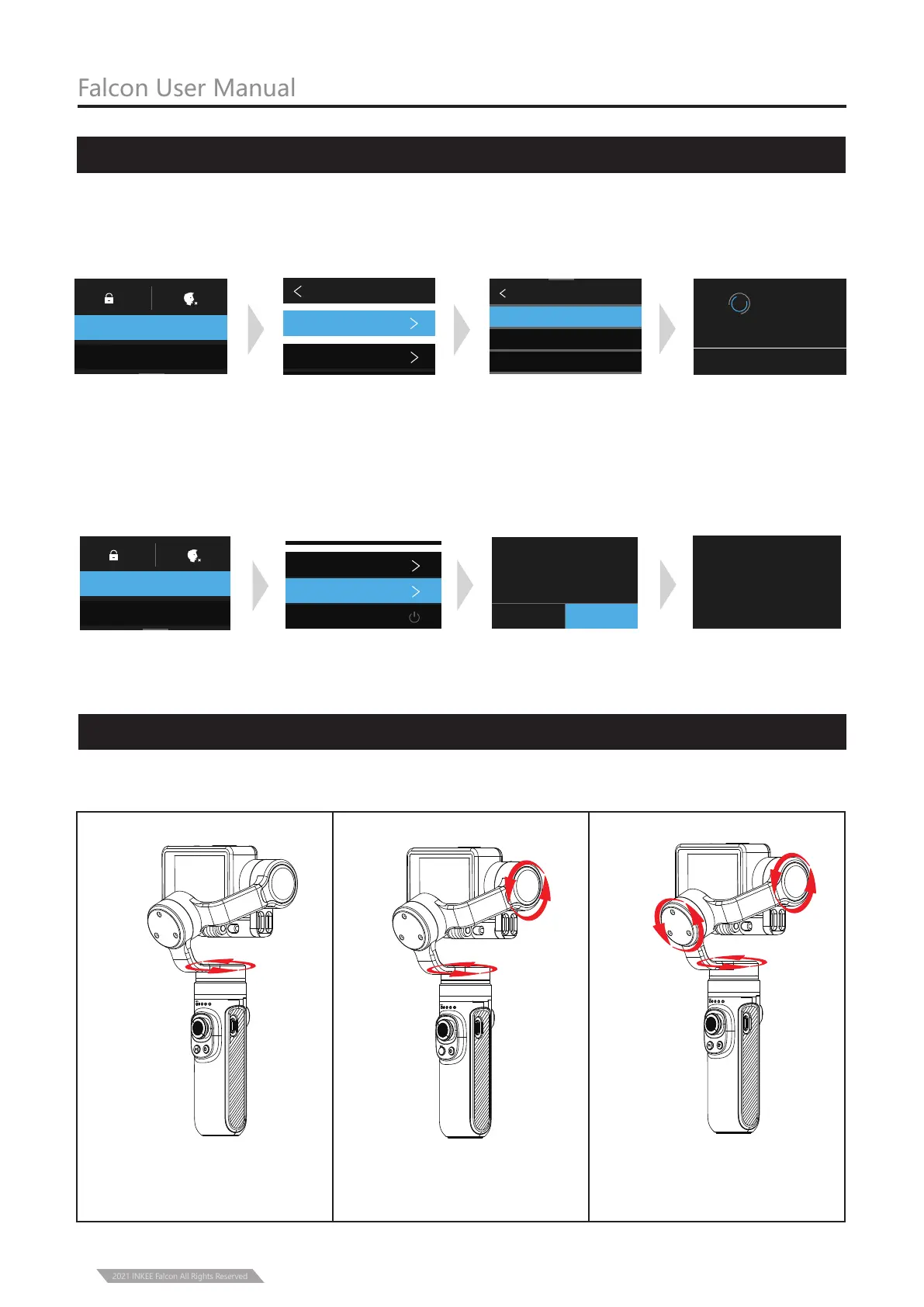
Function Operation
Pan Following Mode
Single press Mode Button
Pan and Tilt Following Mode
Single press the Mode
Button again
Falcon User Manual
Mode Function
6
PF
HL
FPV
FL
PF
HL
FPV
FL
Following
Rotation
Following
Rotation
Following
Rotation
Single press the Mode
Button again
Full Following Mode
① Following Mode
2021 INKEE Falcon All Rights Reserved
Connect to device
① Pull out the Selection Box from top to bottom, Click on “CONNECT”,
② Click on “Connect New Device”, ③ Click on“GOPRO APP”.
* Turn on the gimbal before connect to a device.
* If the above operation fails to connect the device, remove the pairing and make the
following steps, and once again repeat the above steps.
① Pull out the selection box from top to bottom, click on “CONNECT”,
②Click on “Reset Connections ”, ③ Click on “RESET”.
CONNECT NEW DEVICE
GOPRO App
Reom(Voice Remote )
Smart Remote
Return to
GoPro app and
follow Instructions
CANCEL
CAMERA NAME
GP********
PASSWORD
********
Connect New Device
CONNECTED DEVICES
CAMERA INFORMATION
Name & Password
CONNECT
CONNECT
PREFERENCES
CANCEL
RESET CONNECTIONS
Clear your connection list
(reconnect GoPro to the
required device)
RESET
ALL CONNECTIONS RESET
CONNECTED DEVICES
CAMERA INFORMATION
Name & Password
Reset Connections
Wireless Connections
CONNECT
PREFERENCES



 To Next Page