EasyManua.ls Logo

Inkel SYSTEM 800 - Ground Terminal

Inkel SYSTEM 800
7 pages
Print Icon
To Next Page IconTo Next Page
To Previous Page IconTo Previous Page
Loading...
Rear
Panel
Feature
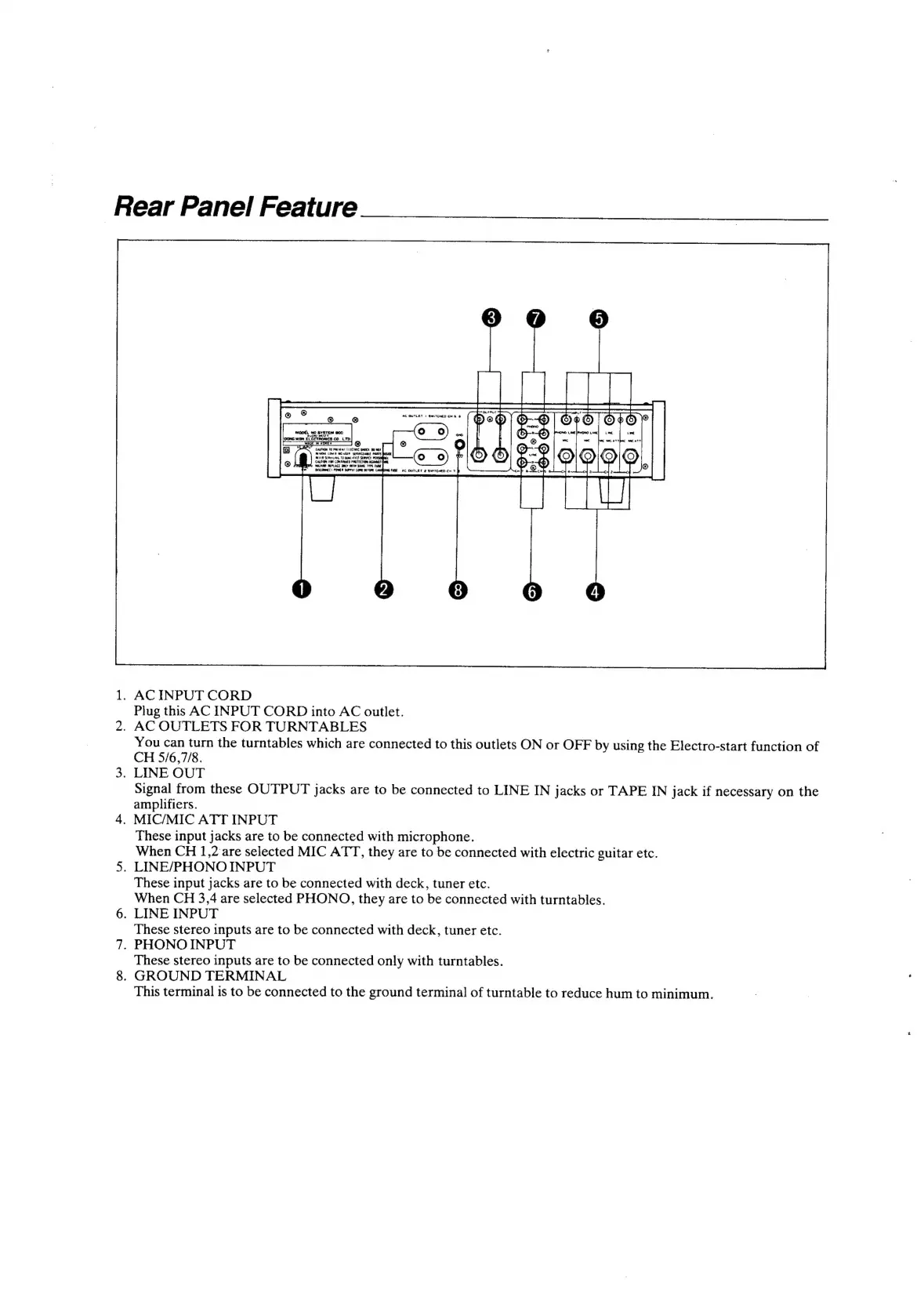
1.
ACINPUT
CORD
Plug
this
AC
INPUT
CORD
into
AC
outlet.
2.
AC
OUTLETS
FOR
TURNTABLES
You
can
turn
the
turntables
which
are
connected
to
this
outlets
ON
or
OFF
by
using
the
Electro-start
function
of
CH
5/6,7/8.
3.
LINE
OUT
Signal
from
these
OUTPUT
jacks
are
to
be
connected
to
LINE
IN
jacks
or
TAPE
IN
jack
if
necessary
on
the
amplifiers.
4.
MIC/MIC
ATT
INPUT
These
input
jacks
are
to
be
connected
with
microphone.
When
CH
1,2
are
selected
MIC
ATT,
they
are
to
be
connected
with
electric
guitar
etc.
5.
LINE/PHONO
INPUT
These
input jacks
are
to
be
connected
with
deck,
tuner
etc.
When
CH
3,4
are
selected
PHONO,
they
are
to
be
connected
with
turntables.
6.
LINE
INPUT
These
stereo
inputs
are
to
be
connected
with
deck,
tuner
etc.
7.
PHONO
INPUT
These
stereo
inputs
are
to
be
connected
only
with
turntables.
8.
GROUND
TERMINAL
This
terminal
is
to
be
connected
to
the
ground
terminal
of
turntable
to
reduce
hum
to
minimum.