2
2. CABLE CONNECTION
2.1 CHECK THE MINER BEFORE POWER ON
·
Check the warranty sticker is well or not, especially the hashboards PSU port side. If the warranty sticker
is damaged when you received the miner, please contact our After-sales.
·
Before you power on the miner, shake the miner softly, if you can hear the sound of metal banging on
metal, please contact our After-sales.
·
Check if the fan work well, if you find the fans broken please contact our After-sales.
·
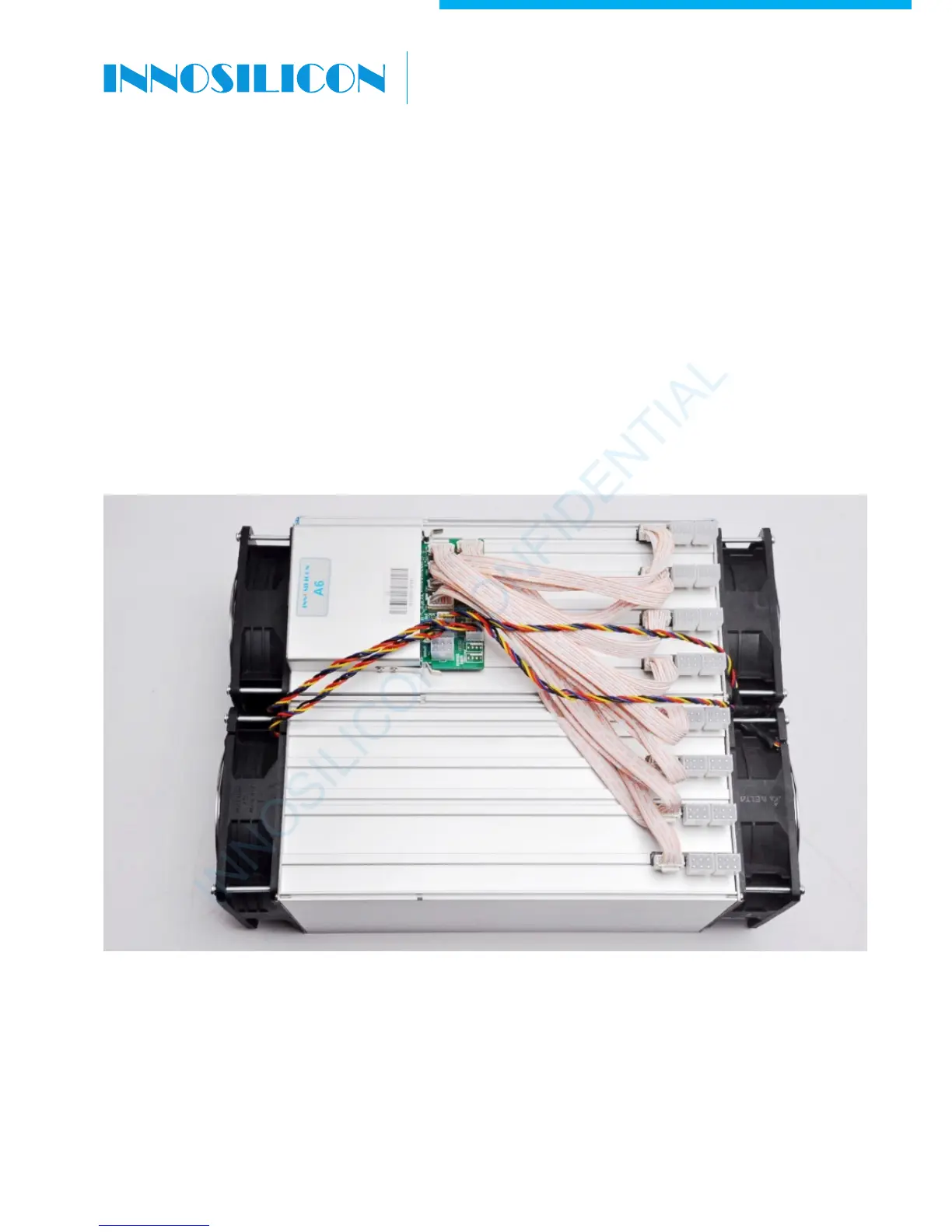
Check the cable connection, if it is different from below picture, please connect the cables as below.
INNOSILICON CONFIDENTIAL
A6 LTCMaster


 To Next Page