6
·
Press the OK button twice to confirm the changes.Then modify the IP address of the miner (Do it as the
follow step g) to guarantee the miner and the router have the same network segment.Then connect
the miner with the router,connect the PC with the router and select the “Obtain the IP address
automatically”.Now you can enter the IP through the browser into the control interface
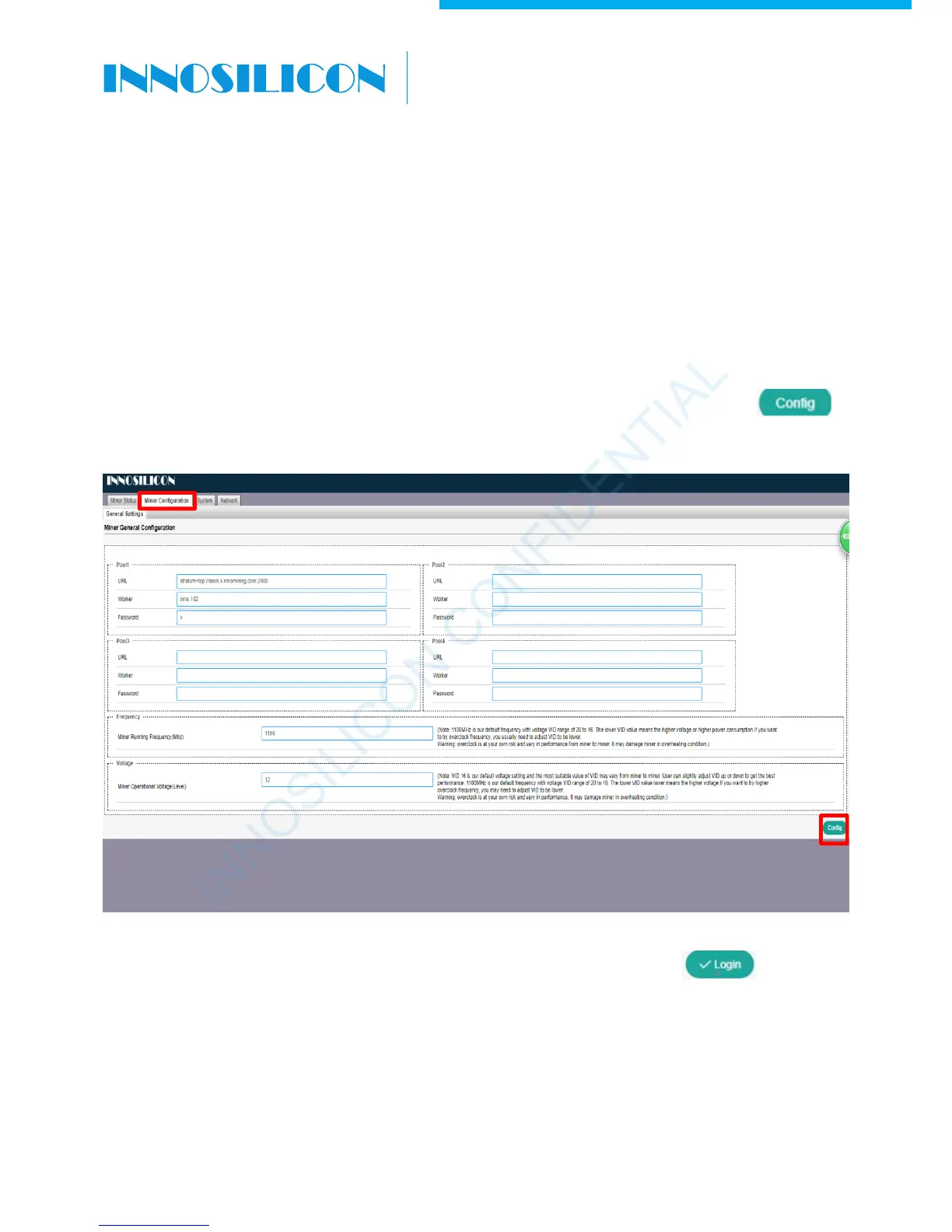
4. CONFIG THE MINER
4.1 Enter ‘Miner Configuration’ page, select ‘General Settings’. Click the lower right corner to
enter log in page.
4.2 Enter the default password
“12345678”
,
then click lower right corner to enter
configuration page.
INNOSILICON CONFIDENTIAL
A6 LTCMaster


 To Next Page