7
Password is wrong/error?—Please contact our after-sales people.
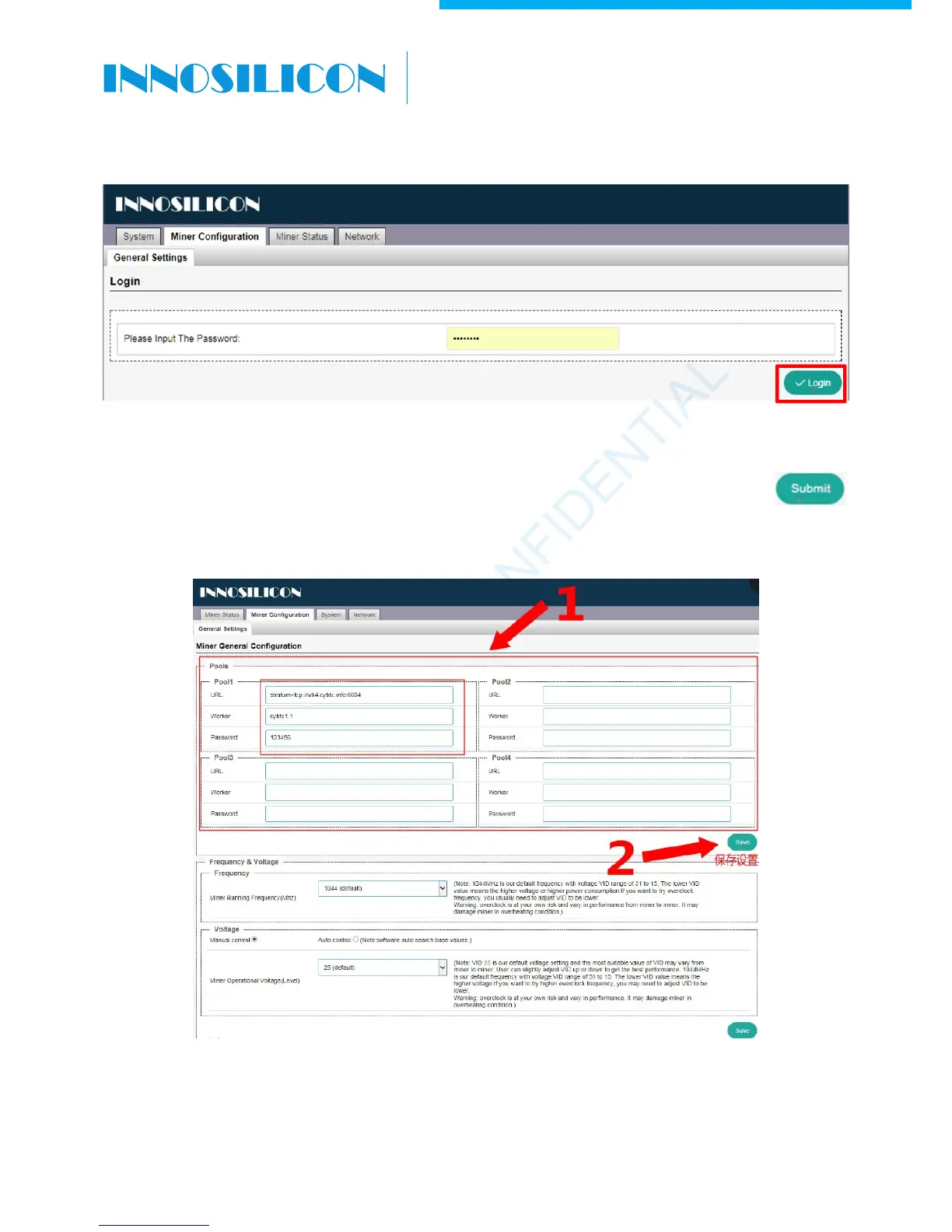
4.3 Enter the mining pool’s URL, Worker, password according to the following image, then click
.The miner will start mining, and the page will return to the ‘Miner Configuration’ page. It will show
the user’s modified setting.
INNOSILICON CONFIDENTIAL
A6 LTCMaster



 To Next Page