2
Innosilicon After-sales Team
Email: miner_support@innosilicon.com.cn
Flickering represents overtemperature of the hash board. Please check the fans of the miner,
environment temperature and the ventilation conditions.
Being off means the hash board doesn’t work. Please try to reboot the miner or change the
data cable. Pls contact our after-sales team if the problem still exists.
2.2 Assemble & Operate
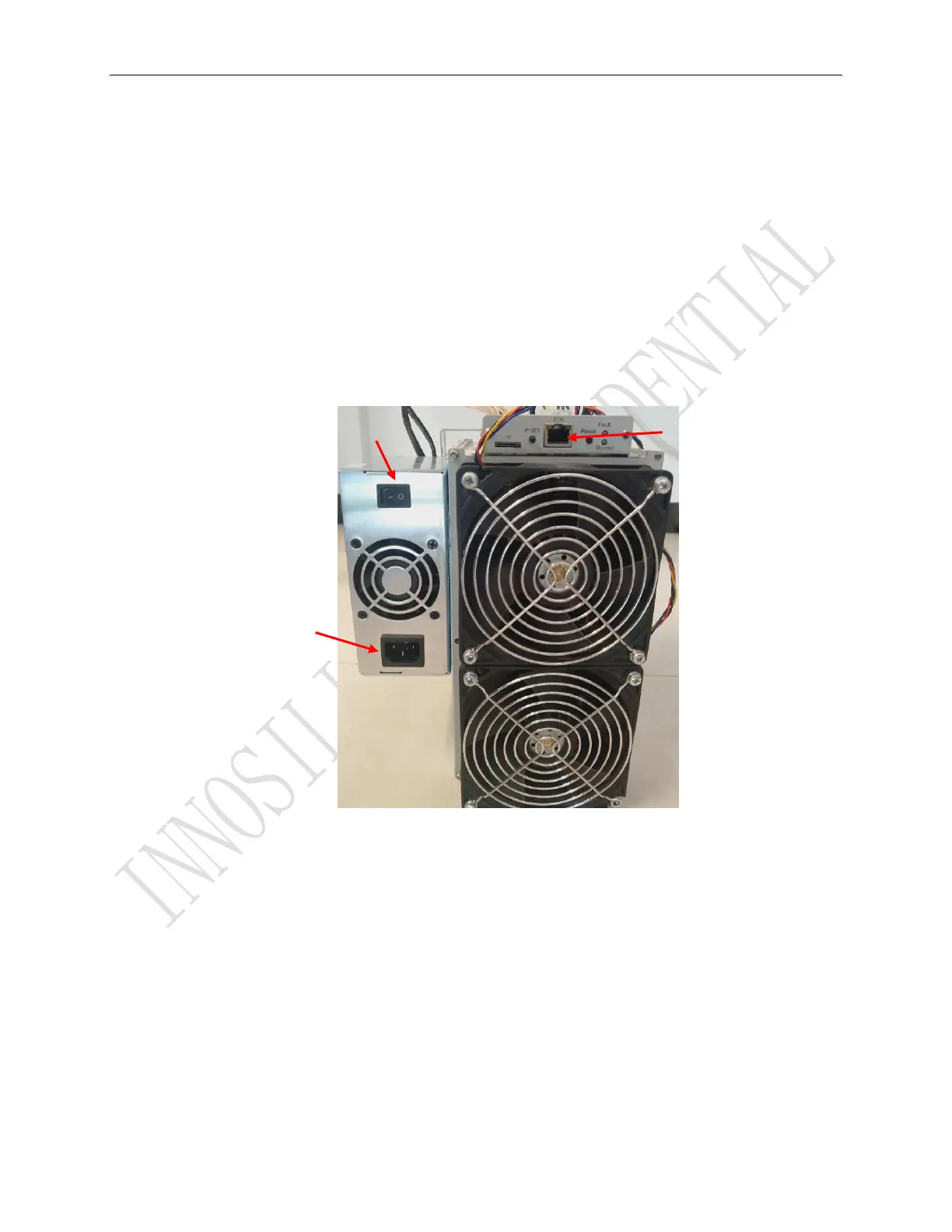
Connect the miner and the router by the Ethernet cable and then the miner can start to run after being
powered on.
Notes: T2THF miners consume much more power under some modes. Pls choose proper sockets.
Normal Indicator:Being constantly lit represents static IP and flickering represents DHCP
Fault Indicator:Being on means there is something wrong with the network; Being off means it is OK.
IP SET button:
Press it for 1 to 4 seconds and the following functions can be realized:
(1) Sending the IP miner to the “Set IP” tool;



 To Next Page