4
Innosilicon After-sales Team
Email: miner_support@innosilicon.com.cn
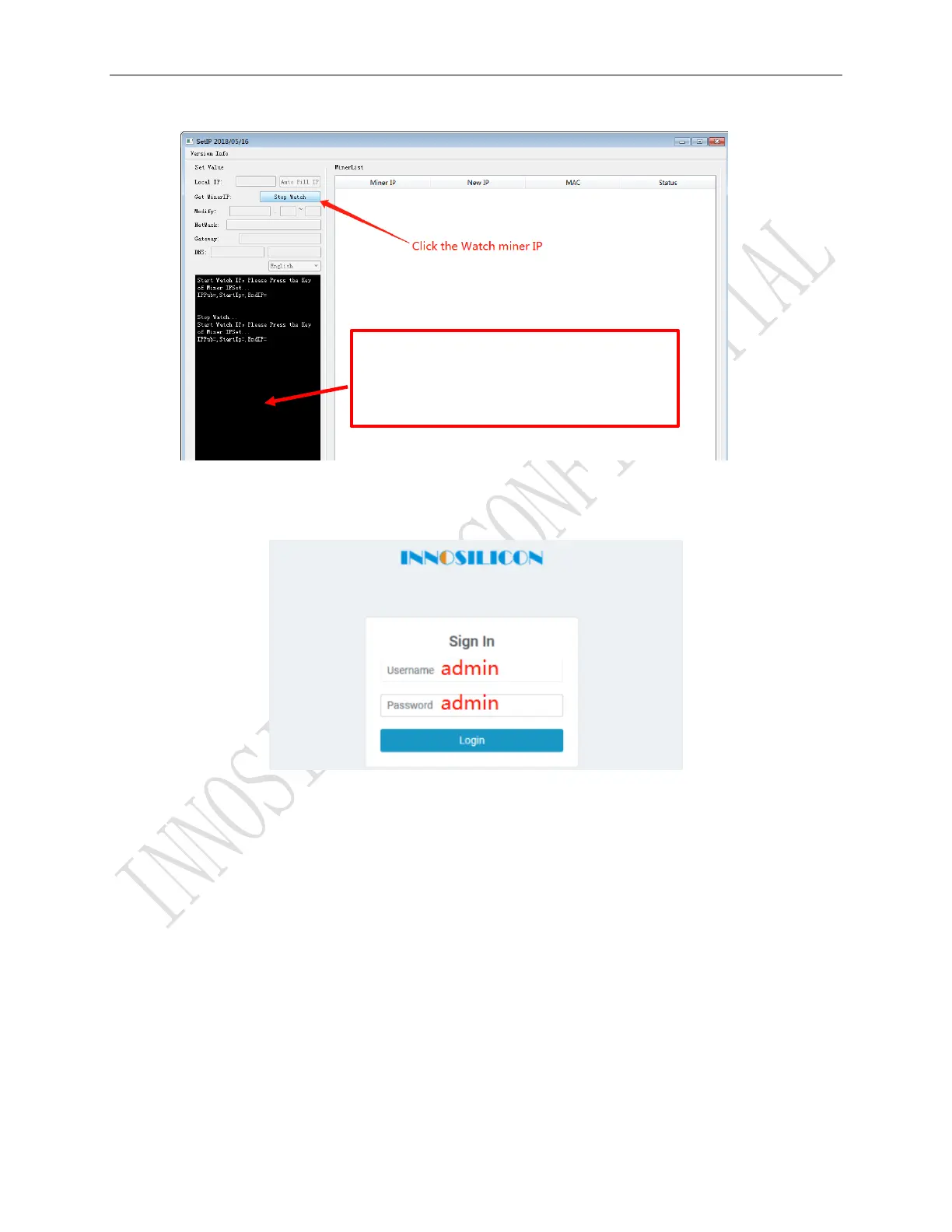
b) Report the miner IP
Enter the IP of the miner in the browser and press the Enter button to go to the miner console page.
Chrome is the suggested browser. (Please try with dragonadmin if the password admin is invalid.)
3.2 Configure the pool
Pls configure the pool to start mining after login.
Please use the suggested pool as below:
1 f2pool:stratum+tcp://btc-65536.f2pool.com:3333
2 poolin: stratum+tcp://btc-bj.ss.poolin.com:1800 or stratum+tcp://btc-sz.ss.poolin.com:1800
3 ckpool:stratum+tcp://cn.ckpool.org:443 or stratum+tcp://pool.ckpool.org:3333



 To Next Page