3
Innosilicon After-sales Team
Email: miner_support@innosilicon.com.cn
(2) Changing the miner to a Static IP within the specific range with the IPset tool
Press it for 4 to 15 seconds, the miner IP will be switched to DHCP and the pool settings will be restored
to default settings.
Press it for 15 to 30 seconds to switch the Dynamic (Static) IP to Static (Dynamic).
RESET button: Press the “Reset” button to restart the miner.
3. Operate the miner
3.1 Enter the miner console
DHCP is the default IP mode of the miner (The normal indicator of the control board now is flickering in
green when the DHCP service of the router is enabled.). Find the IP via the IP scanner or the SetIP tool
developed by our company. Pls refer to the official support center for the downloading address
https://www.innosilicon.com/html/support_en/tool.html.
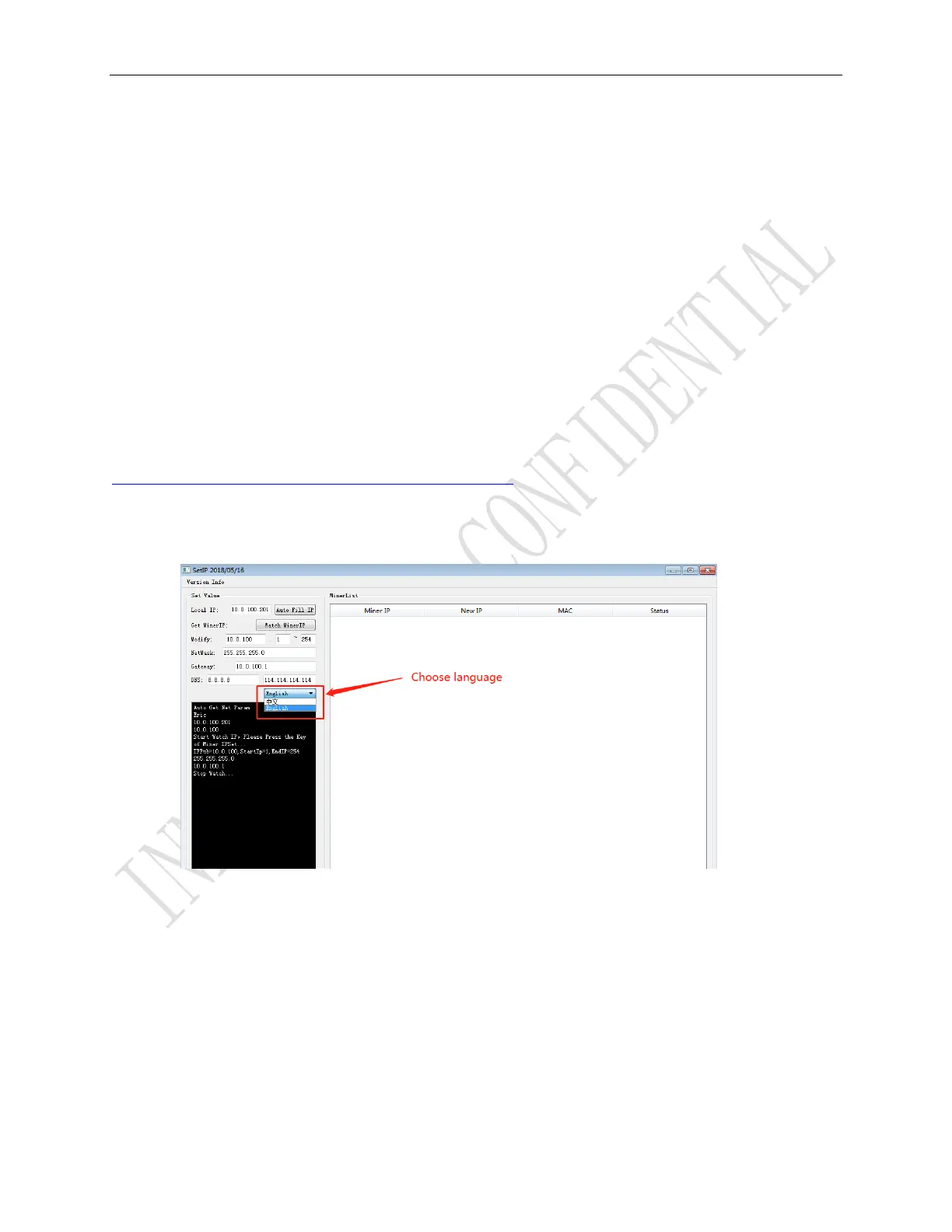
a) Save SetIP in the pc on the same network with the miner, then double click the tool and choose
the language.



 To Next Page