Using the Diagnostic Tool
CODE RETRIEVAL PROCEDURE
38 3150e
Yellow LED – Indicates one of the
following conditions:
A. A PENDING CODE IS PRESENT –
If the yellow LED is illuminated, it
may indicate a Pending code is
present. Check the Diagnostic
Tool’s display for confirmation. A
Pending code is confirmed by the
presence of a numeric code and the
word PENDING on the Diagnostic
Tool’s display.
B. MONITOR NOT RUN STATUS – If
the Diagnostic Tool’s display shows a
zero (indicating there are no DTC’s
present in the vehicle’s computer
memory), but the yellow LED is
illuminated, it may be an indication
that some of the Monitors supported
by the vehicle have not yet run and
completed their diagnostic testing.
Check the Diagnostic Tool’s display
for confirmation. All Monitor icons that
are blinking have not yet run and
completed their diagnostic testing; all
Monitor icons that are solid have run
and completed their diagnostic testing.
Red LED – Indicates there is a
problem with one or more of the
vehicle’s systems. The red LED is
also used to indicate that DTC(s) are
present (displayed on the Diagnostic
Tool’s screen). In this case, the
Malfunction Indicator (Check Engine)
lamp on the vehicle’s instrument panel
will be illuminated.
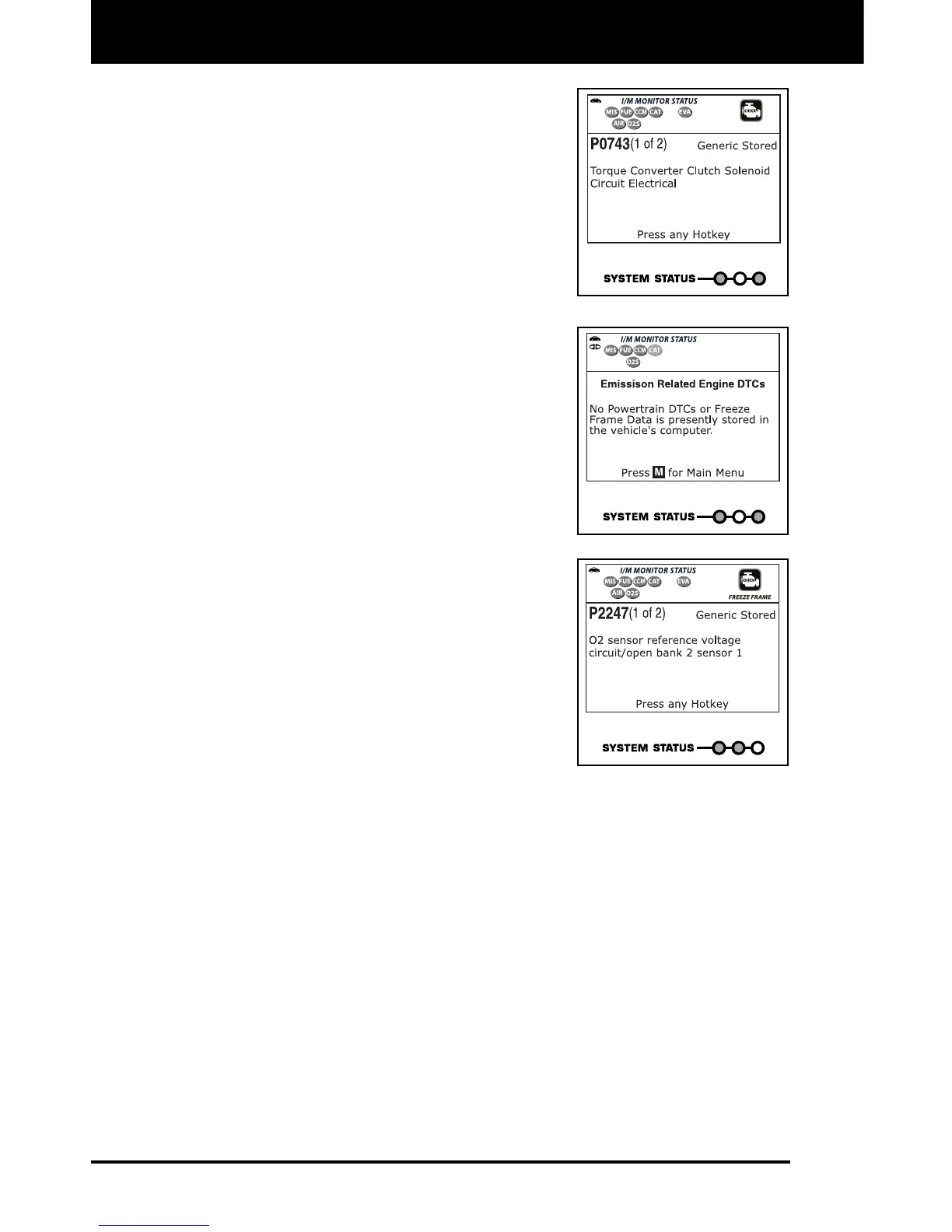
DTC’s that start with “P0”, “P2” and some “P3” are considered
Generic (Universal). All Generic DTC definitions are the same on all
OBD2 equipped vehicles. The Diagnostic Tool automatically
displays the code definitions (if available) for Generic DTC’s.
DTC’s that start with “P1” and some “P3” are Manufacturer specific
codes and their code definitions vary with each vehicle
manufacturer.
13. If more than one DTC was retrieved, press and release the DTC
button, as necessary.
Each time the DTC button is pressed and released, the
Diagnostic Tool will scroll and display the next DTC in sequence
until all DTCs in its memory have displayed.


 To Next Page