Need help?
Do you have a question about the Innova CarScan and is the answer not in the manual?
General safety precautions for operating the scan tool and working with vehicles.
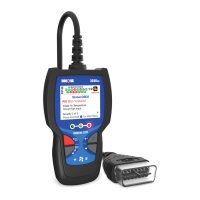
Identifies and describes the buttons and indicators on the scan tool.
Instructions for replacing the batteries in the scan tool.
Explains the various elements and icons shown on the scan tool's display.
Steps for initial setup and language/unit selection after battery installation.
Steps for connecting the tool and retrieving diagnostic trouble codes from a vehicle.
Accesses enhanced DTCs for ABS, SRS, and OEM systems.
Retrieves and displays OEM enhanced DTCs for specific vehicle makes.
Retrieves and displays OEM enhanced DTCs for Ford/Mazda vehicles.
Retrieves and displays Anti-Lock Brake System (ABS) DTCs.
Retrieves and displays Supplemental Restraint System (SRS) DTCs.
Procedure for erasing DTCs, Freeze Frame, and enhanced data.
Information about the RepairSolutions 2 web-based diagnostic service.
Steps to connect the scan tool to a smart device via Bluetooth or WiFi.
Lists Chrysler/Jeep vehicles covered by the scan tool for OBD1 systems.
Steps to retrieve DTCs from Chrysler/Jeep OBD1 systems.
Procedure for erasing DTCs on Chrysler/Jeep OBD1 systems.
Lists Ford vehicles and their computer systems covered by the scan tool.
Procedure for performing the Key On Engine Off (KOEO) Self-Test.
Procedure for checking ignition timing on Ford OBD1 systems.
Procedure for performing the Key On Engine Running (KOER) Self-Test.
Tests cylinder contribution to engine operation for SEFI systems.
Checks computer output voltage and relay/solenoid operation.
Checks for intermittent faults in specific circuits by wiggling components.
Procedure for erasing DTCs from Ford OBD1 systems.
Lists GM vehicles compatible with the scan tool for OBD1 systems.
Steps to retrieve DTCs from GM OBD1 systems.
Procedure for erasing DTCs on GM OBD1 systems.
Lists Honda/Acura vehicles compatible with the scan tool.
Steps to retrieve DTCs from Honda/Acura OBD1 systems.
Procedure for erasing DTCs on Honda/Acura OBD1 systems.
Lists Toyota/Lexus OBD1 cars covered by the scan tool.
Steps to retrieve DTCs from Toyota/Lexus OBD1 systems.
Procedure for erasing DTCs on Toyota/Lexus OBD1 systems.
Displays real-time vehicle operating parameters (PIDs).
Selects specific PIDs to display in Live Data mode.
Records Live Data by DTC trigger or manual trigger.
Reviews recorded Live Data in continuous or frame-by-frame modes.
Accesses O2 Sensor, OBD Monitor, and EVAP tests.
Retrieves and displays O2 sensor monitor test results.
Retrieves and displays results for non-continuous emission tests.
Initiates a leak test for the vehicle's EVAP system.
Resets the vehicle's oil maintenance reminder light.
Checks current engine oil level and oil life remaining.
Checks the vehicle's battery and alternator system performance.
Helps locate the vehicle's Data Link Connector (DLC).
Retrieves VIN, calibration IDs, and module information.
Retrieves monitor statistics for vehicle operation.
Displays the scan tool's current firmware, bootloader, and database versions.
Provides reference information for icons, DTCs, and LED meanings.
Shows full names and descriptions for I/M Monitor icons.
Accesses OBD2 DTC definitions by entering code.
Describes the meaning of the scan tool's System Status LEDs.
Configure scan tool settings like brightness, tone, language, and units.
View DTCs and Live Data previously stored in the scan tool's memory.
Details the manufacturer's warranty terms and conditions.
Provides contact information for technical support and service.
 General
| Live Data | Yes |
|---|---|
| Code Definition | Yes |
| Compatibility | OBD2 compliant vehicles |
| Battery/Alternator Test | Yes |
| Features | Freeze Frame Data, I/M Readiness, Vehicle Information (VIN, CIN, CVN) |
| Power Source | Vehicle Battery |
| Supported Protocols | CAN |
| Functions | Read and Erase Diagnostic Trouble Codes (DTCs), View Live Data Stream |


 To Next Page