DA2 Installation Guide
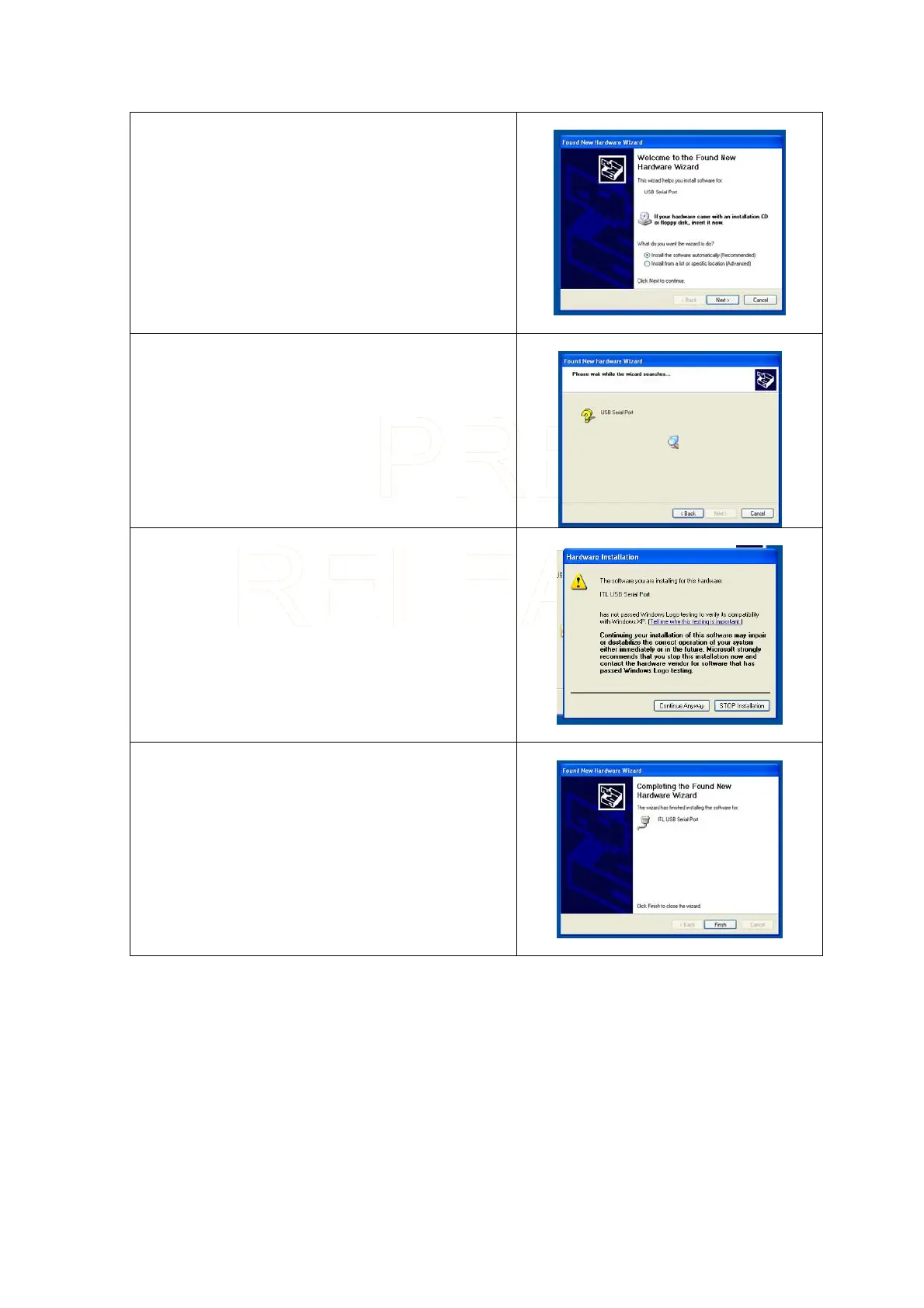
A second Found New Hardware Wizard will now
open.
Make sure that Install the software automatically
is
checked.
Click on Next >
The search window will again be displayed.
When the driver has been found a message will be
displayed informing you that the driver has not
passed Windows Logo testing. Click on Continue
Anyway
When the driver has successfully loaded you will see
the following screen.
Click Finish
Your DA2 is now ready for use.
Innovative Technology Ltd Page 10 of 12



 To Next Page