DA2 Installation Guide
2.3 Windows XP (Home and Professional)
Before connecting your DA2 insert the DA2 CD-ROM
into your PC.
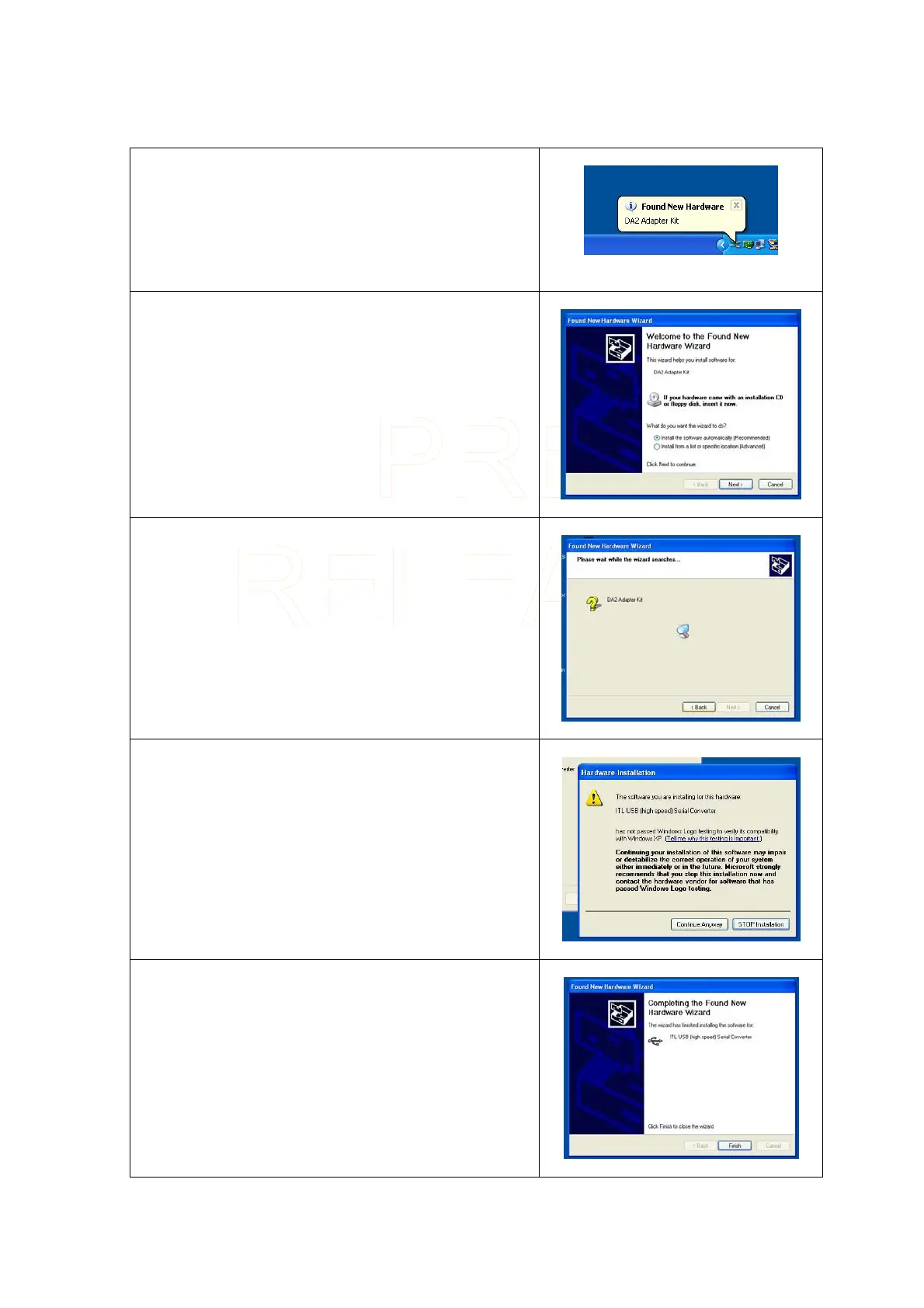
Once you have connected your DA2 a message bubble
will appear informing you that a new device has been
connected.
After a few moments the Add New Hardware Wizard will
start and the following screen will be displayed.
Make sure that Install the software automatically is
checked.
Click on Next >
The following screen will be displayed while the Wizard
searches for the driver. IF you have already inserted the
DA2 CD-ROM Windows XP will automatically find the
driver.
When the driver has been found a message will be
displayed informing you that the driver has not passed
Windows Logo testing. Click on Continue Anyway
When the driver has successfully loaded you will see the
following screen.
Click Finish
Innovative Technology Ltd Page 9 of 12



 To Next Page