EasyManua.ls Logo

Innovative Technology ITCDS-5000 - User Manual

Innovative Technology ITCDS-5000
16 pages
Print Icon
To Next Page IconTo Next Page
Loading...
1
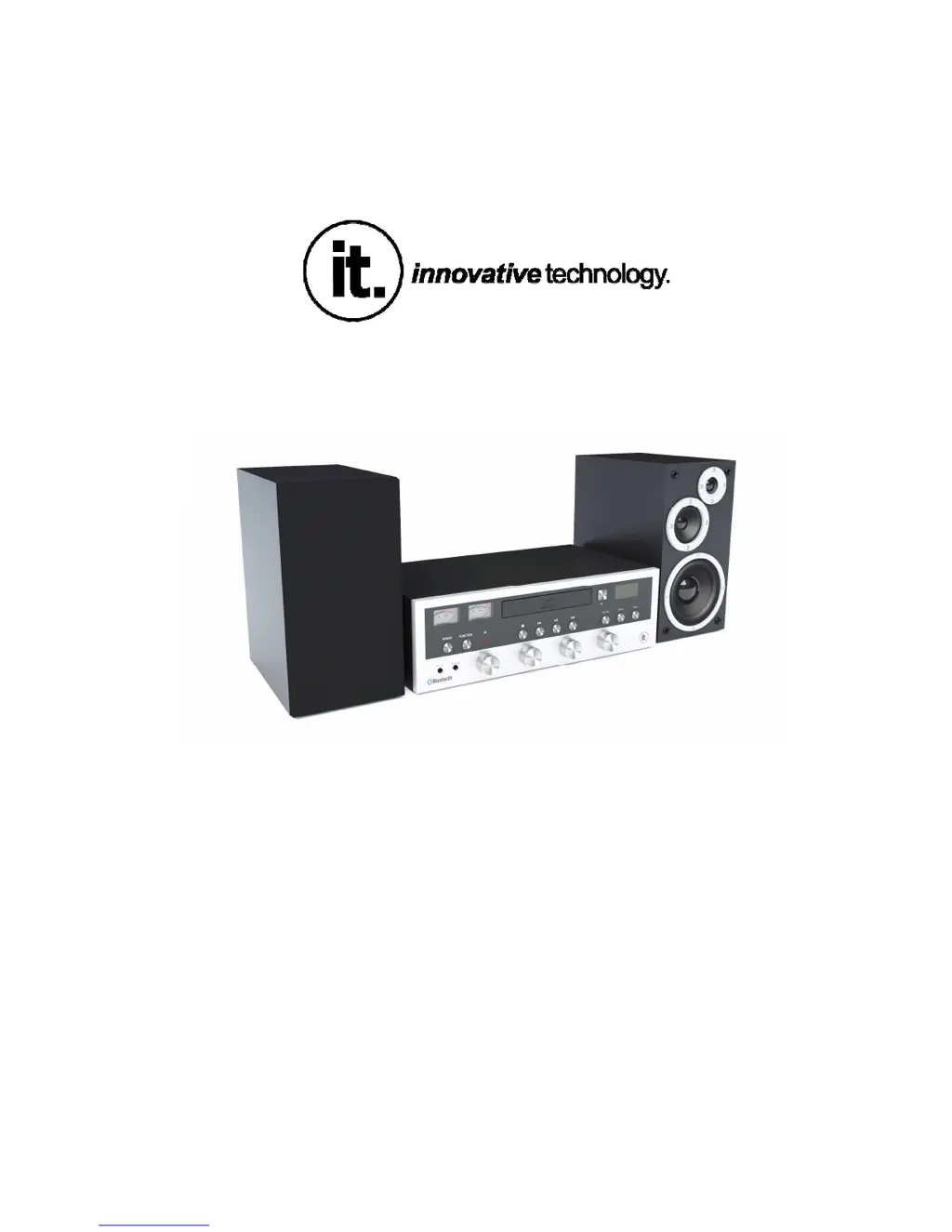
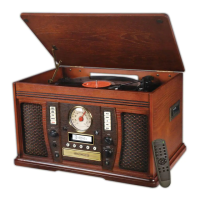
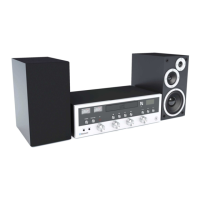
MODEL: ITCDS-5000
Digital Tuning FM / CD player w
Bluetooth/Aux-in
and External Stereo Speakers

Other manuals for Innovative Technology ITCDS-5000

Questions and Answers

  • M
    Mark EdwardsJul 30, 2025
    Why is there no sound coming from my Innovative Technology CD Player?
    • M
      Maria CohenJul 30, 2025
      If no sound is coming from the speakers of your Innovative Technology CD Player, first ensure that the external speakers are properly connected. Next, check that the volume isn't turned down completely. Finally, make sure the input selector matches the source you're trying to play.
  • T
    thomas85Aug 4, 2025
    What to do if my Innovative Technology CD Player is not responding?
    • R
      Rhonda FosterAug 4, 2025
      If your Innovative Technology CD Player isn't acting as expected, it might be due to external factors like electro-static discharge (ESD). To resolve this, remove the power cord and all power supply devices. After one minute, plug the unit back in.
  • E
    Eric PerryAug 8, 2025
    Why does my Innovative Technology CD Player stop playing CDs?
    • C
      Carol ConleyAug 8, 2025
      If your Innovative Technology CD Player's CD stops immediately, pauses, or stops during play, make sure that the CD is inserted with the printed side facing up. Also, the CD might be dusty, dirty, or have condensation on it. Clean and dry the CD carefully.
  • C
    Crystal EstradaAug 12, 2025
    How to fix weak radio signal on Innovative Technology CD Player?
    • E
      ewatsonAug 12, 2025
      If you can't listen to any station or the signal appears weak on your Innovative Technology CD Player, try properly tuning in to the desired station. Also, a nearby TV set might be interfering with the radio reception. Turn off the TV set.
  • M
    Michael CookAug 16, 2025
    How to improve distorted sound on Innovative Technology CD Player?
    • C
      colecarterAug 16, 2025
      If the sound from your Innovative Technology CD Player is distorted, try re-positioning the antenna until the reception improves.
  • J
    Joe PerezAug 20, 2025
    Why does my Innovative Technology CD Player skip or make noise with certain CDs?
    • C
      Christopher CervantesAug 20, 2025
      If a specific CD is noisy, or playback stops or skips on your Innovative Technology CD Player, the CD might be scratched, damaged, or warped, so it should be changed. Alternatively, the disc could be very dirty; in that case, clean the CD carefully.
  • D
    david46Aug 26, 2025
    Why is my Innovative Technology CD Player making noisy sounds?
    • T
      Tara HunterAug 26, 2025
      If the sound from your Innovative Technology CD Player is noisy, the unit might be too close to a TV set or another similar appliance. Turn off the TV or other appliance, and relocate the unit.

Summary

Important Safety Instructions

General Safety Guidelines

Read and keep instructions; avoid water, heat, ensure ventilation, proper plug use, and unplugging when unused.

Additional Safety Precautions

Electrical, Battery, and Warning Safety

Electrical safety, battery handling, warning symbols, and specific hazards like battery ingestion.

Main Unit Controls Overview

Front Panel Buttons and Knobs

Details of power, function, balance, volume, stop, play/pause, bass, and tuning controls on the main unit.

Remote Control Operations

Function and Playback Controls

Explains how to select source, random playback, balance, skip, play/pause, stop, and scan.

Volume, Tuning, and Program Controls

Details on power, treble/bass adjustment, volume, tuning, eject/enter, and program settings.

Getting Started and Setup

Connecting Power and Standby

How to connect the power cord, check voltage, and turn the unit on/off via the power button.

Volume and Tone Adjustment

Playing a CD Disc

Auxiliary Input Operation

Bluetooth Connectivity Guide

Pairing External Bluetooth Devices

Steps to enable Bluetooth on the unit and external device for pairing, including password entry.

Remote Control Usage Tips

Remote Control Battery Management

Troubleshooting Common Issues

Whole Unit Problems

Solutions for power not coming on, no sound, noisy sound, or unexpected unit behavior.

Tuner Unit Problems

Fixes for poor radio reception, weak signals, or distorted audio from the tuner.

CD Player Problems

Resolves issues like CD stopping, pausing, no sound, or skipping due to disc condition or player state.

Innovative Technology ITCDS-5000 Specifications

General IconGeneral
BluetoothYes
FM RadioYes
CD PlayerYes
USB PortYes
AUX InputYes
Remote ControlYes
Disc CompatibilityCD, CD-R, CD-RW

Related product manuals