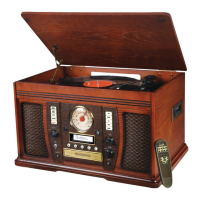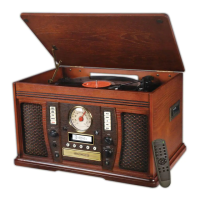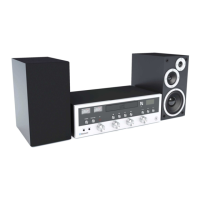

 To Next Page

K
Kelli MoranAug 16, 2025
What to do if my Innovative Technology Stereo System will not power on?
- CCarlos EricksonAug 17, 2025
If your unit isn't powering on, make sure it's properly connected to the AC power supply. The unit might be unplugged.

What to do if my Innovative Technology Stereo System will not power on?
If your unit isn't powering on, make sure it's properly connected to the AC power supply. The unit might be unplugged.
Why is there no sound from my Innovative Technology ITVS-200B?
There are several reasons why your Innovative Technology Stereo System might not be producing sound. Ensure the unit is switched to Bluetooth mode if you're using a Bluetooth device. Also, check the volume levels on both your device and the stereo system, and increase them if necessary. If you are using Bluetooth, try moving your Bluetooth device closer to the unit, and power cycle both your Bluetooth device and the unit by turning them off and then back on.
What to do if my Innovative Technology ITVS-200B CD stops immediately after starting?
If the CD stops immediately after starting, pauses, or stops during play, first check if the CD is inserted with the printed side facing up. If it is, carefully clean and dry the CD, as it may be dusty, dirty, or have condensation.
What to do if my Innovative Technology Stereo System is not pairing with Bluetooth?
If you're unable to pair with a Bluetooth device, first confirm that your device is Bluetooth compatible. If it is, try re-pairing the unit and your device again.
Why is my Innovative Technology ITVS-200B CD tray will not open?
If the CD tray won't open, make sure that the system is not in AM/FM mode. Select AUX, PHONO, CD, or TAPE mode.
What to do if my Innovative Technology ITVS-200B Stereo System is not responding?
If the unit fails to respond, disconnect the power cord and any external audio devices. After one minute, plug the power cord back in. The issue might be due to external factors like electro-static discharge.
What to do if my Innovative Technology ITVS-200B buttons are not functioning correctly?
If the buttons aren't working correctly, it could be because the unit is processing information. If “--- Busy” is displayed, wait until the unit finishes processing. If that's not the case, try turning the unit off and then on again.
Why is my Innovative Technology ITVS-200B CD playback noisy?
If the CD playback is noisy, stops, or skips, the CD may be scratched, damaged, or warped; replace it with an undamaged one. Alternatively, the disc could be very dirty, so carefully clean the CD.
Why Innovative Technology Stereo System cannot listen to any station?
If you cannot listen to any station, or the signal appears weak, make sure that you properly tune-in the desired station. Also, a nearby TV set might be interfering with the radio reception, so try turning it off.
What to do if my Innovative Technology Stereo System tape does not play?
If the tape doesn't play, make sure the cassette tape is inserted correctly. If it is, the tape may have reached the end, so flip the cassette.
Crucial safety instructions to be followed before operating the unit.
Instructions for initial setup and connecting the unit.
 General
| Type | Stereo System |
|---|---|
| FM Radio | Yes |
| AM Radio | No |
| CD Player | Yes |
| Connectivity | Bluetooth |
| Turntable | Yes, 3-speed (33 1/3, 45, 78 RPM) |