EasyManua.ls Logo

Innovative Technology ITVS-750B - User Manual

Innovative Technology ITVS-750B
20 pages
Print Icon
To Next Page IconTo Next Page
Loading...
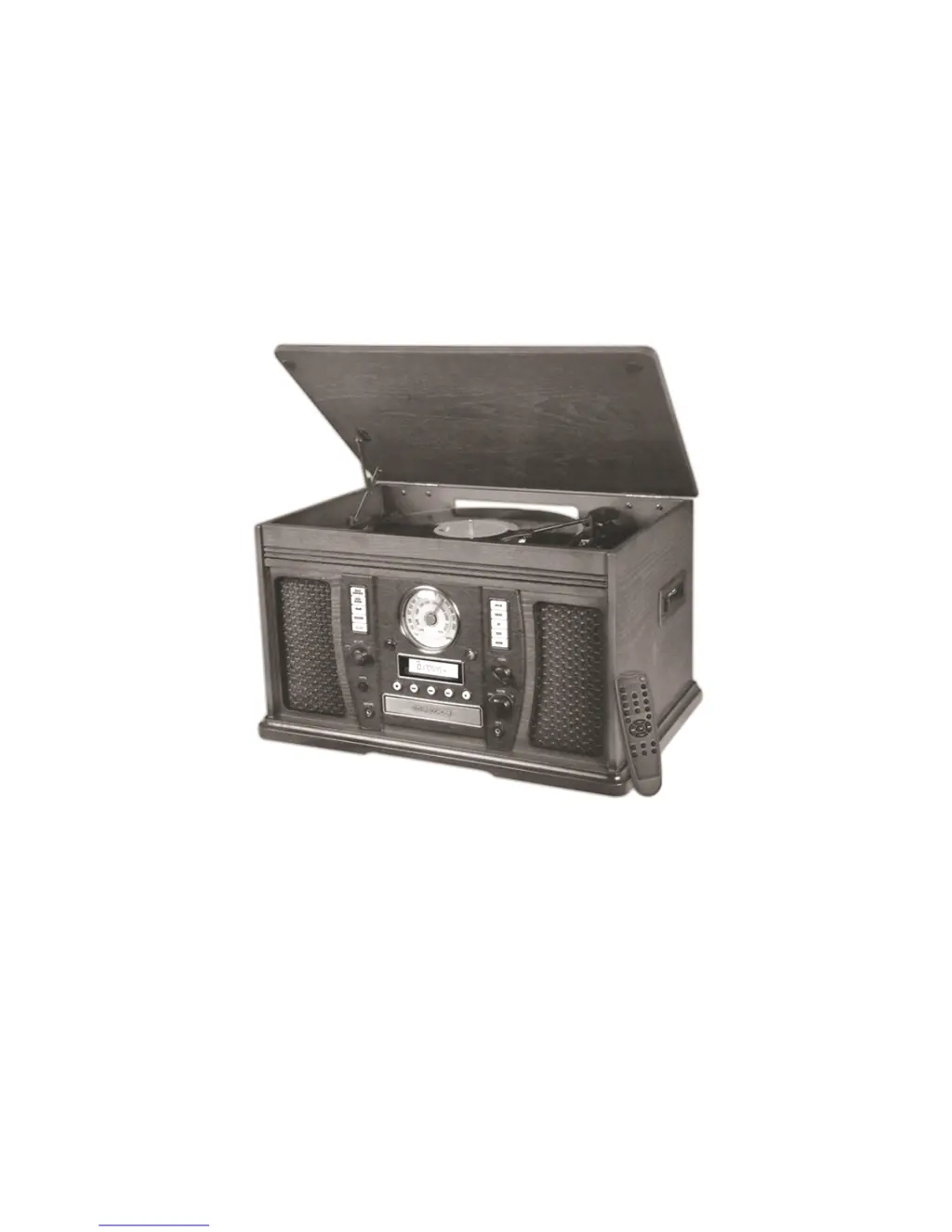
MODEL: ITVS-750B
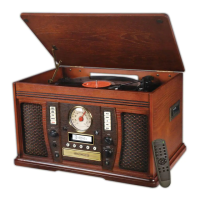
WOODEN MUSIC CENTER
WITH BLUETOOTH & RECORDABLE CD PLAYER
E-696D
User Manual

Other manuals for Innovative Technology ITVS-750B

Questions and Answers

  • R
    Randy JohnsonAug 20, 2025
    What to do if my Innovative Technology Stereo System has no sound?
    • M
      masseymichelleAug 20, 2025
      If your Innovative Technology Stereo System produces no sound, first, ensure the unit is switched to Aux mode. Then, verify that the volume is turned up both on your device and the stereo system itself. Finally, check the distance between your Bluetooth device and the unit, ensuring there are no obstructions.
  • I
    iclarkeAug 22, 2025
    How to fix Innovative Technology Stereo System that won't turn on?
    • R
      randallhendricksAug 22, 2025
      If your Innovative Technology Stereo System will not power on, ensure that the unit is properly connected to the AC power supply.
  • T
    thomascherylAug 25, 2025
    What to do if my Innovative Technology Stereo System has no sound output?
    • C
      Christopher DanielAug 25, 2025
      If your Innovative Technology Stereo System is not producing any sound from the speakers, first adjust the volume to ensure it is not set too low. Then, make sure the input selector matches the playback source you are using.
  • M
    Molly ScottAug 26, 2025
    Why is my Innovative Technology Stereo System making noise?
    • T
      Timothy GarrettAug 27, 2025
      If your Innovative Technology Stereo System is making noise or distorting the sound, it might be too close to a TV or another device causing interference. Try turning off nearby TVs or appliances, and relocate the unit to a different spot.
  • B
    Brian EspinozaAug 28, 2025
    What to do if my Innovative Technology Stereo System is not responding?
    • C
      Cheryl CastilloAug 28, 2025
      If your Innovative Technology Stereo System fails to respond, it may be due to external factors like electrostatic discharge. Disconnect the power cord and any external audio devices. After one minute, plug the power cord back in.
  • K
    Katrina MayerAug 30, 2025
    How to fix Innovative Technology Stereo System when the tape doesn't play?
    • L
      Louis WalkerAug 30, 2025
      If your Innovative Technology Stereo System tape player isn't working, make sure the cassette tape is inserted correctly. If it still doesn't play, the tape may have reached the end; try flipping the cassette.
  • A
    Anthony BurnsSep 1, 2025
    Why can't my Innovative Technology Stereo System pick up radio stations?
    • A
      Andrew LeachSep 1, 2025
      If your Innovative Technology Stereo System cannot pick up any radio stations, or the signal is weak, try properly tuning in the desired station. Additionally, a nearby TV set might be interfering with the radio reception, so try turning it off.
  • P
    pmuellerSep 3, 2025
    What to do if my Innovative Technology Stereo System CD stops playing?
    • B
      Brianna HicksSep 3, 2025
      If the CD in your Innovative Technology Stereo System stops immediately after starting, or the unit pauses or stops during play, make sure the CD is inserted with the printed side facing up. Also, the CD may be dusty, dirty, or have condensation on it; carefully clean and dry the CD.
  • W
    williamsontaylorSep 5, 2025
    Why is there no sound when playing CD on Innovative Technology Stereo System?
    • M
      Maurice KellySep 5, 2025
      If there is no sound when playing a CD on your Innovative Technology Stereo System, ensure that the CD player is not paused by pressing the PLAY/PAUSE button.
  • K
    Kevin MitchellSep 7, 2025
    Why does my Innovative Technology Stereo System CD skip?
    • B
      Brianna RomeroSep 7, 2025
      If CD playback on your Innovative Technology Stereo System is noisy, or the playback stops or skips, the CD might be scratched, damaged, or warped. Try replacing the CD with an undamaged one. Alternatively, the disc may be very dirty, so carefully clean the CD.

Summary

Important Safety Instructions

Installation and Electrical Safety

Addresses ventilation, heat sources, plug safety, and power cord protection.

Setup and Basic Operation

Initial Unit Setup

Instructions for removing protective covers, connecting power, and avoiding cable interference.

Recording Preparation

Selecting Recording Sources

How to choose PHONO, TAPE, or AUX sources for recording onto a CD.

Track Selection Modes

Explanation of Auto Track Increment and Manual Track Selection modes for recording.

Recording and CD Finalization

Recording Procedures

Detailed steps for entering recording modes, adjusting volume, and managing recording.

Finalizing Recorded CDs

Steps to finalize a recorded CD-R/CD-RW so it can be played on other devices.

CD Finalization and Erasure

Finalizing and Unfinalizing CDs

Process to finalize a disc, including unfinalizing CD-RWs for further recording.

Erasing CD-RW Content

Instructions for erasing the last track or all tracks from a CD-RW disc.

Product Specifications

Troubleshooting Common Issues

General and Tape Playback Issues

Solutions for no power, no sound, and tape playback problems.

Radio and CD Player Problems

Troubleshooting steps for distorted sound, weak radio signals, and CD playback errors.

Phono and AUX Connectivity

Solutions for turntable audio performance and no sound from AUX connections.

Troubleshooting and Compliance

Bluetooth Troubleshooting

Resolving issues with no sound, unclear audio, or pairing problems with Bluetooth devices.

Innovative Technology ITVS-750B Specifications

General IconGeneral
TypeStereo System
BluetoothYes
CD PlayerYes
FM RadioYes
USB PortYes
AUX InputYes
ConnectivityBluetooth, USB, AUX
Turntable Speeds45 RPM
FeaturesRemote Control

Related product manuals