
 To Next Page

C
Claire WoodwardSep 6, 2025
What to do if there is a Float Malfunction in my Inofia Dehumidifier?
- EErin RobinsonSep 6, 2025
If you suspect a float malfunction in your Inofia Dehumidifier, replace the float of the water bucket.

What to do if there is a Float Malfunction in my Inofia Dehumidifier?
If you suspect a float malfunction in your Inofia Dehumidifier, replace the float of the water bucket.
What to do for Humidity Malfunction in Inofia HD161A Dehumidifier?
To address a humidity malfunction in your Inofia Dehumidifier: 1. Check the humidity sensor and ensure it has been plugged in properly. 2. Replace the humidity sensor.
What to do if the water bucket has not been installed properly in my Inofia HD161A?
If the water bucket in your Inofia Dehumidifier hasn't been installed properly, re-install it correctly.
Why does frost appear on the coils of my Inofia Dehumidifier?
Frost appearing on the coils of your Inofia Dehumidifier is normal, especially when the room temperature is low or the dehumidifier has been turned on recently. The unit will automatically defrost.
What to do if the water bucket is full in my Inofia HD161A?
If the water bucket in your Inofia Dehumidifier is full, simply empty it.
Why is my Inofia Dehumidifier so noisy?
Excessive noise from your Inofia Dehumidifier can stem from a few sources. Make sure the dehumidifier is placed on a level surface. Check that the water bucket is correctly positioned. Also, a clogged air filter can cause noise, so try washing the filter.
Why is my Inofia HD161A Dehumidifier on but not running?
Several reasons may cause your Inofia Dehumidifier to be on but not running. First, ensure the water bucket is empty and correctly installed. If the room humidity has reached the set-point or is lower than the set humidity, the dehumidifier will enter Standby Mode, indicated by a flashing power indicator and LCD reading; in this case, set a lower humidity (at least 5%, recommend 10%, lower than room humidity) or allow the dehumidifier to remain in standby. Finally, it's normal for the compressor to stop during the defrosting process.
What to do if my Inofia Dehumidifier can not turn on?
If your Inofia Dehumidifier won't turn on, start by checking if the power cord is securely plugged in. Also, inspect the fuse or circuit breaker to see if it has blown or tripped.
Why does my Inofia Dehumidifier run continuously?
Your Inofia Dehumidifier might run continuously due to a few reasons. Check if it's set to 'CONTINOUS MODE'; if so, adjust the humidity settings to a more appropriate level, typically between 40-50%. High room humidity can also cause continuous operation, so consider changing the humidity settings or using a higher capacity dehumidifier. Ensure all doors and windows are closed to prevent outside humidity from affecting the room.
Why is my Inofia HD161A Dehumidifier not dehumidifying enough?
Several factors can cause insufficient dehumidifying. First, if the dehumidifier was recently installed, allow 3-4 days to reach the desired relative humidity. Ensure all doors, windows, and openings are closed to properly seal the room. A dirty air filter or blocked airflow can also reduce efficiency, so clean the filter and remove any obstructions. If there's a source of water vapor in the room, eliminate it. Low room temperature or an undersized dehumidifier can also be factors. In these cases, heat the room or consider using a larger or additional dehumidifier.
Essential steps to prepare the dehumidifier before plugging it in to prevent internal damage.
Guidance on optimal placement, clearance, and ambient temperature for efficient operation.
Explanation of control buttons, indicator lights, and the LED display for unit operation.
Step-by-step guide to plugging in, turning on, and initial settings for the dehumidifier.
Instructions on how to set the delay start or delay stop timer function for the dehumidifier.
Details on automatic functions like Auto Shut Off, 3-minute delay, and Auto Defrost.
Methods for emptying the water bucket and setting up continuous draining.
Guidance on cleaning the vent, case, reservoir, and air filter for optimal performance.
Instructions for preparing and storing the dehumidifier when not in use for extended periods.
Diagnosing and solving common issues like unit not turning on, insufficient dehumidifying, or noise.
Understanding and resolving error messages (E1, E2, E4, E7) displayed by the dehumidifier.
Information on the limited 1-year warranty, coverage, exclusions, and how to contact support.
Key technical data including model number, power, moisture removal rates, dimensions, and weight.
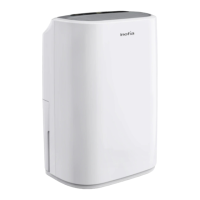
This document is the user manual for the Inofia Dehumidifier, Model No.: HD161A. It provides essential information for safe operation, maintenance, and troubleshooting of the device.
The Inofia Dehumidifier is designed to remove excess moisture from the air, helping to prevent issues like mold, mildew, and dampness in enclosed spaces. It operates by drawing in humid air, passing it over cooling coils to condense the moisture, and then releasing drier air back into the room. The collected water is stored in a removable bucket or can be continuously drained via an attached hose. The device features a control panel for setting desired humidity levels, fan speeds, and timer functions. It also includes smart functions such as auto shut-off when the water bucket is full or the set humidity is reached, a 3-minute delay before resuming operation to protect internal components, and auto defrost to prevent frost buildup on evaporator coils. An auto-restart function ensures the dehumidifier resumes operation with previous settings after a power interruption.
 General
| Brand | Inofia |
|---|---|
| Model | HD161A |
| Category | Dehumidifier |
| Language | English |