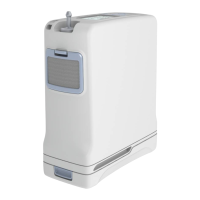
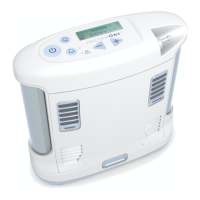
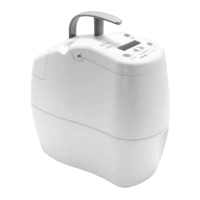
13Inogen One® G3 portable concentrator
Mode icons – top left corner of display
One of two icons can be displayed in the top left
corner of the Inogen One® G3’s display window.
Both relate to whether or not the breath detection
audible alarm is enabled or not.
InogenOne®G3systemnotications
The Inogen One® G3 monitors various parameters
during operation and utilises an intelligent alarm
system to indicate concentrator malfunction. If
multiple alarm conditions are detected, the highest
priority alarm will be displayed. The following
notication messages are accompanied by a single,
short beep:
Inogen One® G3 low priority alerts
The Inogen device has three types of priority alert:
low, medium and high. Low priority alerts typically
mean the device can still be used but may require
attention. Medium and high priority alerts may
require immediate attention and the use of an
alternative oxygen supply.
The information on the following pages provides
more detail. In all cases, please contact BOC
Homecare on 0800 136 603 to discuss any
questions you may have.
Low priority alert messages (see table on the next
page) are accompanied by a double beep with a
solid red light showing on the display panel.
Meaning
shutting down
ON/OFF button has been
pressed for two seconds.
Concentrator is performing
system shut down.
HH:MM Vx.x:
Serial Number
The alarm button has been
pressed for ve seconds.
Meaning
22
Power Status Icons (continued)
The icons below are examples of those shown when the Inogen One® G3 is operating
from an external power supply and charging the battery. The lightning bolt indicates
that an external power supply is connected.
Meaning
Battery is charging with charge level between 60% and 70%.
The battery is fully charged and is charging as necessary to
maintain its charge.
Battery is charging with charge level less than 10%.
The Inogen One® G3 is operating from an external power source with
no battery present.
Icon
Mode Icons
These are the icons shown in the display’s mode window.
Display Text
NOTE When two conditions occur simultaneously, the condition with the
higher priority will be displayed.
Meaning
The breath detection audible alarm has been enabled.
The breath detection audible alarm is disabled. This is the default condition.
Icon
The breath detection audible
alarm has been enabled.
22
Power Status Icons (continued)
The icons below are examples of those shown when the Inogen One® G3 is operating
from an external power supply and charging the battery. The lightning bolt indicates
that an external power supply is connected.
Meaning
Battery is charging with charge level between 60% and 70%.
The battery is fully charged and is charging as necessary to
maintain its charge.
Battery is charging with charge level less than 10%.
The Inogen One® G3 is operating from an external power source with
no battery present.
Icon
Mode Icons
These are the icons shown in the display’s mode window.
Display Text
NOTE When two conditions occur simultaneously, the condition with the
higher priority will be displayed.
Meaning
The breath detection audible alarm has been enabled.
The breath detection audible alarm is disabled. This is the default condition.
Icon
The breath detection audible
alarm is disabled. This is the
default condition.
*intake (blue plastic surround) can
vary depending on device iteration
605360-HC Inogen One G3 POC Brochure NHS-03.indd 13 09/06/2017 08:31


 To Next Page
 Loading...