22
Power Status Icons (continued)
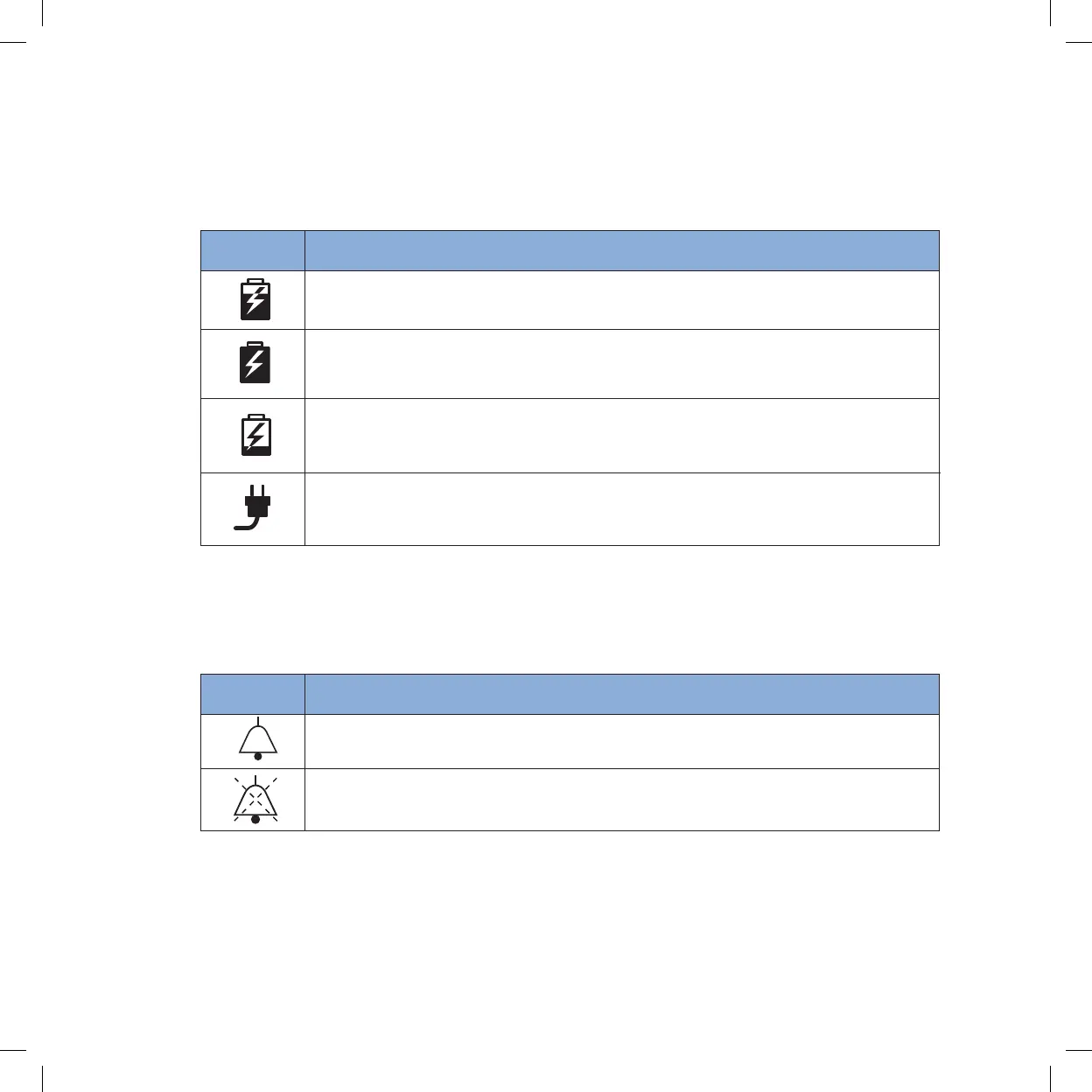
The mode icons below are examples of those shown when the Inogen One® G4 is
operating from an external power supply and charging the battery. The lightning bolt
indicates that an external power supply is connected.
Meaning
Battery is charging with charge level between 60% and 70%.
The battery is fully charged and is charging as necessary to
maintain its charge.
Battery is charging with charge level less than 10%.
The Inogen One® G4 is operating from an external power source with
no battery present.
Icon
Mode Icons
These are the mode icons shown in the display’s window.
Meaning
The breath detection audible alert has been enabled.
The breath detection audible alert is disabled. This is the default condition.
Icon


 To Next Page