23
Display Text
NOTE When two conditions occur simultaneously, the condition with the
higher priority will be displayed.
Display Icons
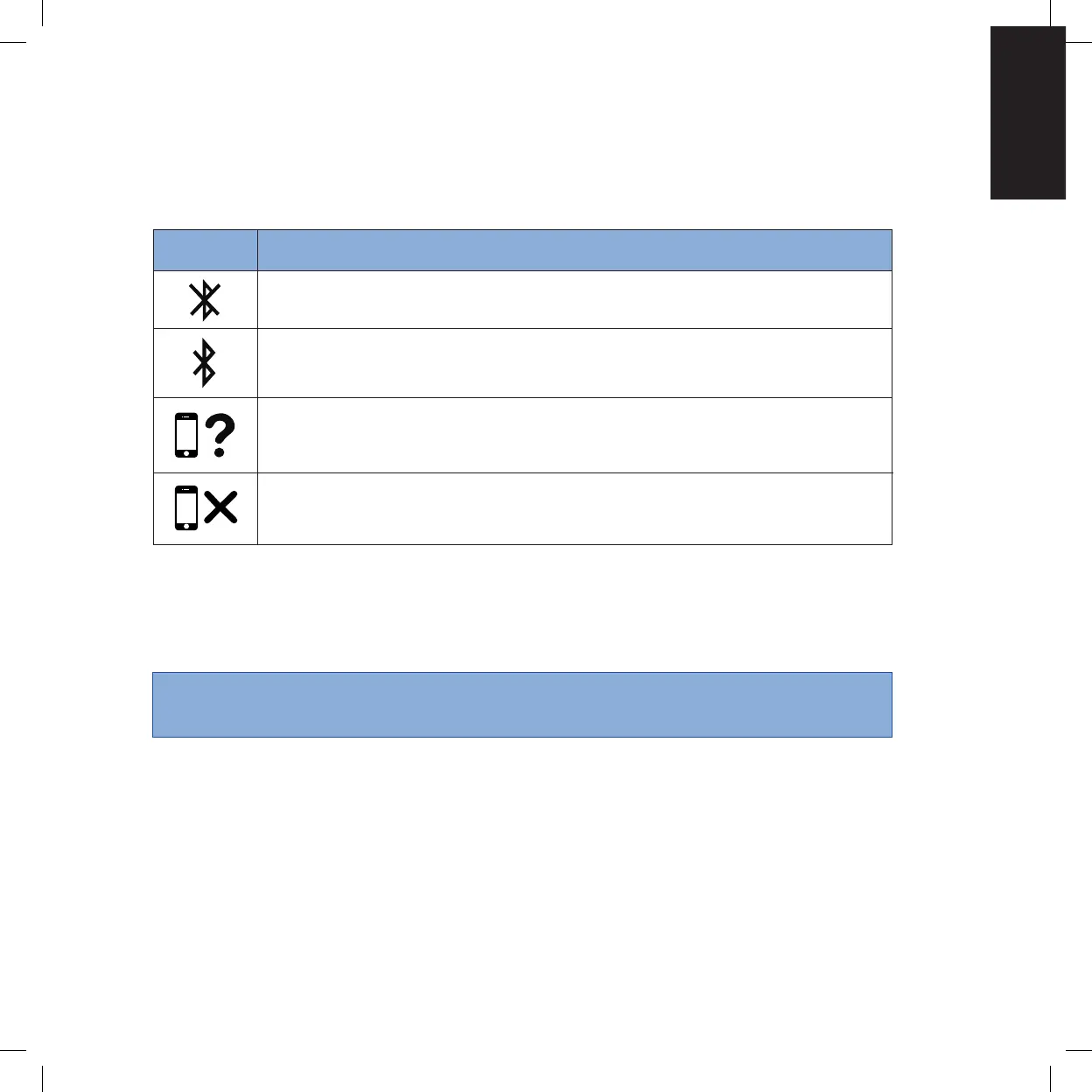
The icons below are examples of those shown when pertaining to Bluetooth
functionality.
Meaning
Bluetooth turned off.
Bluetooth turned on.
Pairing with Inogen Connect application.
Concentrator unpaired from device.
Icon
Audible and Visible Signals Chapter 4


 To Next Page