EasyManua.ls Logo

Inovance H3U Series - User Manual

Inovance H3U Series
45 pages
Print Icon
To Next Page IconTo Next Page
Loading...
User Guide
H3U Series PLC
Higher Performance & Pulse Motion Control
Shenzhen Inovance Technology Co., Ltd.
Add.: Building E, Hongwei Industry Park, Liuxian Road, Baocheng No. 70 Zone, Baoan District, Shenzhen
Tel: +86-755-2979 9595
Fax: +86-755-2961 9897
Service Hotline: 400-777-1260
http: //www.inovance.com
Suzhou Inovance Technology Co., Ltd.
Add.: No. 16 Youxiang Road, Yuexi Town, Wuzhong District, Suzhou 215104, P.R. China
Tel: +86-512-6637 6666
Fax: +86-512-6285 6720
Service Hotline: 400-777-1260
http: //www.inovance.com
Copyright © Shenzhen Inovance Technology Co., Ltd.
A04
Data code 19010494
User Guide
H3U Series PLC User Guide

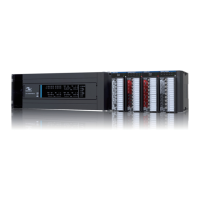
Other manuals for Inovance H3U Series

Questions and Answers

  • M
    Michelle CarterAug 16, 2025
    What to do if the baud rate is not normal on Inovance H3U Controller?
    • R
      renee17Aug 16, 2025
      If the baud rate of your Inovance Controller is not normal, power off the device and then power it back on. Alternatively, switch it from STOP to RUN to ensure the baud rate takes effect.
  • B
    beth34Aug 19, 2025
    What to do when communication fails due to absence of resistors in Inovance H3U?
    • E
      Elizabeth BrownAug 19, 2025
      If communication fails due to the absence of resistors in your Inovance Controller, provide build-out resistors between the stations at both ends of the network.
  • A
    Aimee CarpenterAug 22, 2025
    Why is the resistance too small in Inovance Controller?
    • P
      Pamela FreemanAug 22, 2025
      If the resistance is too small in your Inovance Controller due to incorrectly connected build-out resistors, it may be caused by build-out resistors incorrectly connected at other locations. Disconnect the incorrectly connected build-out resistors.
  • S
    sanfordmaryAug 25, 2025
    What to do if Inovance H3U node is lost or crashes?
    • S
      Sarah FergusonAug 26, 2025
      Check the node status and connections of your Inovance Controller.
  • V
    Virginia WiseAug 28, 2025
    How to fix Inovance H3U Controller System Error Code D8065?
    • C
      Cindy FloydAug 28, 2025
      To resolve the Inovance Controller System Error Code D8065, you should correct the user program grammar.
  • D
    Dylan GonzalezAug 31, 2025
    How to resolve Inovance Controller System Error Code D8064?
    • G
      Guy HallAug 31, 2025
      To resolve the Inovance Controller System Error Code D8064, review the system parameter settings.
  • D
    debbiewardSep 3, 2025
    What to do if Inovance H3U Controller shows System Error Code D8066?
    • J
      Joseph CooperSep 3, 2025
      To resolve the Inovance Controller System Error Code D8066, check for user program logic loop errors.
  • C
    Colleen StuartSep 6, 2025
    What to do if Inovance H3U Controller displays System Error Code D8060?
    • R
      Robin BeasleySep 6, 2025
      To resolve the Inovance Controller System Error Code D8060, check the I/O range or settings.
  • J
    jasonjuarezSep 9, 2025
    How to troubleshoot Inovance Controller System Error Code D8067?
    • D
      Daniel ShepherdSep 9, 2025
      To resolve the Inovance Controller System Error Code D8067, inspect the instruction and running parameters.
  • J
    Jeffrey VegaSep 12, 2025
    How to troubleshoot Inovance H3U Controller System Error Code D8062?
    • E
      Erica NguyenSep 12, 2025
      To resolve the Inovance Controller System Error Code D8062, inspect the communication settings for the control panel or program connection.

Summary

Preface

Approvals and Compliance

Details product certifications and compliance with directives and standards.

Product Information

Designation Rule and Nameplate

Explains the naming conventions and model identification for H3U series PLC.

General Specification

Provides a summary of the H3U series PLC's general technical specifications.

Product Structure Overview

Illustrates and labels the physical components of H3U models.

Model Dimensions

Presents dimensional drawings for different H3U PLC series.

Installation

Installation Environment Requirements

Specifies ambient temperature, humidity, and vibration conditions for PLC installation.

Installation Position and Space Guidelines

Recommends optimal PLC placement and required clearance for ventilation.

PLC Installation Procedures

Details the steps for mounting the H3U series PLC via DIN rail or wall.

Expansion Modules Installation

Instructions for attaching expansion modules to the PLC unit.

Terminal Block Handling and Lithium Cell

Covers dismantling terminal blocks and installing the lithium cell.

Communication Cable Installation

Guidance on connecting COMO and Ethernet communication cables.

Wiring

I;O Terminals Layout

Illustrates terminal connections for various H3U PLC models.

Terminal Functions and Specifications

Details the function and electrical specifications of PLC terminals.

Input Wiring Diagrams

Explains how to connect various types of input signals to the PLC.

Normal and Hi-speed Transistor Output Wiring

Wiring guide for normal and high-speed transistor output types.

Relay Outputs Wiring

Details the wiring connections for relay output terminals.

Differential Outputs Wiring

Instructions for wiring high-speed differential outputs.

Zero-Clearing NPN Outputs Wiring

Wiring for normal transistor zero-clearing NPN outputs on specific models.

Communication Interfaces

Overview of communication ports and functions for H3U PLC.

Communication Settings and DIP Switches

Configuration of IP address, baud rate, and station number via DIP switches.

Quick Setup

Required Tools and Software

Lists hardware tools and software (AutoShop) needed for setup.

Hardware Connection and AutoShop Installation

Guide to connecting the PLC to a PC and installing the AutoShop software.

Program Download Procedure

Step-by-step guide for downloading programs to the PLC using AutoShop.

Troubleshooting

System Error Code D8060

Details I/O range and signal errors with specific error codes.

System Error Code D8061

Lists PC hardware errors, including RAM, flash, and FPGA issues.

System Error Code D8062

Covers communication errors for serial, CAN, and Ethernet interfaces.

System Error Code D8063

Details serial communication errors for COMO and Modbus protocols.

System Error Code D8064

Explains errors related to system parameters and program capacity.

System Error Code D8065

Lists errors concerning user program grammar and instruction parameters.

System Error Code D8066

Details user program logic loop and instruction usage errors.

System Error Code D8067

Covers errors in instruction parameters, subroutines, and communication settings.

Revision History

Inovance H3U Series Specifications

General IconGeneral
CategoryController
SeriesH3U
High-speed Counters6
Communication PortsRS232, RS485
CPU Type32-bit
Humidity5% to 95% (non-condensing)
Power Supply24V DC

Related product manuals