EasyManua.ls Logo

Inovance Monarch 220-NICE-L-C-4022F - User Manual

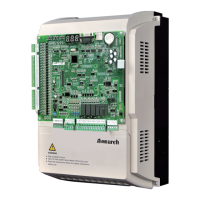
Inovance Monarch 220-NICE-L-C-4022F
368 pages
Print Icon
To Next Page IconTo Next Page
Loading...
Suzhou Inovance Technology Co., Ltd.
Add.: No. 16 Youxiang Road, Yuexi Town, Wuzhong District, Suzhou 215104, P.R. China
Tel: +86-512-6637 6666
Fax: +86-512-6285 6720
Service Hotline: 400-777-1260
http: //www.inovance.com
Shenzhen Inovance Technology Co., Ltd.
Add.: Building E, Hongwei Industry Park, Liuxian Road, Baocheng No. 70 Zone, Bao’an District, Shenzhen
Tel: +86-755-2979 9595
Fax: +86-755-2961 9897
Service Hotline: 400-777-1260
http: //www.inovance.com
User Guide
A01
Data code 19010735
NICE3000
new
Series Integrated Elevator Controller Advanced User Guide
Copyright 怀 Shenzhen Inovance Technology Co., Ltd.
Integrated Elevator Controller
Advanced User Guide
NICE3000
new
Series

Table of Contents

Other manuals for Inovance Monarch 220-NICE-L-C-4022F

Questions and Answers

  • R
    Randy WalkerNov 22, 2025
    How to troubleshoot overcurrent during acceleration with Inovance Monarch 220-NICE-L-C-4022F?
    • D
      Daniel HarrisonNov 22, 2025
      If you are experiencing overcurrent during acceleration with your Inovance Controller, there are several potential causes to investigate. First, the main circuit output might be grounded or short-circuited, so check the motor cables and PE cable for incorrect connections, verify that a shorting PMSM stator contactor isn't causing a short circuit at the controller output side, and inspect the motor cables for damaged jackets. Second, improper motor auto-tuning can lead to this issue, so set the motor parameters correctly according to the motor nameplate and perform motor auto-tuning again. Finally, an incorrect encoder signal can also cause overcurrent, so check whether encoder pulses per revolution (PPR) is set correctly, ensure the encoder signal isn't being interfered with, verify the en...
  • J
    jamie45Sep 4, 2025
    What should I do if my Inovance Monarch 220-NICE-L-C-4022F reports a power supply phase loss?
    • E
      elizabethzimmermanSep 4, 2025
      If your Inovance Controller reports a power supply phase loss, it indicates that the power input phases are not symmetric. First, check whether any phase of the three-phase power supply is lost. Then, verify whether the three phases of the power supply are balanced. Also, check whether the power voltage is normal, and adjust the power voltage if necessary. For 220 V models, you can set FC-01 bit 14 to 1 to cancel detection of this fault.
  • B
    brentmccallSep 7, 2025
    What are the common causes of motor auto-tuning faults in Inovance Monarch 220-NICE-L-C-4022F Controller?
    • K
      Karen WilsonSep 7, 2025
      A motor auto-tuning fault in your Inovance Controller can occur for various reasons: * If learning the stator resistance fails, check whether the motor wiring is correct. * If learning the magnetic pole position fails. * If the synchronous motor static auto-tuning mode is selected, but the encoder is not SIN/COS, select another auto-tuning mode or use a SIN/ COS encoder. * If CD signal fluctuation is large in synchronous motor static auto-tuning, hardware interference exists. Check whether grounding is correct. * If Leaning the encoder zero- position angle fails in synchronous motor angle-free auto- tuning, obtain the encoder zero-point angle in inspection state, and then perform half- automatic angle-free auto-tuning under normal-speed running.
  • J
    Jennifer CarterSep 8, 2025
    What should I check if my Inovance Monarch 220-NICE-L-C-4022F indicates a power output phase loss?
    • A
      Angela HendersonSep 8, 2025
      If your Inovance Controller indicates a power output phase loss, the issue likely stems from the output wiring of the main circuit being loose. Check whether the motor wiring is secure and verify whether the RUN contactor on the output side is normal.
  • E
    Elizabeth RuizSep 10, 2025
    How to troubleshoot a RUN contactor feedback abnormal error on an Inovance Monarch 220-NICE-L-C-4022F Controller?
    • S
      Stephen CummingsSep 10, 2025
      A RUN contactor feedback abnormal error on your Inovance Controller can have a couple of causes: * If the feedback of the RUN contactor is active, but the contactor has no output, check whether the feedback contact of the contactor acts properly and check the signal feature (NO, NC) of the feedback contact. * If the current of the asynchronous motor from acceleration to constant-speed running is too small (? 0.1 A), check whether the output cables UVW of the controller are connected properly and check whether the control circuit of the RUN contactor coil is normal.
  • J
    James CarrollSep 12, 2025
    What causes the 'door lock disconnected during running' error in Inovance Controller?
    • C
      Crystal WilliamsSep 12, 2025
      If your Inovance Controller displays a 'door lock disconnected during running' error, indicated by subcodes 101 or 102, it means the door lock circuit feedback is invalid during elevator operation. Check whether the hall door lock and the car door lock are in good contact. Also, verify whether the door lock contactor acts properly, check the signal feature (NO, NC) of the feedback contact on the door lock contactor, and ensure the external power supply is normal.
  • V
    Veronica PerkinsDec 1, 2025
    Why is my Inovance Monarch 220-NICE-L-C-4022F showing overvoltage at constant speed?
    • C
      Carlos HoodDec 1, 2025
      If your Inovance Controller displays an overvoltage error at a constant speed, there are a couple of possible reasons. The input voltage may be too high, so check the input voltage and observe whether the bus voltage is too high (normal: 540 to 580 V for 380 voltage input). Another possibility is that the resistance of the braking resistor is excessive, or the braking unit is failing. Check for the balance coefficient, and check whether the bus voltage rises too quickly during running. If yes, the braking resistor does not work or its model is improper: a. Check whether the cable connecting the braking resistor is damaged, whether the cooper wire touches the ground, and whether the connection is reliable. b. Check whether the resistance is proper based on the recommendation and select a pr...
  • L
    Lawrence DouglasNov 20, 2025
    What to do if my Inovance Controller shows an overload error?
    • V
      Vanessa BishopNov 20, 2025
      If your Inovance Controller is showing an overload error, it could be due to several reasons. First, check if the brake is released and the brake power supply is normal, and also check whether the guide shoes are too tight, since the mechanical resistance may be too large. Then, verify that the balance coefficient is correct. Also, ensure the encoder feedback signal and parameter settings are correct, including the initial angle of the encoder for PMSM. If the elevator running current is higher than normal, check the motor parameter setting and perform motor auto-tuning again. If the issue persists, and this fault is reported when the slip experiment is carried on, perform the slip experiment by using the function set in F3-24. Finally, an incorrect motor phase sequence can cause this, so ...
  • P
    Paula AdamsSep 18, 2025
    What does 'Output abnormal' mean on my Inovance Monarch 220-NICE-L-C-4022F Controller?
    • V
      victoriajonesSep 18, 2025
      If your Inovance Controller displays 'Output abnormal', it indicates a specific issue: * If the subcode is 1, the braking resistor is short-circuited. Check that wiring of the braking resistor and braking unit is correct, without short circuit and check whether the main contactor works properly and whether there is arch or stuck problem. * If the subcode is 2, the braking IGBT is short-circuited.
  • S
    Stacey NicholsSep 19, 2025
    What to do if Inovance Monarch 220-NICE-L-C-4022F Controller shows overcurrent during acceleration?
    • J
      Joseph ParksSep 22, 2025
      If the Inovance Controller experiences overcurrent during acceleration, several factors could be at play. First, examine the motor and grounding cables to ensure they are correctly connected and that the motor cables do not have damaged jackets. Also, check for short circuits at the controller output side, especially from shorting PMSM stator contactors. Another potential cause is incorrect motor parameters or improper auto-tuning; verify the motor parameters against the nameplate and repeat the motor auto-tuning process. You may also need to reduce the acceleration rate if the acceleration time is too short. Finally, ensure that the phase sequence of the motor is correct by exchanging the motor UVW phase sequence.

Summary

Preface

1 More advanced technology

Details the advanced technological features of the NICE3000new controller, including drive ride and communication.

3 Safer running

Focuses on safety features, fault tolerance, and environmental adaptability for secure operation.

Introduction

1 Basic functions

Details fundamental functionalities like collective selective operation, service floor settings, and door control.

1 Product Information

1.1 Designation Rule and Nameplate

Explains the model designation rules and details found on the controller's nameplate.

1.2 Description of components

Provides an overview of the physical components of the controller, illustrating their locations.

1.5 System Configuration

Illustrates the system components and their interconnections for the NICE3000new control system.

2 Installation and Wiring

2.1 Installation

Covers installation requirements, including environment, clearance, orientation, dimensions, and procedures.

2.2 Wiring

Describes the description and wiring of main circuit and control circuit terminals, including cable sizes.

2.5 Standard Wiring of the System

Provides wiring diagrams and inspection checklists for the entire system setup.

3 Peripheral Devices and Options

3.2 Peripheral Device Selection Guide

Offers guidance on selecting cables, circuit breakers, contactors, reactors, and filters.

4 Commissioning Tools

5 System Commissioning

5.1 System Commissioning Guide

Provides a general guide to the commissioning process for the elevator system.

5.2 Safety and Circuit Check

Details crucial safety precautions and checks required before performing system commissioning.

5.3 Power-on and Controller State Check

Covers procedures for checking power-on status and handling potential controller states and faults.

5.4 Commissioning at Inspection Speed

Explains the process of motor auto-tuning and running tests at inspection speed.

5.5 Commissioning at Normal Speed

Outlines steps for commissioning at normal speed, including shaft auto-tuning and HCB setup.

6 Parameter Description

7 Troubleshooting

7.1 Elevator Fault Display

Explains how fault codes and subcodes are displayed on the keypad and operation panel.

7.4 Fault Information and Troubleshooting

Provides a table linking fault codes to possible causes and recommended solutions for troubleshooting.

9 Description of Functions and Schemes

9.13 Automatic Emergency Evacuation Scheme at Power Failure

Details how the system provides emergency evacuation during power failures using UPS or ARD.

Inovance Monarch 220-NICE-L-C-4022F Specifications

General IconGeneral
Product nameInovance Monarch 220-NICE-L-C-4022F
Model220-NICE-L-C-4022F
Rated voltage220V
Control modeVector control
ApplicationIndustrial automation
Output Current2.2 A
Control MethodV/F control, Sensorless vector control
Communication InterfaceModbus RTU
Protection FeaturesOvercurrent, Overvoltage, Overheat, Short circuit
Humidity5% to 95% (non-condensing)

Related product manuals