
 Need help?
Do you have a question about the Inseego MiFi 8000 and is the answer not in the manual?
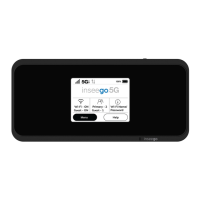
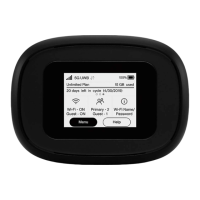
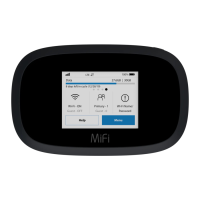
Explains icons for Home, Signal Strength, Roaming, Unread messages, Wi-Fi network, Connected devices, USB tethered, and Battery charge.
Details power button functions for turning on/off the MiFi and waking the display.
Describes the meanings of different battery charge indicator colors (Black, Red).
Lists and explains icons used in the device's carousel interface for Wi-Fi, SIM status, settings, and help.
Instructions for powering the MiFi device on, off, and waking the display.
Guide to locating the Wi-Fi network name (SSID) and password on the device.
Steps to connect a Wi-Fi-capable device to the MiFi and access the internet.
Explains how to use the MiFi's USB-C port to charge external devices.
Procedure for accessing and changing device settings like screen timeout and audio alerts.
Instructions for signing into the MiFi Admin website for advanced configuration.
How to check estimated data usage levels and monitor data consumption on the MiFi.
Steps to restore the MiFi to its factory settings using the reset button or admin website.
Details on battery life and power-saving capabilities for extended use.
Information regarding FCC and Industry Canada compliance, RF energy, and potential interference.
Details on the device's FCC Equipment Authorization ID and SAR compliance for radio wave exposure.
Links to download the optimized user guide for the MiFi 8000.
Provides links to support resources, the Inseego Corp. website, and other related device manuals.
 General
| Model | MiFi 8000 |
|---|---|
| Category | Wireless Router |
| Network Technology | 4G LTE |
| LTE Category | Category 18 |
| Wi-Fi | 802.11 a/b/g/n/ac |
| Wi-Fi Bands | 2.4 GHz, 5 GHz |
| Max Theoretical Throughput | 1.2 Gbps |
| Maximum Upload Speed | 150 Mbps |
| Battery Capacity | 4400 mAh |
| Max Connected Devices | 15 |
| Chipset | Qualcomm Snapdragon X20 |
| Maximum Download Speed | 1200 Mbps |
| USB Port | USB-C |
| SIM Card Slot | Nano SIM |
| Display | Touchscreen |
| Security | WPA2 |
| Weight | 150 g |




 To Next Page

