
 Need help?
Do you have a question about the Inseego MiFi 8800L and is the answer not in the manual?
Lists the items included in the Verizon Jetpack MiFi 8800L package.
Details compatibility with operating systems and browsers.
Explains speeds and capabilities of the Jetpack's internet connection.
Provides guidelines for handling the Jetpack to ensure reliable operation.
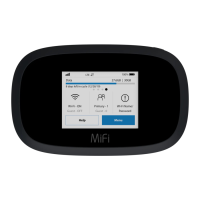
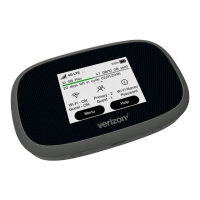
Identifies the physical components of the Jetpack device.
Instructions for charging the Jetpack's battery and expected battery life.
Step-by-step guide on how to remove and replace the Jetpack's battery.
Offers advice for safe and optimal battery usage and care.
Instructions for removing and installing the SIM card.
Explains how to power the Jetpack on, off, and wake the display.
Guides users on connecting Wi-Fi enabled devices to the Jetpack hotspot.
Describes the layout and information displayed on the Jetpack's home screen.
Covers turning Wi-Fi on/off and managing network settings.
Explains how to view, edit, and block devices connected to the Jetpack.
Details how to check the estimated data usage and billing cycle information.
Outlines various Jetpack settings and how to access them.
Describes using the Jetpack to charge other devices via its USB port.
Explains how to share files and folders from a USB mass storage device.
Guides on checking and installing software updates for the Jetpack.
Provides information about the Jetpack, including model and version details.
Accessing support resources and tutorials for the Jetpack.
Step-by-step instructions to connect to the Jetpack's admin website.
Overview of the main page and quick links available on the admin website.
Explains how to view data usage details on the admin website.
Guides on how to change the admin password for security.
Details how to configure Wi-Fi settings via the admin website.
Covers changing settings for the primary Wi-Fi network, including SSID and password.
Explains how to configure settings for the guest Wi-Fi network.
Managing connected devices, limits, blocked devices, and MiFi Share.
Configuring device preferences, notifications, and user formats.
Settings related to device behavior, Wi-Fi, and network connections.
Managing software updates and backing up/restoring Jetpack settings.
Covers advanced network and security configurations for the Jetpack.
Configuring network connections, DNS, and SIM card settings.
Configuring the firewall and MAC filter for network security.
Managing LAN settings, port filtering, and VPN connections.
Information on Internet status, modem, and network details.
System diagnostics, field tests, and log management for troubleshooting.
Solutions for frequently encountered Jetpack issues.
Contact information and guidance for obtaining technical assistance.
Device specs, technology bands, and general hardware details.
Operating temperature, humidity, drop resistance, and ESD precautions.
FCC statements, RF exposure, warranty, and wireless communication details.
Warnings for prohibited areas, explosive atmospheres, and ESD.
Guidelines for safe handling, usage, and disposal of the Jetpack's battery.
 General
| Brand | Inseego |
|---|---|
| Model | MiFi 8800L |
| Category | Wireless Router |
| Language | English |





 To Next Page