EasyManua.ls Logo

Inseego M3200 - User Manual

Inseego M3200
108 pages
Print Icon
To Next Page IconTo Next Page
Loading...
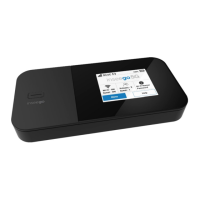
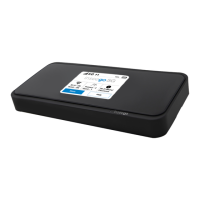
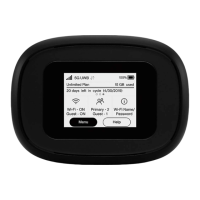
Global mobile hotspot
USER GUIDE

Table of Contents

Question and Answer IconNeed help?

Do you have a question about the Inseego M3200 and is the answer not in the manual?

Summary

Introduction and Getting Started

Getting Started and Requirements

Guides through initial setup, SIM card installation, powering on/off, and system requirements.

Connecting Devices

Instructions on how to connect wireless and wired devices to the MiFi hotspot.

Caring for Your MiFi

SIM Card and Reset Procedures

Details on replacing SIM card, unlocking SIM, and resetting the MiFi to factory defaults.

Admin Web UI

Accessing the Admin Web UI

Explains how to access the MiFi's Admin Web UI for advanced configuration and management.

Admin Password Management

Covers changing, hiding, and recovering the Admin password for the web UI.

Advanced Settings

Troubleshooting and Support

Common Problems and Solutions

Addresses common issues like unexpected power off, no service, and connectivity problems.

Troubleshooting Specific Issues

Provides solutions for specific scenarios like forgetting passwords or network visibility.

Product Specifications and Regulatory Information

Safety Information

Covers important consumer safety information, SAR, and hazard warnings.

Battery Use and Disposal

Provides guidelines for safe battery usage, handling, and proper disposal.

Summary

Introduction and Getting Started

Getting Started and Requirements

Guides through initial setup, SIM card installation, powering on/off, and system requirements.

Connecting Devices

Instructions on how to connect wireless and wired devices to the MiFi hotspot.

Caring for Your MiFi

SIM Card and Reset Procedures

Details on replacing SIM card, unlocking SIM, and resetting the MiFi to factory defaults.

Admin Web UI

Accessing the Admin Web UI

Explains how to access the MiFi's Admin Web UI for advanced configuration and management.

Admin Password Management

Covers changing, hiding, and recovering the Admin password for the web UI.

Advanced Settings

Troubleshooting and Support

Common Problems and Solutions

Addresses common issues like unexpected power off, no service, and connectivity problems.

Troubleshooting Specific Issues

Provides solutions for specific scenarios like forgetting passwords or network visibility.

Product Specifications and Regulatory Information

Safety Information

Covers important consumer safety information, SAR, and hazard warnings.

Battery Use and Disposal

Provides guidelines for safe battery usage, handling, and proper disposal.

Inseego M3200 Specifications

General IconGeneral
ModelM3200
Ethernet Ports1 x Gigabit Ethernet
Battery LifeUp to 24 hours
Device TypeRouter
Wireless Standards802.11a/b/g/n/ac
Cellular Technology5G, LTE
5G Bandsn1, n2, n3, n5, n7, n66, n77
LTE BandsB2, B4, B5, B7, B12, B13, B14, B25, B26, B30, B66
SIM Card SlotNano SIM
Operating Temperature-10°C to 45°C
Wi-Fi TechnologyWi-Fi 6 (802.11ax)
Weight6.7 oz (190 g)

Related product manuals