EasyManua.ls Logo

Insignia IS-PD040922 - User Manual

Insignia IS-PD040922
84 pages
Print Icon
To Next Page IconTo Next Page
Loading...
User Guide | Guide de l’utilisateur | Guía del Usuario
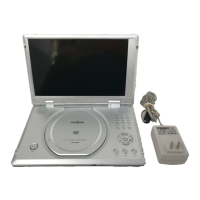
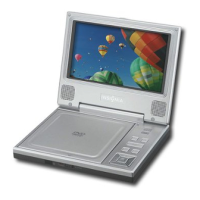
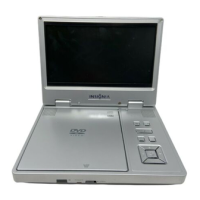
Personal 7" LCD Monitor and DVD Player
Lecteur de DVD individuel avec moniteur ACL de 7 po
Reproductor de DVD personal con monitor LCD de 7"
NS-PD040922

Questions and Answers

  • D
    David CaseyAug 12, 2025
    How to fix no sound on Insignia IS-PD040922?
    • V
      Vicki FaulknerAug 12, 2025
      If your Insignia Portable DVD Player is producing no sound or distorted sound, ensure it's connected correctly and that all cables are securely inserted into the appropriate jacks.
  • J
    Jeffery NelsonAug 16, 2025
    What to do if the remote for my Insignia IS-PD040922 isn't working?
    • M
      Michael HunterAug 16, 2025
      If your Insignia Portable DVD Player's IR sensor isn't working, ensure the remote batteries are fresh, the sensor isn't obstructed, and the remote's infrared transmitter is pointed directly at the IR sensor within 10 feet (3 m).
  • R
    robert79Aug 19, 2025
    Why won't my Insignia IS-PD040922 Portable DVD Player play the disc?
    • R
      Richard LoweAug 19, 2025
      If your Insignia Portable DVD Player disc will not play, make sure the disc in the tray is label-side up and is a compatible format (DVD, audio CD, MP3 disc, or JPG disc).
  • M
    Mr. Alex SilvaAug 23, 2025
    Why does my Insignia IS-PD040922 Portable DVD Player stop playing immediately?
    • C
      carlosjohnsonAug 23, 2025
      If your Insignia Portable DVD Player starts playing and then stops immediately, the DVD might be from a different region (your player is coded for Region 1 discs), the disc may be dirty (clean it), or condensation may have formed (let your player dry out).
  • B
    Bill Smith Jr.Aug 27, 2025
    Why is the picture distorted on my Insignia Portable DVD Player?
    • K
      Kristen SmithAug 27, 2025
      If the picture on your Insignia Portable DVD Player is distorted, try another disc as the current one might be damaged. Some distortion is normal during forward or reverse scan.
  • D
    David HernandezAug 31, 2025
    How to skip opening credits on Insignia IS-PD040922?
    • M
      Megan FloresAug 31, 2025
      If you cannot advance through a movie on your Insignia Portable DVD Player, it is because the disc is programmed to prohibit advancing through the opening credits and warning information.
  • R
    Rita BennettSep 4, 2025
    Why can't I fast forward on my Insignia Portable DVD Player?
    • R
      Rodney ClarkeSep 4, 2025
      If you cannot perform forward or reverse scan on your Insignia Portable DVD Player, it may be because some discs have sections that prohibit rapid scanning or title and chapter skipping. Also, you often cannot scan past the warning information and credits at the beginning of a movie because it is programmed to prohibit scanning.
  • D
    Deborah RileySep 7, 2025
    What does the icon on my Insignia IS-PD040922 Portable DVD Player mean?
    • G
      Gail JohnsonSep 7, 2025
      The icon appears on the screen of your Insignia Portable DVD Player because the disc’s software restricts the feature, the disc’s software does not support the feature, the feature is not available at the moment, or you have requested a title or chapter number that is out of range.

Summary

Safety Information

Warnings and Precautions

General Safety Guidelines

Key safety instructions including avoiding liquids, heavy objects, and flames.

Features - Front Panel

Front Panel Components

Description of front panel components like Power LED, Open switch, and sensor.

Features - Left Panel

Left Panel Components

Description of left panel components like AV switches, jacks, and power switch.

Features - Right Panel

Right Panel Components

Description of right panel components like brightness, volume, headphone jacks, and battery indicator.

Features - Inside Controls

Inside Control Panel

Description of inside controls like LCD panel shut off switch and playback buttons.

Remote Control

Button Functions

Explanation of the functions for each button on the remote control.

Setting Up Your Personal DVD Player

Connecting to External Power

Instructions for connecting the player to electrical outlets or a car's cigarette lighter.

Connecting Your DVD Player

Using Your Personal DVD Player

Playing a DVD

Instructions on how to insert a disc and start DVD playback.

Specifications

Technical Details

Detailed technical specifications of the DVD player, including dimensions and power requirements.

Troubleshooting

Common Problems and Solutions

Guidance on resolving common issues like no sound, playback errors, or distorted picture.

Maintenance and Care

Limited Warranty

Warranty Terms and Conditions

Details of the product's warranty coverage, limitations, and customer service information.

Insignia IS-PD040922 Specifications

General IconGeneral
Screen Size9 inches
Aspect Ratio16:9
Disc PlaybackDVD, CD
ConnectivityAV output, headphone jack
Parental ControlYes
Weight2.2 lbs
Region Code1
Resolution800 x 480 pixels
Supported FormatsJPEG
Power SourceRechargeable battery, AC adapter

Related product manuals