EasyManua.ls Logo

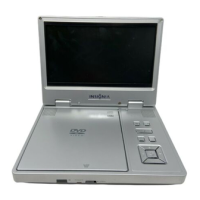
Insignia NS-7PDVD - User Manual

Insignia NS-7PDVD
102 pages
Print Icon
To Next Page IconTo Next Page
Loading...
7 Portable DVD player
Lecteur de
DVD portatif de 7 po
Reproductor de
DVD portátil de 7"
IS-7PDVD
User Guide | Guide de l’utilisateur | Guía del Usuario

Questions and Answers

  • J
    Joshua MayAug 17, 2025
    What to do if the Insignia NS-7PDVD remote control does not work?
    • L
      Lisa KingAug 17, 2025
      If the remote control for your Insignia Portable DVD Player isn't working, try the following: * Remove any obstructions between the remote and the player. * Point the remote directly at the remote control sensor on the player. * Replace the batteries with new ones.
  • C
    chelsea96Aug 20, 2025
    How to troubleshoot no power on Insignia NS-7PDVD?
    • A
      Alison WilliamsAug 20, 2025
      If your Insignia Portable DVD Player has no power, check the following: 1. Ensure the plug is correctly inserted into the wall socket. 2. Verify the AC adapter is plugged into the correct port on the DVD player. 3. Confirm the wall socket has power (some are switch-controlled). 4. Make sure the battery is secured in place. 5. Ensure the battery is fully charged. 6. Disconnect the AC adapter if the battery is plugged in.
  • C
    Charles ByrdAug 22, 2025
    How to fix no sound on Insignia Portable DVD Player?
    • B
      bakeredwardAug 22, 2025
      If you're experiencing no sound on your Insignia Portable DVD Player, ensure the following: * The player is securely connected, and all cables are properly inserted into the correct jacks. * When using headphones, the headphone volume is not set to MIN. * You're operating the TV or amplifier correctly.
  • L
    Lori AdamsAug 26, 2025
    What to do if Insignia Portable DVD Player disc cannot be played?
    • K
      Kevin JonesAug 26, 2025
      If your Insignia Portable DVD Player won't play a disc, check these: * Make sure there is a disc in the player. * Ensure the disc is placed correctly on the tray with the label side up. * Verify you're using a compatible disc type (digital video discs, audio CDs, or MP3s).
  • A
    Ashley CowanAug 28, 2025
    How to resolve no image on Insignia NS-7PDVD Portable DVD Player?
    • S
      Seth BenjaminAug 28, 2025
      If there is no image on your Insignia Portable DVD Player, check that: * The player is securely connected. * You are operating the TV correctly. * The color system is set correctly.
  • D
    Diana RussellAug 30, 2025
    Why does my Insignia NS-7PDVD start then stop immediately?
    • A
      Amy KeithAug 31, 2025
      Your Insignia Portable DVD Player might start and then stop playing a disc immediately because: * The player and disc region codes do not match. If the region codes do not match, the disc cannot be played. * The disc is dirty. If so, clean it. * Condensation has formed in the player. Let the player dry out, then try again.
  • Y
    Yolanda HuynhSep 3, 2025
    How to improve bad sound quality on Insignia Portable DVD Player?
    • R
      Randy DeanSep 3, 2025
      To improve the sound quality on your Insignia Portable DVD Player: * Make sure the audio output mode is set correctly. * Ensure the audio connection between the player and amplifier is correct.
  • M
    Madison ThompsonSep 5, 2025
    Why is the picture distorted on my Insignia NS-7PDVD Portable DVD Player?
    • B
      brookegomezSep 5, 2025
      If the picture on your Insignia Portable DVD Player is distorted: * Inspect the disc for damage and try another disc. * Note that some distortion is normal during forward or reverse scan.
  • J
    Jaime HoganSep 8, 2025
    Why is there no forward or reverse scan on Insignia Portable DVD Player?
    • C
      Cory HernandezSep 8, 2025
      Some discs have sections that prohibit rapid scanning or title and chapter skip. Also, you cannot advance through the opening credits and warning information at the beginning of movies because the disc is programmed to prohibit that action.
  • C
    connorparrishSep 12, 2025
    Why can't I advance through a movie on my Insignia Portable DVD Player?
    • T
      Tina CruzSep 12, 2025
      You cannot advance through the opening credits and warning information at the beginning of movies because the disc is programmed to prohibit that action.

Summary

Safety Precautions

Specific Safety Instructions

Details on reading, retaining, following instructions, cleaning, and handling the player.

Getting to Know Your DVD Player

Identification of Controls and Connections

Identifies player controls and connection ports with names and functions.

Player Controls and Functions

Controls Overview

Details on player buttons, volume, brightness, and screen controls.

The Remote Control

Remote Control Buttons

Lists and explains the functions of each button on the remote control.

Setting Up Your DVD Player - Basic Setup

Using the Battery

Instructions on how to attach and charge the rechargeable battery.

Battery Handling and Charging

Battery Cautions

Important cautions regarding battery handling, charging, and storage.

Charging Procedure

Step-by-step guide to charging the player's battery.

Making Connections

Connecting to the AC Power Adapter

Guide for connecting the player to a standard AC power outlet.

Using Your DVD Player - Basic Operation

Playing Discs

How to turn on the player, load/play discs, and adjust volume/brightness.

Setting Up Your DVD Player - Advanced

Optional Connections

Connecting the player to a TV, monitor, or amplifier for viewing and sound.

External Video Source Connection

Setup Options

Video and Password Setup

Playing MP3 Discs

Maintaining Your DVD Player

Disc Handling and Cleaning

Guidelines for handling discs to prevent damage and ensure longevity.

Troubleshooting Your DVD Player

No Sound or Image Issues

Steps to resolve issues with no audio output or no picture displayed.

Disc Playback Errors

Common reasons why a disc might not play and how to fix them.

Troubleshooting Common Problems

Remote Control and Disc Issues

Troubleshooting remote control failures and discs stopping unexpectedly.

Picture Distortion and Power Issues

Resolving distorted pictures and player power problems.

Specifications

FCC Statement and Laser Safety

FCC compliance information and critical laser safety precautions.

Insignia NS-7PDVD Specifications

General IconGeneral
BrandInsignia
ModelNS-7PDVD
CategoryPortable DVD Player
LanguageEnglish

Related product manuals