EasyManua.ls Logo

Insignia NS-P10DVD20 - User Manual

Insignia NS-P10DVD20
25 pages
Print Icon
To Next Page IconTo Next Page
Loading...
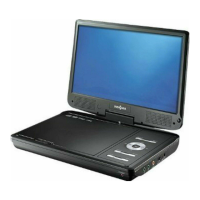
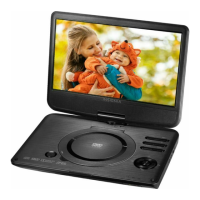
10" Portable
DVD Player
NS-P10DVD20
Before using your new product, please read these instructions to prevent any damage.
USER GUIDE

Questions and Answers

  • J
    Joy SmithAug 1, 2025
    What to do if my Insignia NS-P10DVD20 Portable DVD Player has no power?
    • S
      Stephanie DavisAug 1, 2025
      If your Insignia Portable DVD Player isn't powering on, ensure that the AC adapter is properly plugged in and connected. Also, verify that the player is turned on.
  • H
    Haley HensleyAug 5, 2025
    What to do if the disc does not play on my Insignia NS-P10DVD20?
    • S
      Sarah RileyAug 5, 2025
      If a disc isn't playing on your Insignia Portable DVD Player, first ensure that the disc is inserted with the label side facing up. Also, confirm that the disc is compatible with your player; it can play DVDs, VCDs, and audio CDs.
  • D
    Daniel MorganAug 10, 2025
    Why is there no sound or distorted sound on my Insignia NS-P10DVD20 Portable DVD Player?
    • J
      Justin PierceAug 10, 2025
      If you're experiencing sound issues with your Insignia Portable DVD Player, here are a few things to check: * Ensure the volume is properly adjusted. * Verify that all cables are correctly inserted into their respective jacks. * Confirm that the player isn't paused, in fast forward, or fast reverse mode. * Ensure the player isn't overheating; let it cool down for 30 minutes if necessary. * Make sure headphones are not plugged in.
  • L
    Laurie PittmanAug 14, 2025
    Why does my Insignia NS-P10DVD20 get warm while charging?
    • K
      Kaylee JenkinsAug 14, 2025
      It is normal for your Insignia Portable DVD Player to get warm while charging. However, ensure that it is not exposed to excessive heat sources like direct sunlight, fire, or heat outlets. Also, make sure the player is within the temperature range of 41° F (5° C) and 95° F (35° C) while charging.
  • T
    Teresa Herrera MDAug 18, 2025
    Why can't I fast-forward or fast-reverse through a movie on my Insignia Portable DVD Player?
    • M
      Michael CookAug 18, 2025
      You might not be able to fast-forward through the opening credits and warning information at the beginning of a movie on your Insignia Portable DVD Player. Additionally, some DVDs do not allow rapid scanning or skipping of titles or chapters.
  • K
    Kenneth BrownAug 22, 2025
    Why does the icon appear on the screen of my Insignia NS-P10DVD20 Portable DVD Player?
    • M
      Matthew SanchezAug 22, 2025
      The appearance of the icon on the screen of your Insignia Portable DVD Player can occur for several reasons: * The DVD software may not allow the action. * The DVD might not support the feature (e.g., Subtitles). * The feature may not be available at the current point on the DVD. * You may have entered a title or chapter number that is out of range.
  • M
    Megan TranAug 27, 2025
    Why is the picture distorted on my Insignia NS-P10DVD20?
    • J
      Joseph LeonAug 27, 2025
      Picture distortion on your Insignia Portable DVD Player is normal during fast-forwarding or fast-reversing. However, if the distortion persists, the DVD may be damaged. Try another DVD to see if the issue resolves.

Summary

Safety and Handling

General Safety Precautions

Safety warnings regarding electric shock, heat, water, and general product use.

Device Handling and Safety

Precautions for LCD panel, replacement parts, servicing, laser safety, and disposal.

Player Controls

Remote Control Operation

Setup and Connections

Charging the Player Battery

Information and warnings about charging the built-in battery.

Using Your DVD Player

Navigating Menus and Settings

Parental Control Management

Enabling and Disabling Controls

Steps to enable or disable the parental control feature.

Password and Rating Setup

How to set a password and select a parental control rating.

Maintenance and Troubleshooting

Troubleshooting Common Issues

Solutions for common problems like no power, no sound, or disc errors.

Insignia NS-P10DVD20 Specifications

General IconGeneral
BrandInsignia
ModelNS-P10DVD20
CategoryPortable DVD Player
LanguageEnglish

Related product manuals