EasyManua.ls Logo

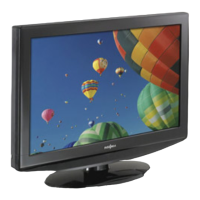
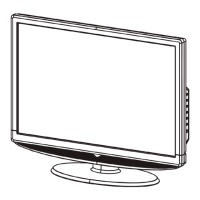
Insignia NS-24E340A13 - User Manual

Insignia NS-24E340A13
55 pages
Print Icon
To Next Page IconTo Next Page
Loading...
NS-24E340A13
User Guide
24" LED TV

Table of Contents

Other manuals for Insignia NS-24E340A13

Questions and Answers

  • M
    Michael PhillipsAug 25, 2025
    Insignia NS-24E340A13 has picture but no sound, what to do?
    • K
      Katrina ThompsonAug 26, 2025
      If your Insignia LCD TV has good picture but no sound, first, increase the volume and ensure the sound isn't muted. Check that headphones are not connected, as this will disable the TV speakers. Also, verify that the correct audio mode is selected and that all audio cables are correctly and securely connected to your TV. Finally, make sure the antenna or cable TV is connected correctly and securely. The audio cable(s) you are using may be bad, so try a new set.
  • A
    Allen GoldenAug 23, 2025
    Why is my Insignia LCD TV remote not working?
    • T
      turnerjohnnyAug 23, 2025
      If your Insignia LCD TV remote control isn't working, ensure the power cord is properly connected to both the TV and the power outlet. Remove any obstructions between the remote and the TV's sensor. Point the remote directly at the sensor. Ensure you've removed any plastic wrapping from the batteries, and that the batteries are correctly installed. If the issue persists, replace the batteries with new ones.

Summary

Child Safety

Safety Instructions and Precautions

Essential safety guidelines, warnings, and cautions for proper TV usage.

Introduction and Initial Setup

Initial TV Setup Wizard

Guides through first-time TV setup, including language, time, and channel scan.

TV Components and Connections

Connecting External Devices

Instructions for connecting various devices like cable boxes, players, computers, and home theater systems.

Picture and Sound Settings

Adjusting Picture Settings

Customize TV picture quality using modes, brightness, contrast, color, and other video options.

Advanced Features

Parental Controls Setup

Set passwords, lock buttons, block unrated content, and manage parental control levels.

Media Playback and Device Control

Maintenance and Troubleshooting

Troubleshooting Common Issues

Solutions for common problems related to picture, sound, remote control, and general operation.

Insignia NS-24E340A13 Specifications

General IconGeneral
Screen Size24 inches
Display TypeLCD
Resolution1366 x 768
Refresh Rate60 Hz
HDMI Ports2
USB Ports1
Wi-FiNo
Weight7.5 lbs
Backlight TypeLED
Aspect Ratio16:9
InputsComposite
Sound Output10 W

Related product manuals