EasyManua.ls Logo

Insignia NS-28ED200NA14 - User Manual

Insignia NS-28ED200NA14
78 pages
Print Icon
To Next Page IconTo Next Page
Loading...
NS-28ED200NA14
User Guide
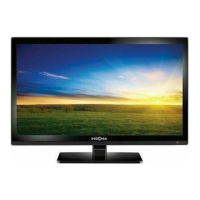
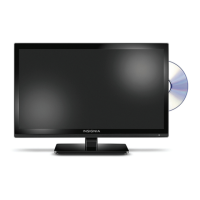
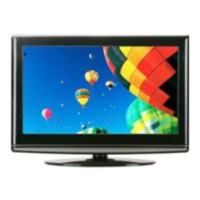
28" LED TV/DVD Combo
Before using your new product, please read these instructions to prevent any damage.

Table of Contents

Other manuals for Insignia NS-28ED200NA14

Questions and Answers

  • M
    Martin HowellSep 23, 2025
    How to remove retail banner from Insignia NS-28ED200NA14 TV DVD Combo?
    • J
      James HernandezSep 23, 2025
      If a retail banner is displayed on your Insignia TV DVD Combo, you selected “Retail Mode” when you ran the TV setup wizard. Reset your TV to the factory defaults, then select Home Use Mode on the What is your viewing environment screen.
  • M
    Maria MitchellAug 25, 2025
    How to fix Insignia TV DVD Combo remote control not working?
    • M
      Michael MacdonaldAug 25, 2025
      If the Insignia TV DVD Combo remote control isn't working, ensure the power cord is correctly connected to both the TV and the power outlet. Verify there are no obstructions between the remote and the sensor on the front of the TV, and that you're pointing the remote directly at the sensor. Also, check that the batteries are correctly installed and replace them with new ones if necessary.
  • D
    Donna DicksonAug 25, 2025
    How to fix good picture but no sound on Insignia NS-28ED200NA14 TV DVD Combo?
    • C
      christopherdayAug 26, 2025
      If you have good picture but no sound on your Insignia TV DVD Combo, first increase the volume and make sure that the sound is not muted. Ensure headphones are not connected, as this will disable the TV speakers. Verify that the correct audio mode is selected and that the audio cables are securely connected to your TV. Also, ensure your antenna or cable TV is properly connected. If using an antenna, check the digital channel signal strength. A bad audio cable can also cause this issue, so try a new set.
  • C
    Crystal HuertaAug 27, 2025
    Why Insignia NS-28ED200NA14 TV DVD Combo has no power?
    • J
      John CruzAug 27, 2025
      If your Insignia TV DVD Combo has no power, ensure the power adapter is correctly connected to both the TV and a working power outlet. Try unplugging the power adapter, waiting 60 seconds, and then plugging it back in. Also, other devices (like surround sound receivers or fans) might be interfering with your TV, so try turning them off one by one to see if that resolves the issue. Move any interfering devices further away from the TV.
  • A
    April MaciasAug 27, 2025
    What to do if Insignia NS-28ED200NA14 TV DVD Combo says no signal?
    • L
      Lori RamirezAug 27, 2025
      If your Insignia TV DVD Combo displays a “No signal” error message, press the INPUT button and ensure you have selected the correct input for the device or service you are trying to use. If you are using a cable or satellite box, use its remote to change channels and ensure you have selected the correct input to view channels from that box.
  • H
    Holly SmithSep 15, 2025
    What is the default password for Insignia NS-28ED200NA14 TV DVD Combo?
    • G
      gpetersonSep 16, 2025
      If you have lost the password for your Insignia TV DVD Combo, enter 9999 to access parental controls, then set a new password.
  • K
    Kenneth AllenSep 13, 2025
    How do I fix double images on my Insignia NS-28ED200NA14 TV DVD Combo?
    • K
      Kathryn RogersSep 13, 2025
      To fix double images on your Insignia TV DVD Combo, use a highly directional outdoor antenna, cable TV, or satellite TV.
  • J
    Jessica BakerSep 14, 2025
    Why can't I access some settings on my Insignia TV DVD Combo?
    • S
      Steven OconnellSep 14, 2025
      If a setting is grayed out on your Insignia TV DVD Combo, the setting is not available in the current video input mode.
  • A
    Amanda Ward MDSep 4, 2025
    How to eliminate audio noise on Insignia NS-28ED200NA14 TV DVD Combo?
    • J
      johnsonmichaelSep 5, 2025
      If you are experiencing audio noise with your Insignia TV DVD Combo, other devices (for example, a surround sound receiver, external speakers, fans, or hair dryers) may be interfering with your TV. Try turning off one device at a time to determine which device is causing interference. After you have determined which device is causing interference, move it further from the TV to eliminate the interference.
  • N
    nicholas00Sep 2, 2025
    Why are some channels not displaying on my Insignia TV DVD Combo?
    • S
      Samantha FordSep 2, 2025
      If one or more channels do not display on your Insignia TV DVD Combo, make sure that the channels are not blocked. Also, make sure that the channels are not hidden, as the channel may have been deleted from the channel list. You can tune to the channel by pressing the number buttons or add the channel back to the channel list. If you are using a cable or satellite box, use the remote that came with that box to change channels. Make sure that you have the correct input selected to view channels from the cable or satellite box. If you are using an antenna, the digital channel signal may be low, so check the digital channel signal strength.

Summary

Safety Information

Child Safety and General Warnings

Safety advice for children, TV placement, and general operating warnings.

Installation Safety Guidelines

Precautions for LCD panel handling, replacement parts, power, and servicing.

Installation and Setup

TV Components and Remote Control

Remote Control Overview

Details the buttons and functions of the remote control.

Connecting External Devices

Connection Types Overview

Guide to selecting the best connection type for optimal video and audio quality.

Basic TV Operations and Settings

Picture, Audio, and Channel Management

Picture Adjustments

Guides for modifying TV picture quality, modes, and aspect ratio.

Advanced TV Features and Troubleshooting

Maintenance and Troubleshooting

Cleaning instructions, solutions for common issues, and technical specifications.

Insignia NS-28ED200NA14 Specifications

General IconGeneral
BrandInsignia
ModelNS-28ED200NA14
CategoryTV DVD Combo
LanguageEnglish

Related product manuals