EasyManua.ls Logo

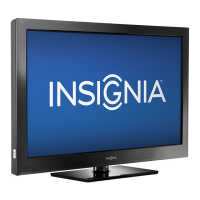
Insignia NS-40L240A13 - User Manual

Insignia NS-40L240A13
55 pages
Print Icon
To Next Page IconTo Next Page
Loading...
NS-40L240A13
User Guide
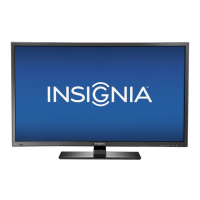
40" 1080p LCD TV

Table of Contents

Other manuals for Insignia NS-40L240A13

Questions and Answers

  • J
    jamesjonathanAug 14, 2025
    What to do if my Insignia LCD TV is damaged?
    • R
      Rebecca DavidsonAug 14, 2025
      If your Insignia LCD TV has been dropped, damaged in any way, exhibits a distinct change in performance, does not operate normally, exposed to rain or water, has had liquid spilled on it, or objects fallen into it, or if the power supply cord or plug is damaged or frayed, unplug it from the power outlet and refer servicing to qualified service personnel.
  • T
    Tyler MonroeAug 17, 2025
    Why is my Insignia LCD TV remote control not working?
    • S
      Shelley PierceAug 18, 2025
      If your Insignia LCD TV remote control isn't working, ensure the power cord is properly connected to both the TV and the power outlet. Remove any obstructions between the remote and the TV's remote control sensor. Point the remote directly at the sensor. Make sure you've removed any plastic wrapping from the batteries. Verify the batteries are correctly installed, and replace dead batteries with new ones.
  • J
    james32Aug 21, 2025
    What to do if my Insignia LCD TV has no picture and sound?
    • L
      Lauren ThompsonAug 21, 2025
      If your Insignia LCD TV displays no picture and no sound, try the following: First, press the power button on the TV or remote. Ensure the Audio Only option is turned off. Check that the video cables are securely connected. Adjust the contrast and brightness settings. Confirm the power cord is plugged in. Select the correct video input source. Try tuning to another channel as the station might be experiencing issues. Verify the incoming signal is compatible. Ensure the antenna or cable TV is properly and securely connected. Lastly, check the closed caption settings, as some TEXT modes can block the screen.
  • B
    Benjamin MacdonaldAug 25, 2025
    Why does my Insignia LCD TV have sound but no picture?
    • K
      Kevin WilliamsonAug 25, 2025
      If your Insignia LCD TV shows a dark, poor, or no picture but the sound is good, try these steps: First, try another channel, as the station may be experiencing problems. Make sure the antenna or cable TV is correctly and securely connected. Adjust the brightness. Ensure the correct picture mode is selected. If you're using an antenna, check the digital channel signal strength and adjust the antenna or use a directional antenna with an amplifier if the signal is low. Also, ensure the video cables are securely connected or try a new set of video cables.
  • A
    Adam KellyAug 27, 2025
    Why are some channels not displaying on my Insignia LCD TV?
    • L
      Lucas EllisonAug 27, 2025
      If your Insignia LCD TV displays one or more channels incorrectly, first ensure that the channels are not blocked via parental control settings. Next, verify that the channels are not hidden and have not been deleted from the channel list; you can try tuning to the channel directly using the number buttons or add it back to the list. If you're using a cable or satellite box, use its remote to change channels and make sure you've selected the correct input for viewing channels from the box. If using an antenna, check the digital channel signal strength.
  • M
    Matthew SimmonsAug 31, 2025
    Why is the color wrong on my Insignia LCD TV?
    • E
      Edwin BishopAug 31, 2025
      If your Insignia LCD TV shows no color, has a dark picture, or the color is incorrect, try the following: Tune to another channel, as the broadcast station may be experiencing problems. Adjust the color settings in the TV's menu. Ensure the video cables are correctly and securely connected to your TV. Also, verify that the antenna or cable TV connection is secure. If you are using an antenna, check the digital channel signal strength; if it is low, adjust the antenna or consider using a directional outdoor antenna or a set-top antenna with a built-in amplifier.
  • K
    karenmcclureSep 3, 2025
    Why is my Insignia LCD TV showing static?
    • S
      smillerSep 3, 2025
      If your Insignia LCD TV shows only snow (noise) on the screen, try tuning to another channel as the station may be experiencing issues. Ensure that the antenna or cable TV is connected correctly and securely. If you are using an antenna, the digital channel signal may be low, adjust the antenna or use a highly directional outdoor antenna or set-top antenna with a built-in amplifier.
  • L
    Lindsay RollinsSep 6, 2025
    What to do if my Insignia LCD TV finds no channels after auto search?
    • R
      ryan04Sep 6, 2025
      If after performing an Auto Channel Search on your Insignia LCD TV no channels are found, make sure that the antenna or cable/satellite TV is connected securely to your TV. Try replacing the cable between the antenna/cable or cable/satellite box and your TV. Reception can vary by channel depending on the broadcast power level of a given station, contact your cable or satellite TV provider.
  • D
    Daniel ValdezSep 10, 2025
    How to fix dotted lines on Insignia LCD TV screen?
    • T
      Travis JosephSep 12, 2025
      If dotted lines or stripes appear on the screen of your Insignia LCD TV, ensure the antenna or cable TV is correctly and securely connected. If using an antenna, check the digital channel signal strength and consider a directional antenna with an amplifier if the signal is weak. Make sure the video cables are securely connected and try replacing them if necessary. Also, other devices may be interfering with your TV. Try turning off one device at a time to determine which device is causing interference and then move it further from the TV.

Summary

CHILD SAFETY

Tune into Safety

Safety tips for proper TV placement and use to prevent injury.

Wall Mounting Safety

Guidelines and precautions for securely mounting the TV to a wall.

Important Safety Instructions

Getting Started

Installing Stand or Wall Mount

Instructions for attaching the TV stand or a wall-mount bracket.

TV Components Overview

Side Panel Connections

Detailed diagram and explanation of all TV input and output ports.

Remote Control Operation

Remote Control Buttons

Explanation of the remote control's buttons and their functions.

Making Connections

Connecting Power Sources

Steps for correctly connecting the TV's AC power cord to an outlet.

Connecting External Devices

Connecting Video Sources

Instructions for connecting devices like cable boxes, DVD players, and VCRs.

Initial TV Setup

First Time Power On Wizard

Guided setup for language, channels, time, and picture settings.

Picture Adjustments

Adjusting TV Picture Settings

Fine-tuning picture quality like brightness, contrast, and color.

Parental Controls

Setting Passwords & Blocking Content

Establishing passwords and blocking programs by rating.

Closed Captioning

INlink Connectivity

Maintenance and Troubleshooting

Troubleshooting Common Issues

Solutions for common video, audio, remote control, and general TV problems.

Insignia NS-40L240A13 Specifications

General IconGeneral
BrandInsignia
ModelNS-40L240A13
CategoryTV
LanguageEnglish

Related product manuals