
 To Next Page
E
Elizabeth Lawrence DVMJul 28, 2025
Why is my Insignia Air Cleaner filter indicator flashing red?
- MMichael HardinJul 28, 2025
When the filter indicator flashes red, it means that you need to check and replace your filter.

Why is my Insignia Air Cleaner filter indicator flashing red?
When the filter indicator flashes red, it means that you need to check and replace your filter.
Why is my Insignia Air Cleaner so loud or have poor air flow?
Your Insignia Air Cleaner might have poor air flow or be loud due to several reasons. Ensure your air purifier is on a flat surface and that nothing is blocking the air inlet and filtered air cover. Position your air purifier at least 1 foot (.3 meters) away from walls or large objects. Check the condition of the filter and replace it if it’s dirty. Also, ensure you remove the plastic bag from the filter and that the filter is seated correctly.
What to do if my Insignia NS-APMWH2 Air Cleaner doesn’t work?
If your Insignia Air Cleaner isn't working, first ensure that it's properly plugged into a working power outlet. Also, verify that the air purifier is turned on. If it's connected to a surge protector, make sure the surge protector is also switched on.
Why doesn't my Insignia NS-APMWH2 filter last the full lifetime?
Excessive amounts of pet dander, dust, or smoke may decrease the life expectancy of the filter.
Lists items included in the product package: air purifier, filter, and user guide.
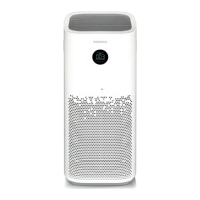
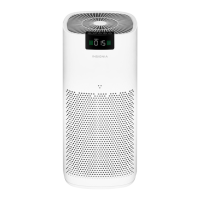
Identifies the main physical parts of the air purifier, including the control panel, grills, and filter housing.
Details indicators for child lock, timer, and fan speed, along with buttons for power, timer, fan speed, and auto mode.
Explains the digital display for particle count, air quality, child lock status, and filter replacement alerts.
Specifies the necessary voltage and frequency (120V, 60Hz) for proper operation.
Covers turning the purifier on/off, adjusting fan speed, setting timer, and using Auto/Sleep modes.
Explains warranty terms, duration, what is covered, and geographical validity.
Provides instructions on how to get warranty service and lists warranty exclusions.
 General
| Brand | Insignia |
|---|---|
| Model | NS-APMWH2 |
| Filter Type | HEPA |
| Number of Fan Speeds | 3 |
| Fan Speeds | Low, Medium, High |
| Timer | Yes |
| Automatic Mode | Yes |
| Odor Reduction | Yes |
| Room Coverage | 155 sq. ft. |
| Noise Level | 30-55 dB |