
 To Next Page
S
shawnriversJul 28, 2025
What to do if filter indicator is flashing blue on Insignia Air Cleaner?
- JJames BakerJul 29, 2025
If the filter indicator on your Insignia Air Cleaner is flashing blue, it means you need to check and replace your filter.

What to do if filter indicator is flashing blue on Insignia Air Cleaner?
If the filter indicator on your Insignia Air Cleaner is flashing blue, it means you need to check and replace your filter.
How to fix Insignia Air Cleaner that doesn't work?
If your Insignia Air Cleaner isn't working, there are several things to check: * Ensure it's properly plugged into a working power outlet. * Verify that the air cleaner is turned on. * If plugged into a surge protector, confirm the surge protector is also switched on.
Why is my Insignia NS-APLWH2 Air Cleaner so loud?
If your Insignia Air Cleaner has poor airflow or is making a lot of noise: 1. Make sure that your air purifier is on a flat surface. 2. Ensure nothing is blocking the air inlet and filtered air cover, and position the unit at least 1 foot (.3 meters) away from walls or large objects. 3. Inspect the filter. Replace it if it's dirty, ensure the plastic bag has been removed, and confirm it's seated correctly.
Why doesn't my Insignia Air Cleaner filter last long?
The lifespan of your Insignia Air Cleaner filter may be shorter than expected if it's exposed to excessive pet dander, dust, or smoke.
Highlights the air purifier's capabilities, including HEPA filtration and auto mode.
Lists all items included in the air purifier packaging.
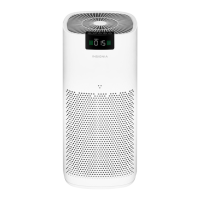
Identifies the physical parts of the air purifier unit with an illustration.
Details the indicator lights for Auto mode, child lock, timer, and fan speed.
Explains the functions of the Auto mode, timer, power, and fan speed buttons.
How to reset the filter replacement indicator after changing the filter.
Shows air quality status with color codes: green (great) to red (hazardous).
Shows the number of particles ≤ 2.5 micrometers in diameter.
Instructions for powering the air purifier on and switching it to standby mode.
How to select fan speeds (slow, medium, fast) or Sleep mode.
How to set the automatic turn-off timer for the air purifier.
How Auto mode automatically adjusts fan speed based on air quality.
How to activate and deactivate the child lock feature to prevent setting changes.
Understanding when the filter needs replacement based on the indicator light.
 General
| Brand | Insignia |
|---|---|
| Model | NS-APLWH2 |
| Type | Air Cleaner |
| Filter Type | HEPA |
| Fan Speeds | 3 |
| Number of Fan Speeds | 3 |
| Timer | Yes |
| Automatic Mode | Yes |
| Filter Life Indicator | Yes |
| Voltage | 120V |
| Noise Level | 25-50 dB |
| Power Source | Corded Electric |