EasyManua.ls Logo

Insignia NS-AV511 - User Manual

Insignia NS-AV511
38 pages
Print Icon
To Next Page IconTo Next Page
Loading...
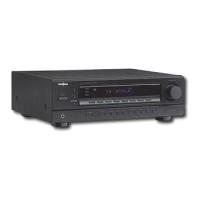
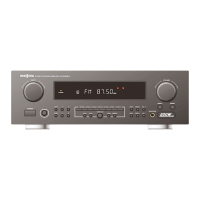
Surround Sound Receiver
NS-AV511
User Guide
NS-AV511_11-0201_MAN_.book Page 0 Wednesday, April 13, 2011 9:31 AM

Table of Contents

Other manuals for Insignia NS-AV511

Questions and Answers

  • B
    Brandon Robbins Jr.Jul 30, 2025
    What to do if my Insignia NS-AV511 Stereo Receiver cannot connect to a Rocketboost network?
    • E
      erik24Jul 31, 2025
      If your Insignia Stereo Receiver cannot connect to a Rocketboost network, ensure only one Rocketboost wireless device has the Hub switch enabled. Verify that you have installed the RF-RBCARD (sold separately). Establish the link through the Rocketboost setup menu. Remember that a Rocketboost network supports a maximum of nine devices. If you've reached this limit, remove one device and try again.
  • S
    Sarah MerrittAug 5, 2025
    Why can noise be heard from my Insignia NS-AV511?
    • C
      Cassie BellAug 6, 2025
      If you hear noise from your Insignia Stereo Receiver, avoid bundling audio cables with power cords or speaker cables using cable ties, as this can degrade audio performance. Also, an audio cable may be picking up interference, so try repositioning your cables.
  • Z
    zgreenAug 12, 2025
    Why is my Insignia Stereo Receiver remote control not working?
    • O
      owareAug 12, 2025
      If the Insignia Stereo Receiver's remote control isn't working, first press the RECEIVER button. Ensure the batteries are correctly installed with the right polarity, and try new batteries (don’t mix old and new). Make sure the remote isn't too far from the receiver and there are no obstructions. Avoid direct sunlight or inverter-type fluorescent lights. If the receiver is in a cabinet with colored-glass doors, the remote might not work when the doors are closed. Confirm you've selected the correct remote control mode, entered the correct code, and set the same ID on both the receiver and remote.
  • P
    Patricia HarrisonAug 18, 2025
    How to fix Insignia NS-AV511 Stereo Receiver when it cannot control other components?
    • K
      kayla94Aug 18, 2025
      If your Insignia Stereo Receiver cannot control other components, make sure that you have selected the correct remote control mode. If you still cannot operate it, you need to enter the appropriate remote control code.
  • H
    hnavarroAug 25, 2025
    What to do if my Insignia Stereo Receiver cannot record?
    • A
      Alison HarveyAug 25, 2025
      If your Insignia Stereo Receiver cannot record, make sure the correct input is selected on your recorder. Note that input signals are not fed through to outputs with the same name (e.g., VCR/DVR IN to VCR/DVR OUT) to prevent signal loops and receiver damage.

Summary

Introduction and Safety Information

Safety Information

Essential safety guidelines to prevent hazards during use, including ventilation and power cord handling.

Precautions

Additional important considerations for safe operation, maintenance, and handling of the apparatus.

Components Overview

Features and Package Contents

Detailed list of the receiver's capabilities and included items.

Front Controls and Display

Identification and function of the receiver's front panel controls and display indicators.

Back Panel and Remote Control

Back Panel Connections

Diagram and description of rear panel input/output jacks.

Remote Control Overview

Identification and function of buttons on the remote control.

Setting Up Your Home Theater System

Location and Speaker Placement

Guidelines for selecting an optimal placement for the receiver and speakers.

Connecting Speakers and Subwoofer

Detailed instructions for connecting speaker cables and the subwoofer to the receiver.

Connecting the Antenna

AM and FM Antenna Connection

Instructions for connecting the AM loop and FM antennas to the receiver.

AV Cables and Jacks

Signal and Jack Descriptions

Overview of various audio/video signal types and corresponding jack connections.

Connection Format Selection

Guidance on selecting appropriate connection formats based on component compatibility.

Connecting Components with HDMI

Connecting External Components and HDMI Assignments

Instructions for connecting devices and assigning HDMI inputs to selectors.

Connecting Recording Components

AV Recording Procedures

Steps for recording audio and video from source inputs to a recorder.

Rocketboost Setup

Rocketboost Functionality and Applications

Explanation of Rocketboost capabilities and typical usage scenarios.

Initial Rocketboost Setup

Setting Up Wireless Audio Transmission

Configuring the receiver for sending audio wirelessly to other Rocketboost devices.

Establishing Rocketboost Network Communication

Procedures for connecting Rocketboost devices to a network and establishing a hub.

Listening to Music from Other Rocketboost Products

Playing Rocketboost Audio Streams

Steps to select and play music from other Rocketboost products.

Rocketboost Network Capabilities

Remote Control and Speaker Configuration

Installing batteries, operating the remote, and configuring speaker settings.

Speaker Setup Menus

Setting Speaker Distance (Sp Distance)

Specifying speaker distances for accurate sound arrival at the listener.

Advanced Speaker Settings (Double Bass, Wireless)

Adjusting bass boost, wireless synchronization, and other advanced speaker options.

Operating Your Receiver

Basic Operations (On;Off, Volume, Display)

Fundamental receiver operations including power, volume control, and source display.

Audio and Display Settings

Using music optimizer, setting display brightness, muting, and sleep timer.

Listening to the Radio

Tuning and Presetting Radio Stations

Instructions for tuning into AM/FM stations and storing them as presets.

Using Listening Modes

Selecting and Understanding Listening Modes

How to choose sound modes and their compatibility with different audio formats.

Insignia-Original Listening Modes

Custom Sound Modes for Various Scenarios

Insignia's unique sound modes for music, movies, and games.

Using Advanced Setup Menus

On-Screen Setup Menu Navigation

Guide to navigating and changing receiver settings via the on-screen display.

Setting Up HDMI Input Assignments

Assigning HDMI sources to specific input selectors for proper routing.

Component and Digital Audio Setup

Component Input Assignment

Assigning component video inputs to input selectors.

Digital Audio Input Assignment and Adjustment

Assigning digital audio inputs and adjusting audio settings.

HDMI Setup Menu Options

CEC, HDMI Through, and Audio TV OUT

Configuring HDMI control, signal pass-through, and audio output to TV.

Audio Return Channel (ARC) and LipSync

Enabling ARC function and adjusting audio/video sync.

Changing Audio Settings

Tone Control and Speaker Level Adjustments

Fine-tuning bass, treble, and individual speaker volumes.

Audio Function Settings

Late Night Function and Music Optimizer

Adjusting dynamic range for late listening and enhancing compressed music files.

CinemaFILTER

Softening bright movie soundtracks for a theater-like experience.

A;V Sync and Input Naming

Setting A;V Sync and Naming Inputs

Adjusting audio delay and assigning custom names to input selectors.

Setting the Audio Selector Priority

Setting audio output priorities for digital and analog inputs.

Digital Input Signal Format

Selecting Digital Input Format (Fixed Mode)

Manually setting digital signal format to PCM or DTS when issues arise.

OSD and Auto Standby Settings

Options for displaying volume on-screen and automatic standby mode.

Controlling Other Components

Remote Control Programming

Entering remote control codes for various AV components.

Remote Control Codes

Component Code Lists

Comprehensive lists of remote control codes for different device types.

Maintaining and Troubleshooting

Cleaning and Resetting the Receiver

Instructions for cleaning the unit and resetting it to factory defaults.

Troubleshooting Common Issues

Guidance for diagnosing and resolving problems with the receiver.

Audio Problems

No Sound and Speaker Output Issues

Solutions for no sound, or sound only from specific speakers.

Video Problems

No Picture and Menu Display Issues

Solutions for problems with no video signal or missing on-screen menus.

Tuner and Rocketboost Network Issues

Tuner Reception Problems

Solutions for noisy FM reception or poor signal quality.

Rocketboost Network Connection Issues

Troubleshooting steps for problems connecting to the Rocketboost wireless network.

Remote Control and Component Control Issues

Remote Control Malfunctions

Steps to resolve issues with the remote control not functioning.

Controlling Other Components

Troubleshooting steps for when the remote cannot control other AV devices.

Miscellaneous Operational Issues

Sound Changes with Headphones

Explanation of sound behavior when headphones are connected.

Specifications

Amplifier and Video Specifications

Technical details about the receiver's amplifier and video processing capabilities.

Tuner and General Specifications

Tuner Frequency Ranges and Presets

Specifications for FM/AM tuning frequency ranges and preset channel capacity.

General Receiver Specifications

Physical and electrical specifications including power, dimensions, and weight.

Legal Notices

FCC and IC Compliance Statements

Compliance information regarding FCC and Canadian regulations for digital devices.

One-Year Limited Warranty

Warranty Coverage and Service

Details on warranty duration, what is covered, and how to obtain service.

Warranty Exclusions and Validity

List of items not covered by the warranty and its geographical validity.

Insignia NS-AV511 Specifications

General IconGeneral
BrandInsignia
ModelNS-AV511
CategoryStereo Receiver
LanguageEnglish

Related product manuals