EasyManua.ls Logo

Insignia NS-CLLT01 - User Manual

Insignia NS-CLLT01
19 pages
Print Icon
To Next Page IconTo Next Page
Loading...
User Guide
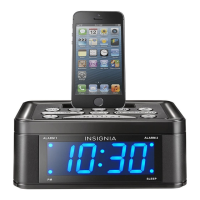
Digital FM Clock Radio with Dock for iPhone5
NS-CLLT01
Before using your new product, please read these instructions to prevent any damage.
NS-CLLT01_14-0316_MAN_V4_ENG.fm Page 1 Wednesday, May 28, 2014 6:40 AM

Questions and Answers

  • S
    Stacy BakerJul 26, 2025
    How to troubleshoot no power on Insignia NS-CLLT01 Clock Radio?
    • U
      uespinozaJul 26, 2025
      If your Insignia Clock Radio has no power, ensure the AC power adapter is securely and correctly connected to both the clock radio and the power outlet. Also, verify that the power outlet itself is functioning correctly.
  • S
    Susan TranJul 31, 2025
    What to do if there is no sound from Insignia Clock Radio speakers?
    • K
      Kendra ReyesJul 31, 2025
      If there's no sound coming from the speakers of your Insignia Clock Radio, try the following: 1. Increase the volume using the VOLUME +/- button. 2. If using an external sound source, increase the volume on that device. 3. Ensure the correct sound source is selected on the clock radio. 4. Make sure the AC power adapter is properly connected. 5. Verify that your clock radio is turned ON.
  • K
    Katherine BonillaAug 3, 2025
    Why is there static or noise when playing radio on Insignia NS-CLLT01?
    • G
      Gilbert OlsenAug 4, 2025
      If you're experiencing static or noise when playing the radio on your Insignia Clock Radio: * Ensure the station is tuned correctly and has a strong signal. * Try tuning into another station to see if the issue persists. * Extend the antenna wire to improve the radio's reception.
  • L
    leeaaronAug 8, 2025
    What to do if Insignia Clock Radio is not charging my iPhone?
    • D
      daviskayleeAug 8, 2025
      If your iPhone isn't charging when connected to the Insignia Clock Radio, ensure that the iPhone is firmly connected to the lightning connector on the clock radio. Also, verify that the AC power adapter is securely and correctly connected to your clock radio and the power outlet.
  • J
    Julie SchneiderAug 12, 2025
    Why does my Insignia NS-CLLT01 Clock Radio sound distorted?
    • M
      Mrs. Pamela Davis MDAug 12, 2025
      If the sound from your Insignia Clock Radio is distorted, make sure the volume level isn't set too high. If you're using an external sound source, ensure the material from that source isn't distorted. Also, confirm that the radio station is tuned correctly and has a good signal.
  • M
    Michael KirkAug 17, 2025
    How to fix Insignia NS-CLLT01 Clock Radio when it cannot play an iPhone?
    • T
      Tracey BrownAug 17, 2025
      If your iPhone isn't playing on your Insignia Clock Radio, first ensure that the iPhone is firmly connected to the lightning connector on your clock radio. Verify that the iPhone is working correctly by testing it before connecting it to the clock radio. Ensure that the firmware on your iPhone is up to date. Finally, check the volume levels on both the clock radio and the iPhone, and increase them if necessary.
  • J
    Joshua DunnAug 21, 2025
    Why does Insignia Clock Radio get warm?
    • R
      ryan17Aug 21, 2025
      If your Insignia Clock Radio gets warm after playing at high volumes for a long time, simply turn down the volume.

Summary

Important Safety Instructions

Electric Shock Warning

Alerts users about the risk of electric shock and the presence of uninsulated voltage within the enclosure.

Top Panel Controls and Connectors

Power and Standby Control

Controls turning the clock radio on and off or entering standby mode for power saving.

Time and Alarm Setting Controls

Buttons used to set the current time and configure alarm times for daily wake-ups.

Back Panel Ports and Connections

DC Power Input Jack

The jack for connecting the AC power adapter to supply power to the unit.

Initial Setup Procedure

Installing Backup Batteries

Explains how to install backup batteries for continuous operation during power outages.

Connecting Power and Setting Clock

AC Adapter Connection Guide

Steps to connect the AC power adapter to the unit and a wall outlet.

Setting the Clock Time

Instructions for setting the correct hour and minutes for the clock display.

Operating Your Clock Radio

Alarm Setting and Management

Guides users on setting and managing alarm functions for wake-up calls.

Radio, Sleep, and Preset Functions

External Audio Playback Options

Maintenance and Troubleshooting

Insignia NS-CLLT01 Specifications

General IconGeneral
BrandInsignia
ModelNS-CLLT01
CategoryClock Radio
LanguageEnglish

Related product manuals