EasyManua.ls Logo

Insignia NS-CLOPP2 - User Manual

Insignia NS-CLOPP2
22 pages
Print Icon
To Next Page IconTo Next Page
Loading...
Digital AM/FM
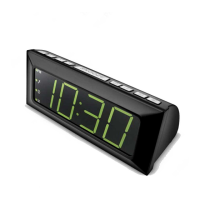
Clock Radio
NS-CLOPP2
USER GUIDE
Before using your new product, please read these instructions to prevent any damage.

Questions and Answers

  • C
    Crystal WilsonJul 28, 2025
    What to do if there is no sound from my Insignia Clock Radio?
    • V
      Valerie AnthonyJul 28, 2025
      If your Insignia Clock Radio has no sound, first, increase the volume by pressing VOL +/. Also, ensure the AC power adapter is securely connected to the power outlet and that your clock radio is turned ON.
  • C
    catherineandersonAug 2, 2025
    How to fix no power on my Insignia NS-CLOPP2 Clock Radio?
    • N
      ngloverAug 2, 2025
      If your Insignia Clock Radio is not getting power, ensure that the AC power adapter is securely and correctly connected to the power outlet and that the power outlet is working.
  • Y
    yolanda20Aug 9, 2025
    Why is there static when playing radio on Insignia NS-CLOPP2 Clock Radio?
    • S
      Stephanie SalazarAug 9, 2025
      If you are experiencing static or noise when playing the radio on your Insignia Clock Radio, make sure the station is tuned correctly and has a good signal. You can also try another station. For FM stations, extend the antenna wire to improve reception. For AM stations, adjust the position of your clock radio for the best reception.
  • J
    Jessica CampbellAug 14, 2025
    What to do if the sound is distorted on Insignia Clock Radio?
    • M
      mikefloydAug 15, 2025
      If the sound from your Insignia Clock Radio is distorted, ensure that the volume level is not set too high and that the station is tuned correctly with a good signal.
  • M
    Molly Leon DVMAug 20, 2025
    Why does my Insignia Clock Radio get warm?
    • J
      Jamie PaulAug 21, 2025
      It is normal for the Insignia Clock Radio to get warm after extended play at high volume levels. Turn down the volume to let the radio cool.

Summary

Introduction

Important Safety Instructions

Features

Package contents

Lists the items included with the clock radio, such as the clock radio itself, AC adapter, and batteries.

LED display

PM indicator

Indicates when the displayed time is after noon (PM).

TIME;ALARM;FREQUENCY display

Shows current time, alarm time, or radio frequency.

Sleep timer indicator

Indicates when the sleep timer function is active.

Alarm 1 indicator

Indicates when Alarm 1 is set.

Alarm 2 indicator

Indicates when Alarm 2 is set.

Top panel

(power) button

Turns the radio on or switches it to standby mode.

AM;FM (RADIO) button

Toggles between AM and FM radio channels.

TUNE V;A

Tunes radio stations or adjusts clock/alarm time settings.

SNOOZE (DIMMER) button

Mutes alarm temporarily or adjusts display brightness.

;MEM;PRESET button

Sets clock time, enters preset mode, or selects preset stations.

Back panel

Battery compartment

Compartment for installing two AA batteries for backup.

FM antenna wire

Improves reception for FM radio broadcasts.

AC power adapter

Connects the clock radio to a power outlet.

Set up your clock radio

Install the backup batteries

Instructions for inserting AA batteries for power failure backup.

When to Replace the Batteries

Connect the AC adapter

Set the clock

Use your clock radio

Turn your clock radio on and off

Steps to power the clock radio on, adjust brightness, and switch to standby.

Set and use the alarm

Instructions for setting alarms, noting the clock must be in standby mode.

Mute, turn off, or cancel the alarm

Play the radio

Use radio station presets

Recall radio station presets

Use the sleep timer

Clean your clock radio

Troubleshooting

Specifications

Legal notices

FCC and IC Information

Details compliance with FCC and Industry Canada regulations.

ONE-YEAR LIMITED WARRANTY

Where is the warranty valid?

What does the warranty not cover?

Insignia NS-CLOPP2 Specifications

General IconGeneral
TypeClock Radio
BrandInsignia
ModelNS-CLOPP2
BluetoothYes
USB Charging PortYes
Display TypeLED
Alarm FunctionYes
Snooze FunctionYes
Power SourceAC
Backup BatteryYes
TuningDigital
Radio BandsAM/FM
Alarm TypeBuzzer/Radio
Weight1.5 pounds

Related product manuals