EasyManua.ls Logo

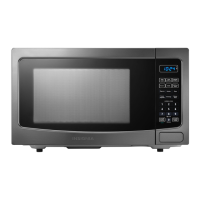
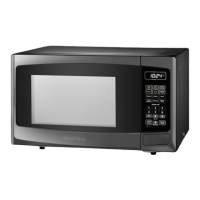
Insignia NS-MW11BK0 - User Manual

Insignia NS-MW11BK0
14 pages
Print Icon
To Next Page IconTo Next Page
Loading...
Before using your new product, please read these instructions to prevent any damage.
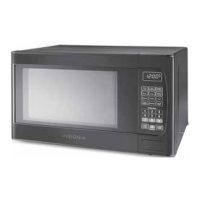
USER GUIDE
1.1 Cu. Ft.
Microwave Oven
NS-MW11BK0

Questions and Answers

  • B
    briggsgabrielJul 28, 2025
    What to do if my Insignia NS-MW11BK0 Microwave Oven won't start?
    • E
      Erica KellyJul 28, 2025
      If your Insignia Microwave Oven isn't starting, there are a few potential causes. First, ensure the electrical cord is properly plugged in. Second, make sure the door is fully closed. Finally, verify that the correct operation is set according to the instructions.
  • J
    Joshua HayesAug 1, 2025
    Why is my Insignia NS-MW11BK0 Microwave Oven arcing or sparking?
    • J
      Jennifer AlvaradoAug 2, 2025
      Arcing or sparking in your Insignia Microwave Oven can occur due to several reasons. You might be using incorrect, non-microwave-safe materials. Avoid operating the microwave when it's empty. Also, spilled food remains can cause this issue, so clean the microwave with a wet towel.
  • E
    Erica ThomasAug 5, 2025
    How to fix unevenly cooked food in Insignia NS-MW11BK0?
    • G
      gonzalesshannonAug 5, 2025
      Unevenly cooked food in your Insignia Microwave Oven can be due to several factors. Ensure you are using microwave-safe materials. Also, make sure the food is completely defrosted before cooking. Verify that you're using the correct cooking time and power level. Finally, turn or stir the food during cooking to promote even heating.
  • S
    Samantha LeeAug 9, 2025
    Why is food undercooked in my Insignia Microwave Oven?
    • S
      Stephen MarshallAug 10, 2025
      If your food is consistently undercooked in your Insignia Microwave Oven, consider these possibilities: you might be using incorrect materials. Ensure that the food is fully defrosted before cooking. Verify you're using the appropriate cooking time and power level. Also, check that the microwave ventilation ports are not blocked or restricted.
  • M
    Mark LoweAug 14, 2025
    What causes overcooked food in Insignia NS-MW11BK0?
    • D
      Deborah CoxAug 14, 2025
      Overcooked food in your Insignia Microwave Oven is often caused by using an incorrect cooking time or power level. Adjust these settings to ensure proper cooking without overcooking.
  • J
    Justin GibsonAug 18, 2025
    How to improve defrosting in Insignia Microwave Oven?
    • C
      Carlos JonesAug 19, 2025
      To improve defrosting in your Insignia Microwave Oven, ensure that you are using microwave-safe materials. Also, verify that the cooking time and power level are adequate for defrosting. Turn or stir the food during the defrosting process to ensure even thawing.
  • W
    Willie AlexanderAug 23, 2025
    Why is the colon blinking on my Insignia NS-MW11BK0 Microwave Oven display?
    • E
      Emily WiseAug 23, 2025
      The blinking colon on the display of your Insignia Microwave Oven is normal behavior. It blinks to count seconds when the clock is set.

Summary

Important Safety Instructions

Precautions to Avoid Possible Exposure to Excessive Microwave Energy

Guidance on safe operation to prevent harmful exposure to microwave energy.

Grounding Instructions

Ensures safe electrical operation by providing an escape wire for electric current.

Radio Interference

Measures to reduce or eliminate interference with radio, TV, or similar equipment.

Cookware and Cooking Materials

Guidelines on appropriate and inappropriate materials for microwave cooking.

Features

Package Contents

Lists the items included with the microwave oven.

Microwave Oven Components

Identifies and describes the main parts of the microwave oven.

Control Panel Overview

Control Panel Buttons and Functions

Details the purpose and operation of each button on the control panel.

Setting Up Your Microwave Oven

Installing the Turntable

Instructions for correctly assembling and placing the turntable.

Setting the Clock and Timer

Steps for setting the microwave's internal clock and kitchen timer.

Cooking Operations

Microwave Cooking Basics

Guides on basic microwave cooking procedures and power level settings.

Quick Cooking Functions

How to use express cook and 30-second add functions for fast heating.

Auto Menu Cooking

Instructions for using pre-programmed settings for specific foods.

Advanced Microwave Functions

Defrosting Procedures

Methods for defrosting food by weight or time.

Changing Microwave Settings

Information on child lock, muting, and power saving mode.

Saving and Using Memorized Procedures

How to save and recall custom cooking programs.

Maintenance and Troubleshooting

Cleaning the Microwave

Detailed instructions for cleaning the exterior, interior, and specific parts.

Troubleshooting Common Issues

Solutions for common problems like microwave not starting or uneven cooking.

Obtaining Replacement Parts

Contact information for ordering replacement parts.

Specifications and Warranty

Product Specifications

Technical details and dimensions of the microwave oven.

One-Year Limited Warranty

Details coverage, duration, and exclusions of the product warranty.

Insignia NS-MW11BK0 Specifications

General IconGeneral
Capacity1.1 cu. ft.
Control TypeElectronic
TurntableYes
Turntable Diameter12.4 inches
Display TypeLED
Number of Power Levels10
Cooking PresetsYes
ColorBlack
TypeMicrowave
Power1000 watts

Related product manuals