EasyManua.ls Logo

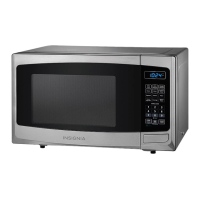
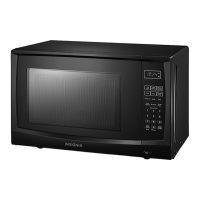
Insignia NS-MW11BS9 - User Manual

Insignia NS-MW11BS9
16 pages
Print Icon
To Next Page IconTo Next Page
Loading...
Before using your new product, please read these instructions to prevent any damage.
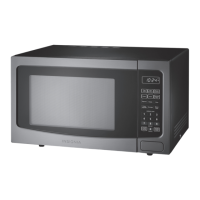
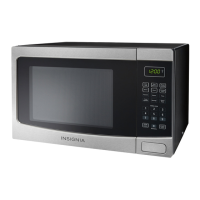
USER GUIDE
1.1 Cu. Ft.
Microwave Oven
NS-MW11BS9
FPO
NS-MW11BS9_18-0018_MAN_V1_ENG.fm Page 1 Thursday, May 24, 2018 2:00 PM

Questions and Answers

  • L
    Lindsay RileyAug 7, 2025
    What to do if my Insignia Microwave Oven won't start?
    • T
      Timothy WrightAug 7, 2025
      If your Insignia Microwave Oven isn't starting, there are a few potential causes. First, ensure the electrical cord is properly plugged in. Second, make sure the door is fully closed. Finally, verify that the correct operation is set according to the instructions.
  • R
    Ryan SnyderAug 11, 2025
    Why is my Insignia NS-MW11BS9 arcing or sparking?
    • G
      gary99Aug 11, 2025
      Arcing or sparking in your Insignia Microwave Oven can occur due to several reasons. You might be using incorrect, non-microwave-safe materials. Avoid operating the microwave when it's empty. Also, spilled food remains can cause this issue, so clean the microwave with a wet towel.
  • M
    michaelmurphyAug 15, 2025
    How to fix unevenly cooked food in Insignia NS-MW11BS9 Microwave Oven?
    • J
      jessicajonesAug 16, 2025
      Unevenly cooked food in your Insignia Microwave Oven can be due to several factors. Ensure you are using microwave-safe materials. Also, make sure the food is completely defrosted before cooking. Verify that you're using the correct cooking time and power level. Finally, turn or stir the food during cooking to promote even heating.
  • J
    James MercerAug 20, 2025
    Why is food undercooked in my Insignia NS-MW11BS9 Microwave Oven?
    • J
      Justin FlowersAug 20, 2025
      If your food is consistently undercooked in your Insignia Microwave Oven, consider these possibilities: you might be using incorrect materials. Ensure that the food is fully defrosted before cooking. Verify you're using the appropriate cooking time and power level. Also, check that the microwave ventilation ports are not blocked or restricted.
  • K
    Kevin MartinezAug 25, 2025
    What causes overcooked food in Insignia NS-MW11BS9 Microwave Oven?
    • C
      castrohaleyAug 25, 2025
      Overcooked food in your Insignia Microwave Oven is often caused by using an incorrect cooking time or power level. Adjust these settings to ensure proper cooking without overcooking.
  • H
    Hannah MurphyAug 28, 2025
    How to improve defrosting in Insignia NS-MW11BS9 Microwave Oven?
    • H
      hernandezchristopherAug 28, 2025
      To improve defrosting in your Insignia Microwave Oven, ensure that you are using microwave-safe materials. Also, verify that the cooking time and power level are adequate for defrosting. Turn or stir the food during the defrosting process to ensure even thawing.
  • T
    tommy54Sep 1, 2025
    Why is the colon blinking on my Insignia NS-MW11BS9 Microwave Oven display?
    • D
      Donald CarlsonSep 2, 2025
      The blinking colon on the display of your Insignia Microwave Oven is normal behavior. It blinks to count seconds when the clock is set.

Insignia NS-MW11BS9 Specifications

General IconGeneral
BrandInsignia
ModelNS-MW11BS9
CategoryMicrowave Oven
LanguageEnglish

Related product manuals