EasyManua.ls Logo

Insignia NS-RGFESS1 - User Manual

Insignia NS-RGFESS1
51 pages
Print Icon
To Next Page IconTo Next Page
Loading...
Before using your new product, please read these instructions to prevent any damage.
USER GUIDE
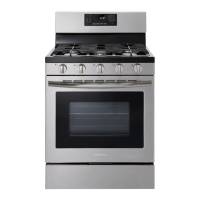
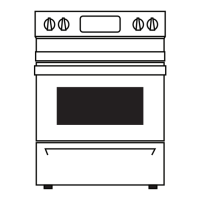
4.8 Cu. Ft. Electric
Convection Range with
Steam Cleaning
NS-RGFESS1

Table of Contents

Questions and Answers

  • H
    Heather FlowersSep 8, 2025
    What does ERROR CODE E0 mean on my Insignia NS-RGFESS1?
    • K
      Keith AnthonySep 8, 2025
      If ERROR CODE E0 appears on your Insignia Ranges, the oven temperature sensor or cabling may be damaged or open. Press Off/Clear, then restart the oven. If the problem persists, disconnect all power to your range for at least 30 seconds, then reconnect the power. If this does not solve the problem, call for service.
  • S
    Summer VazquezAug 23, 2025
    Why are my Insignia NS-RGFESS1 surface burners not producing a rolling boil or cooking fast enough?
    • W
      Wayne DiazAug 23, 2025
      The surface burners on your Insignia Ranges might not produce a rolling boil or cook fast enough if you are using inappropriate cookware, so use pans which are flat and match the diameter of the surface element you selected. Also, in some areas, the power (voltage) may be low, so cover the pan with a lid until the desired heat is obtained.
  • S
    Stephanie HarperAug 25, 2025
    What to do if my Insignia Ranges oven does not turn on?
    • E
      Elizabeth SmallAug 25, 2025
      If your Insignia Ranges oven isn’t turning on, make sure that the electrical plug is inserted into a live, correctly grounded outlet. Also, a fuse in your home may be blown or the circuit breaker tripped, so replace the fuse or reset the circuit breaker. Ensure the oven controls have been set correctly. Also, the oven may be too hot, so let it cool. If a delayed start time has been set, press the Off/Clear pad to cancel it. Ensure the oven door closes correctly, and no items are obstructing it. Finally, your range may be in demo mode, so press and hold the 1 and 9 number pads on the control panel simultaneously for three seconds, then release.
  • J
    Jenna HurstAug 27, 2025
    Why are my Insignia NS-RGFESS1 Ranges oven racks difficult to slide?
    • E
      Eric DanielAug 27, 2025
      If the shiny, silver-colored racks were cleaned in a self-cleaning cycle, apply a small amount of vegetable oil to a paper towel and wipe the edges of the oven racks with the paper towel.
  • K
    Karen RobinsonAug 27, 2025
    What to do if the display flashes on my Insignia NS-RGFESS1 Ranges?
    • J
      jenningsrobertAug 28, 2025
      If the display flashes on your Insignia Ranges, it means there was a power failure. Reset the clock.
  • G
    grodriguezSep 22, 2025
    Why does my Insignia Ranges oven light does not turn on?
    • L
      Lance RobersonSep 22, 2025
      If the oven light does not turn on in your Insignia Ranges, the light bulb is loose or defective. Tighten or replace the bulb.
  • R
    Richard RobertsSep 16, 2025
    Why does my Insignia Ranges beeper still beeps after I turned it off?
    • M
      Maria HarrellSep 16, 2025
      If your Insignia Ranges beeper still beeps after you've turned it off, it is because some beep tones can’t be turned off. The clock and beep warning tones stay on even when you turn the beeper off. This is normal.
  • J
    Jessica BoydSep 18, 2025
    Why is there a strong odor coming from my Insignia NS-RGFESS1 Ranges?
    • B
      brandihartmanSep 18, 2025
      An odor coming from the insulation around the inside of the oven is normal for the first few times the oven is used. Operate the oven at the bake setting at 400 °F (204° C) for one hour.
  • C
    Connie MartinSep 7, 2025
    What to do if my Insignia NS-RGFESS1 Ranges needs to be accessed for servicing and can’t be moved easily?
    • J
      John ObrienSep 7, 2025
      If your Insignia Ranges needs to be accessed for servicing but can’t be moved easily, it may be because the oven leg is inside the anti-tip device. Slide your range forward until the leg is out of the anti-tip device, then move your range as needed. Make sure that you reinstall the range leg into the anti-tip device when you are through. Carpet may also interfere with the movement of your range, so provide sufficient space so your range can be lifted over the carpet.
  • A
    Anne ThompsonSep 4, 2025
    Why does my Insignia Ranges drawer not slide smoothly or drags?
    • K
      Kristen DuranSep 4, 2025
      The drawer of your Insignia Ranges might not slide smoothly or drags because it is out of alignment. Fully extend the drawer and push it all the way in. Also, the drawer may be overloaded or the load is unbalanced. Reduce weight and redistribute drawer contents.

Summary

Safety and Precautions

General Safety Instructions

Covers essential safety guidelines, anti-tip device, and instructions.

Specific Safety Guidelines

Addresses risks related to cooking elements, electrical safety, and child safety.

Installation and Usage Hazards

Details critical installation risks and general operating cautions.

Installation Guide

Location, Clearances & Electrical Needs

Specifies space, dimensions, cabinet compatibility, and power supply.

Installation Procedures

Covers connecting cords, anti-tip device, leveling, and finishing.

Operating Instructions

Surface Burner Operation

Explains cooktop usage, controls, and cookware.

Oven Functions and Settings

Covers rack positioning, oven vent, light, baking, roasting, and timing.

Control Panel Operations

Details settings like temperature units, sound, and control lock.

Maintenance and Troubleshooting

Cleaning Procedures

Guides cleaning of cooktop, oven, controls, and other parts.

Troubleshooting and Error Codes

Offers solutions for common issues and lists error codes.

Specifications and Warranty

Product Specifications

Lists dimensions, weight, power, and element ratings.

One-Year Limited Warranty

Outlines warranty coverage, exclusions, and service.

Insignia NS-RGFESS1 Specifications

General IconGeneral
BrandInsignia
ModelNS-RGFESS1
CategoryRanges
LanguageEnglish

Related product manuals