EasyManua.ls Logo

Insignia NS-RGFGSS1 - User Manual

Insignia NS-RGFGSS1
55 pages
Print Icon
To Next Page IconTo Next Page
Loading...
Before using your new product, please read these instructions to prevent any damage.
USER GUIDE
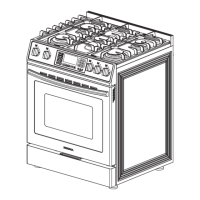
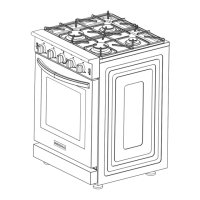
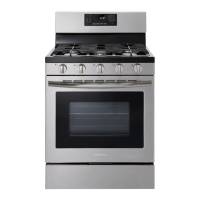
4.8 Cu. Ft. Freestanding
Gas Convection Range
with Steam Cleaning
NS-RGFGSS1

Table of Contents

Questions and Answers

  • P
    Patricia WangAug 20, 2025
    What to do if I smell gas from my Insignia NS-RGFGSS1 Ranges?
    • K
      Kenneth WashingtonAug 20, 2025
      If you smell gas, clear everyone from the room, building, or area. Immediately call your gas supplier from outside the building using a phone that is not electrical to avoid sparks. Follow their instructions. If you cannot reach your gas supplier, call the Fire Department.
  • R
    Robert FriedmanAug 22, 2025
    Why none of the burners light on my Insignia NS-RGFGSS1 Ranges?
    • L
      Laura HaleAug 22, 2025
      If none of the burners light on your Insignia Ranges, ensure the power cord is plugged into a live, correctly grounded outlet. Also, check if a fuse in your home has blown or the circuit breaker has tripped, and replace the fuse or reset the circuit breaker. Verify that the gas supply is correctly connected and turned on.
  • E
    erikavasquezAug 25, 2025
    What to do if the display goes dark on my Insignia NS-RGFGSS1?
    • S
      Sarah JenkinsAug 25, 2025
      If your Insignia Ranges display goes dark, the electrical outlet ground fault interrupter (GFI or GFCI) may have been tripped and needs to be reset. Try replacing the fuse or resetting the circuit breaker.
  • L
    Lauren SalinasAug 27, 2025
    Why one of the surface burners doesn’t light on my Insignia Ranges?
    • M
      Matthew OrtizAug 27, 2025
      If one of the surface burners on your Insignia Ranges doesn’t light, make sure that the control knob is pushed in and turned to the LITE position. Also, check that the burner caps are correctly in place and the burner base is properly aligned. Clean the electrodes.
  • K
    Kimberly SmithAug 28, 2025
    Why food does not bake or roast correctly in the oven of my Insignia NS-RGFGSS1 Ranges?
    • C
      Colton GarciaAug 28, 2025
      If food does not bake or roast correctly in the oven of your Insignia Ranges, remove any aluminum foil from the racks and/or oven bottom. Also, make sure that you selected the correct cooking mode. Ensure the oven racks are positioned correctly for the food being cooked and that you are using the correct cookware or size. Check if the oven thermostat needs adjustment. Finally, verify that the clock or timers are set correctly.
  • J
    Jason HallAug 29, 2025
    Why does my Insignia Ranges oven smoke excessively during broiling?
    • J
      Jonathan PenaAug 30, 2025
      If your Insignia Ranges oven smokes excessively during broiling, cut away excess fat or fatty edges from the meat or food. Ensure the controls are set correctly. Regular cleaning is necessary to prevent greasy buildup on oven surfaces. Additionally, make sure the food is not too close to the broiler burner; move the broiler dish to a lower rack if needed.
  • R
    rgrayAug 31, 2025
    Why oven temperature is too hot or cold in my Insignia NS-RGFGSS1 Ranges?
    • B
      Bradley ThompsonAug 31, 2025
      If your Insignia Ranges oven temperature is too hot or cold, the oven thermostat may need adjustment.
  • T
    Thomas HannaSep 2, 2025
    What to do if food doesn’t broil correctly in the oven of my Insignia NS-RGFGSS1 Ranges?
    • D
      Dennis DavisSep 3, 2025
      If food doesn’t broil correctly in the oven of your Insignia Ranges, make sure the oven controls are set correctly and that the oven door was closed during broiling. Keep the oven door closed when broiling.
  • T
    Theresa GutierrezSep 4, 2025
    Why surface burner clicks during operation on my Insignia NS-RGFGSS1?
    • M
      mary34Sep 4, 2025
      If the surface burner on your Insignia Ranges clicks during operation, turn the control knob to a desired setting after the burner lights. If the burner continues to click, contact a qualified service technician.
  • M
    Mr. Christopher ReillySep 6, 2025
    Why my Insignia NS-RGFGSS1 Ranges are not level?
    • P
      Patrick WrightSep 6, 2025
      If your Insignia Ranges are not level, it may be due to the kitchen cabinets not being level. Ensure the cabinets are square and provide sufficient room for installation. Also, the range may have been installed incorrectly, or one or more of the leveling legs may be damaged or uneven. Make sure that the floor is level, strong, and stable. If the floor sags or slopes, contact a carpenter. Check and level the range.

Summary

Before You Begin

Important Note to the Installer

Guidance for installers regarding product setup and safety precautions.

Important Note to the Consumer

Essential safety advice and usage guidelines for the range owner.

Safety Symbols and Instructions

Safety Symbols Explained

Defines icons and signs used in the manual for safety awareness.

Important Safety Instructions

Critical warnings and procedures to prevent fire, explosion, injury, or death.

Anti-Tip Device and Safety Precautions

Anti-Tip Device Installation

Instructions for installing the anti-tip device to prevent range tipping.

General Safety Precautions

Basic precautions for installation and use to reduce risks of fire, shock, or injury.

General Safety Warnings

Child Safety Measures

Precautions to prevent children from accessing or being injured by the range.

Fire Prevention Guidelines

Steps to avoid fires, including handling hot surfaces and flammable materials.

Specific Safety Warnings

Steam and Vapor Safety

Guidelines for safely handling steam and hot air escaping the oven.

Gas Leak Safety Procedures

Immediate actions to take if a gas leak is detected to prevent fire or explosion.

California Safety Notice

Information regarding California's Safe Drinking Water and Toxic Enforcement Act.

Electrical and Installation Safety

Electrical Safety Requirements

Mandatory electrical instructions to avoid shock, fire, or damage.

Grounding Instructions

Proper grounding procedures to prevent electrical shock hazards.

Installation Safety Guidelines

Precautions and warnings for safe installation by qualified personnel.

Installation and Surface Burner Safety

Range Installation Requirements

Guidelines for proper placement, clearances, and floor requirements.

Surface Burner Safety

Precautions for using surface burners to prevent burns, fire, or damage.

Burner and Oven Safety

Safe Cooktop Usage

Tips for safe operation of surface burners, including cookware and garment advice.

Oven Safety Precautions

Warnings regarding oven use, including rack placement and cleaning.

Product Features and Contents

Package Contents List

Lists all items included in the product packaging for user verification.

Component Identification

Main Range Components

Diagram and labels identifying the primary parts of the gas range.

Oven Internal Components

Diagram and labels identifying the internal parts of the oven.

Oven Control Panel

Control Panel Layout

Overview of the oven control panel with numbered touchpad descriptions.

Touchpad Functions

Detailed explanations of each touchpad button and its operation.

Control Panel Functions and Dimensions

Timer and Lock Functions

Details on timer operation, control panel locking, and sound settings.

Front Range Dimensions

Visual representation of the range's front dimensions with measurements.

Range Dimensions

Side View Dimensions

Diagram showing the side profile dimensions of the gas range.

Installation Guide

Selecting an Installation Location

Criteria for choosing a suitable and safe location for the range.

Installing the Gas Range

Step-by-step instructions for the physical installation of the gas range.

Location and Clearances

Required Clearances

Specifications for safe distances between the range and surrounding cabinets/walls.

Minimum Installation Dimensions

Key minimum dimension requirements for safe installation.

Gas and Electrical Requirements

Gas Piping and Outlet Locations

Diagram showing placement for gas and electrical connections.

Gas Supply Requirements

Specifications for natural and LP gas pressure and connections.

Electrical Connection Standards

Details on electrical service, grounding, and wiring standards.

Connecting the Gas Supply

Installer Preparation Notes

Key instructions and warnings for installers before beginning the setup.

Gas Connection Procedure

Step-by-step guide for safely connecting the range to the gas supply.

LP Gas Conversion

LP Gas Conversion Process

Information on converting the range from natural gas to LP gas.

Burner Orifice Specifications

Table detailing BTU rates and orifice sizes for LP and Natural gas.

Anti-Tip Device and Power Connection

Installing the Anti-Tip Device

Instructions for securing the range to prevent tipping.

Connecting to Power

Steps for plugging in the range and ensuring proper electrical connection.

Leveling the Range

Range Leveling Procedure

Steps to ensure the range is level for proper operation and door sealing.

Burner Assembly and Knobs

Assembling Top Burners

Instructions for placing burner heads, caps, and grates correctly.

Installing Burner Knobs

Guide for attaching the control knobs to the burner stems.

Door Handle and Spacers

Installing the Oven Door Handle

Steps for attaching the oven door handle using the provided kit.

Installing Plastic Pads

Instructions for attaching pads to prevent range from touching the wall.

Burner Ignition Check

Surface Burner Ignition Test

Procedure to verify surface burners ignite and operate correctly.

Oven Burner Ignition Test

Procedure to verify bake and broil burners ignite and operate correctly.

Using the Range

Preparation Before Use

Initial steps and tips for efficient gas usage before operating the range.

Using Surface Burners

Guidance on operating the cooktop burners and selecting cookware.

Using the Oven Functions

Overview of oven functions including vent, light, and rack positioning.

Initial Use and Gas Saving Tips

Pre-Use Range Preparation

Steps for initial cleaning and preparation before first use of the range.

Tips for Efficient Gas Usage

Recommendations for saving gas while operating the range.

Surface Burner Operation

Surface Burner Guide

Explanation of the five surface burners and their functions.

Selecting Correct Cookware

Criteria for choosing cookware for optimal heat transfer and cooking results.

Surface Burner Controls

Lighting a Burner

Procedure for igniting surface burners using electronic ignition.

Manual Burner Lighting

Instructions for lighting burners during a power failure.

Adjusting Flame Size

Guidelines for setting the correct flame size relative to cookware.

Oven Operation Basics

Oven Functions Overview

Details on oven functions like Bake, Broil, Steam Clean, and Keep Warm.

Oven Vent and Light Usage

Information on the oven vent's role and how to use the oven light.

Oven Rack Management

Oven Rack Positions

Guide to the six rack positions for optimal cooking results.

Removing Oven Racks

Step-by-step instructions for safely removing oven racks.

Baking Tips and Rack Replacement

Replacing Oven Racks

Instructions for correctly reinstalling oven racks after removal.

Tips for Layer Cake Baking

Guidance on positioning pans and optimizing results for layer cakes.

Oven Control Functions

Setting Clock and Timer

Procedures for setting the clock, timer, and display format.

Baking and Thermostat Adjustment

How to use the Bake function and adjust the oven thermostat.

Advanced Oven Functions

Fan Baking and Roasting

Using Fan Bake and Fan Roast for even cooking and browning.

Programming Cook Time

Instructions for setting the oven to cook for a specific duration.

Oven Timing and Special Functions

Delayed Start Programming

How to set the oven to start cooking at a later time.

Broiling and Keeping Food Warm

Using the Broil function and the Keep Warm feature.

Oven Control Settings

Temperature Unit Selection

How to switch between Fahrenheit and Celsius temperature displays.

Sound and Control Lock

Options for turning oven sounds on/off and locking the control panel.

Maintenance and Troubleshooting

Cleaning Procedures

Overview of cleaning tasks for various parts of the range.

Troubleshooting Common Issues

Guide to diagnosing and resolving typical cooktop and oven problems.

Cleaning Guide

Cleaning Control Panel

Instructions for safely cleaning the oven's control panel.

Cleaning Stainless Steel

Methods for cleaning and maintaining stainless steel surfaces.

Cleaning Oven Racks

Steps for removing and cleaning the oven racks.

Oven Door Cleaning

Cleaning Oven Door Interior

Procedure for cleaning the inside surfaces of the oven door.

Surface Burner Control Cleaning

Cleaning Control Knobs

Instructions for removing and cleaning the surface burner control knobs.

Burner Grates and Assemblies Cleaning

Cleaning Burner Parts

Steps for cleaning burner caps, heads, and grates.

Cooktop Cleaning

Cleaning the Cooktop Surface

Methods for cleaning the porcelain-enamel cooktop surface.

Oven Door Removal and Replacement

Removing the Oven Door

Detailed steps on how to safely remove the oven door.

Storage Drawer Maintenance

Removing and Replacing Storage Drawer

Instructions for removing and reinstalling the oven's storage drawer.

Steam Cleaning the Oven

Steam Cleaning Procedure

Steps for performing a steam clean cycle in the oven.

Troubleshooting Cooktop Issues

Cooktop Problem Diagnosis

Solutions for common cooktop problems like gas leaks or uneven burners.

Troubleshooting Oven Issues

Oven Problem Diagnosis

Solutions for common oven issues like incorrect temperature or smoking.

Error Codes and Demo Mode

Error Code Explanations

List of error codes, their possible causes, and solutions.

Demo Mode Operation

Instructions for activating and deactivating the product's demo mode.

Product Specifications

Technical Specifications

Details on dimensions, weight, power, and burner outputs.

One-Year Limited Warranty

Warranty Coverage and Claims

Information on warranty duration, what is covered, and how to obtain service.

Insignia NS-RGFGSS1 Specifications

General IconGeneral
BrandInsignia
ModelNS-RGFGSS1
Product TypeRange
Fuel TypeGas
ColorStainless Steel
Number of Burners5
Convection OvenNo
Self-CleaningYes
Width29.9 inches
Oven Capacity5 cu. ft.
Warranty1 year

Related product manuals