www.insigniaproducts.com
18
If you are connecting a 4-wire power cord, go to Connect a 4-wire power cord on page 18.
If you are connecting a 3-wire power cord, go to Connect a 3-wire power cord
on page 19.
Connect a 4-wire power cord
1 Disconnect power to the circuit breaker or fuse box before making the electrical connection.
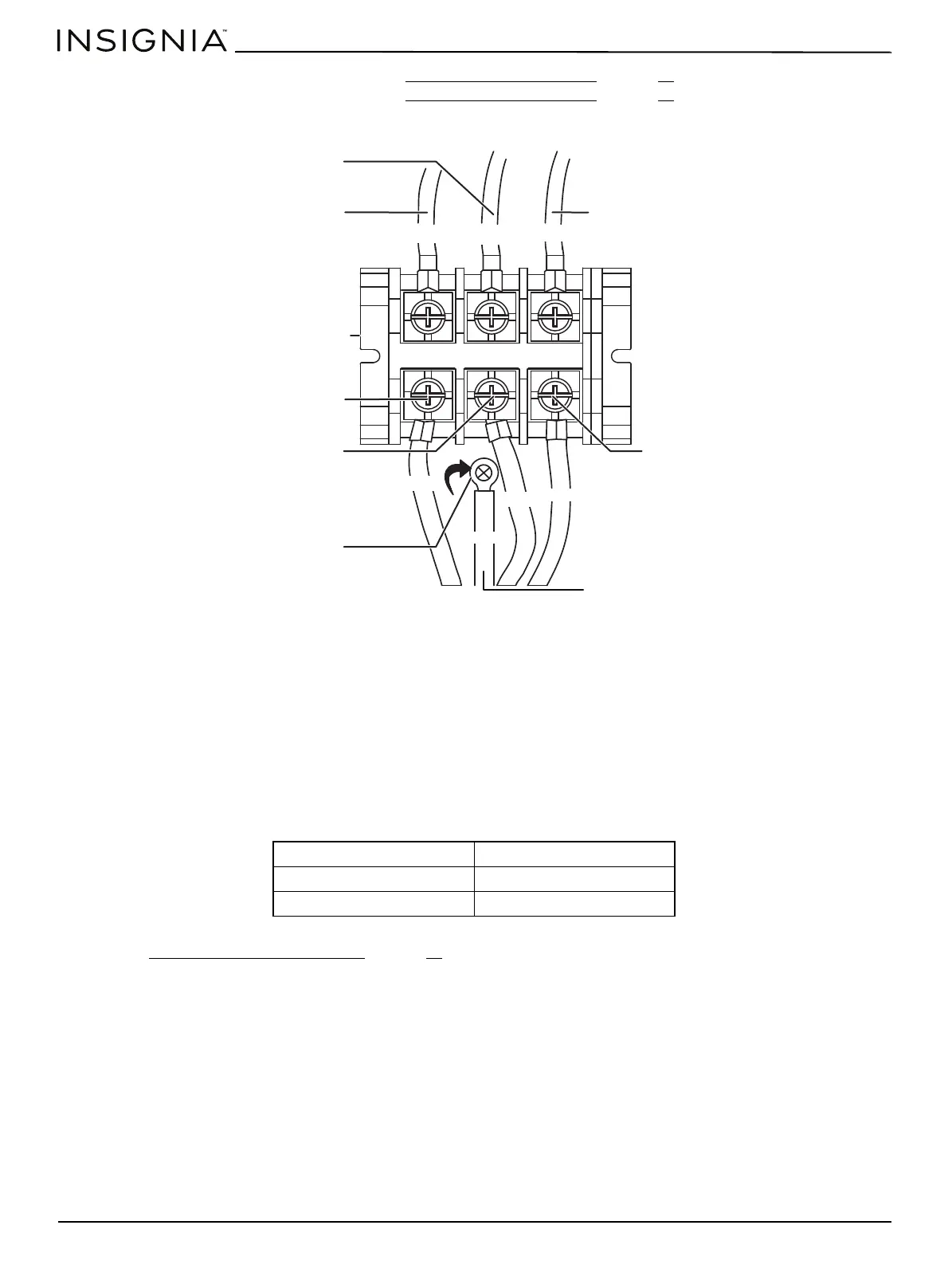
2 Remove the three lower terminal screws from the terminal block and remove the ground screw.
3 Remove and discard the ground strap located between the middle terminal screw and the ground screw. Do not
discard any screws.
4 Insert the ground screw into the power cord ground wire terminal ring and into the frame of the range.
5 Insert the three terminal screws (removed earlier) through each power cord terminal ring and into the lower terminals
of the terminal block. Be certain that the center wire (white/neutral) is connected to the center position of the terminal
block.
6 Reinstall and tighten screws securely to the terminal block.
7 CAUTION: Check the voltage after connecting the power cord.
8 Go to Replace the terminal block cover
on page 20.
Live 1 - Neutral 120 V
Live 2 - Neutral 120 V
Live 1 - Live 2 208 V / 240 V
L1
L2
N
Neutral
Live 2
Live 1
Terminal block
Neutral
Live 2
Live 1
Red
Black
White
Red
Black
White
Green
Remove
ground
strap
Ground wire

 To Next Page
 Loading...