EasyManua.ls Logo

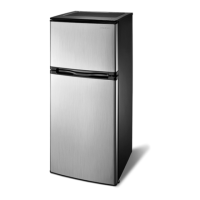
Insignia NS-UZ14SS0 - User Manual

Insignia NS-UZ14SS0
19 pages
Print Icon
To Next Page IconTo Next Page
Loading...
Before using your new product, please read these instructions to prevent any damage.
USER GUIDE
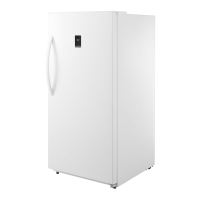
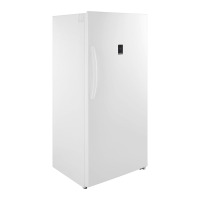
13.8 Cu. Ft.
Upright Convertible
Freezer/Refrigerator
NS-UZ14WH0 / NS-UZ14WH0-C/
NS-UZ14SS0 / NS-UZ14SS0-C

Questions and Answers

  • A
    Audrey RiversAug 18, 2025
    What to do if food in my Insignia Refrigerator is not cold enough?
    • A
      Adam ThomasAug 18, 2025
      If the food in your Insignia Refrigerator isn't cold enough, there could be a few reasons. Make sure the door is closed properly. If you've just added a lot of food, give it time to cool. Check the door gasket and food distribution to ensure the door closes fully. If the freezer was recently disconnected, allow four hours for it to cool before adding food. You may also need to set the thermostat to a colder setting.
  • M
    Michael SchroederAug 20, 2025
    What to do if the Insignia NS-UZ14SS0 Refrigerator control panel is unresponsive?
    • M
      millertamaraAug 20, 2025
      If the control panel on your Insignia Refrigerator is unresponsive, it might be locked. To unlock it, press and hold the Lock button for three seconds.
  • B
    Brian ParkerAug 23, 2025
    What to do if I get an alert that the temperature is too high in my Insignia NS-UZ14SS0?
    • R
      Robert BrownAug 23, 2025
      If you receive an alert that the temperature in your Insignia Refrigerator is too high, it might be because warm foods were recently added; wait for them to cool. Also, check if the temperature is set too high or low and adjust it accordingly. The room the freezer is in might also be too warm; wait for the room temperature to drop.
  • K
    Kenneth WallaceAug 26, 2025
    What to do if E2 appears on the display of my Insignia Refrigerator?
    • D
      Danielle HernandezAug 26, 2025
      If 'E2' appears on the display of your Insignia Refrigerator, it indicates a temperature sensor failure. Call for service.
  • R
    Ronald LivingstonAug 28, 2025
    What to do if E5 appears on the display of my Insignia Refrigerator?
    • R
      ryan08Aug 28, 2025
      If 'E5' appears on the display of your Insignia Refrigerator, it means there is a defrost sensor failure. Call for service.
  • S
    Sharon TaylorAug 31, 2025
    What to do if E7 appears on the display of my Insignia Refrigerator?
    • E
      Emily VelazquezAug 31, 2025
      If 'E7' is displayed on your Insignia Refrigerator, it indicates an ambient temperature sensor failure. Call for service.
  • A
    Anthony PopeSep 2, 2025
    What to do if my Insignia NS-UZ14SS0 door doesn't close completely?
    • J
      Jennifer ShepardSep 2, 2025
      If the door of your Insignia Refrigerator isn't closing properly, it might be due to a few reasons. Check if any food packages are blocking the door and adjust them, or remove some items. Also, the door gaskets could be dirty, so try cleaning them. Lastly, ensure the freezer is level; if not, level it.
  • S
    Susan JohnsonSep 5, 2025
    Why is my Insignia NS-UZ14SS0 compressor turning on and off frequently?
    • H
      Haley ThomasSep 5, 2025
      The compressor in your Insignia Refrigerator might be turning on and off frequently due to several reasons. This can be normal if the room temperature is hotter than usual. If you've recently added a large amount of food, allow time for it to cool. Ensure the door is closing completely and wasn't opened too often by checking the door gasket and food distribution. If the freezer was recently disconnected, give it four hours to cool down completely before adding food. Finally, make sure the thermostat is set correctly.
  • G
    Gilbert BrownSep 7, 2025
    What to do if my Insignia NS-UZ14SS0 is not operating?
    • D
      David TuckerSep 7, 2025
      If your Insignia Refrigerator isn't operating, first ensure it's properly plugged into the outlet. Check your house's fuse or circuit breaker box and replace the fuse or reset the circuit breaker if needed. If there was a power failure, the freezer will turn off until the power is restored.
  • O
    Olivia MccarthySep 10, 2025
    Why is moisture building up inside my Insignia NS-UZ14SS0?
    • H
      Holly BellSep 10, 2025
      Moisture might be building up inside your Insignia Refrigerator because the door has been opened too often or wasn't closed properly, so make sure the door is closed properly. If the freezer is in a humid location, consider moving it to a dryer spot. It's also normal for moisture to appear in hot and humid weather.

Summary

Important Safety Instructions

Features

Grounding Requirement

Control Panel and Setup

Setting Up Your Freezer

Provides step-by-step instructions for initial setup, including location.

Leveling and Power Supply

Leveling Your Freezer

Instructions on adjusting feet to ensure the freezer is stable and doors seal correctly.

Providing a Proper Power Supply

Details on the required voltage, frequency, and proper grounding for safe operation.

Using Your Freezer

Maintaining Your Freezer

Switching Temperature Units

Energy Saving and Alerts

Understanding Alerts

Explains common alerts like High Temp and Door Open, including causes and resolutions.

Reset to Factory Defaults

Step-by-step instructions for performing a factory reset of the freezer's settings.

Troubleshooting

Control Panel and General Issues

Insignia NS-UZ14SS0 Specifications

General IconGeneral
BrandInsignia
ModelNS-UZ14SS0
ColorStainless Steel
Energy Star CertifiedYes
Adjustable ShelvesYes
Number of Shelves3
Door StyleTop Freezer
Width28 inches
Ice MakerNo
Water DispenserNo
Weight134.5 pounds
TypeUpright freezer
Refrigerator TypeTop Freezer
Freezer Capacity3.5 cu. ft.
Refrigerator Capacity10.5 cu. ft.
Defrost TypeManual
Reversible DoorYes
Door StorageYes
Voltage115V
Total Capacity14.0 cu. ft.
Capacity14.0 cu. ft.
Shelves3

Related product manuals