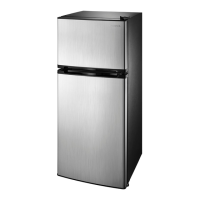
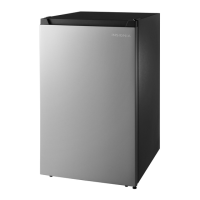
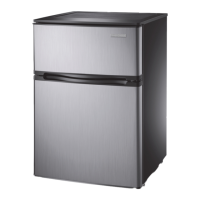
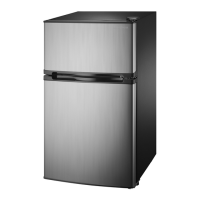
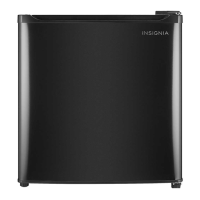
This document is a user guide for the Insignia 4.3 Cubic Foot Compact Refrigerator, model NS-CF43SS7. It provides comprehensive instructions for setting up, operating, maintaining, and troubleshooting the appliance.
Function Description:
The Insignia 4.3 Cubic Foot Compact Refrigerator is a freestanding appliance designed for reliable and trouble-free performance in household and similar environments. Its primary function is to store food and beverages, keeping them cool and fresh. The refrigerator features a separate freezer compartment for long-term storage of frozen foods and for making ice. The design incorporates a reversible door, allowing users to adjust the door's opening direction (right to left or left to right) based on their specific needs and the refrigerator's location. The cooling system is controlled by an adjustable thermostat, enabling users to set the desired temperature for optimal food preservation.
Usage Features:
- Initial Setup: Before first use, the refrigerator requires removal of all exterior and interior packing materials. It's recommended to let the refrigerator stand upright for approximately four hours before connecting it to power to prevent cooling system malfunctions. The interior should be cleaned with lukewarm water and a soft cloth.
- Location: The refrigerator is designed for freestanding use and should not be recessed or built-in. It should be placed on a floor strong enough to support its full weight. Proper ventilation is crucial, requiring at least five inches of space between the back and sides of the refrigerator and surrounding walls. It should be located away from direct sunlight, heat sources (like stoves or radiators), and moist areas. The ideal ambient temperature for operation is between 50°F (10°C) and 85°F (29.4°C).
- Leveling: It is very important to level the refrigerator for proper function, as an unlevel appliance can lead to doors not closing or sealing correctly, causing cooling, frost, or moisture issues. Leveling is achieved by turning the adjustable feet clockwise to raise a side or counter-clockwise to lower it. Assistance from another person to push against the top can make adjusting the leveling feet easier.
- Power Supply: The refrigerator requires a 110V-120V, 60Hz power supply. It must be plugged into a properly installed and grounded 3-prong outlet. An extension cord should not be used, as it can negatively affect performance.
- Thermostat Control: The thermostat allows users to adjust the cooling level. For initial use, it should be set to "7" and run for at least two hours before food is placed inside. After initial cooling, the thermostat can be adjusted to "4" for typical home or office use. Turning the thermostat to "0" stops the cooling cycle but does not turn off the power. If the refrigerator is unplugged or loses power, a three to five-minute delay is required before restarting. Adjustments should be made one increment at a time, allowing several hours for temperature stabilization.
- Freezer Compartment: The freezer is designed for long-term storage of frozen foods. Users should follow recommended storage times on food packets.
- Ice Making: To make ice, set the thermostat to "7," fill the ice cube tray (2/3 capacity) with cold water, and place it in the freezer. Once frozen, twist the tray to eject cubes. After making ice, reset the thermostat to "4."
- Door Reversal: The refrigerator's door is reversible. This feature allows users to change the door's opening direction from right-to-left to left-to-right, or vice versa, to better suit the placement of the appliance. The process involves removing the top, hinges, and leveling feet, then reinstalling them on the opposite side. It is recommended to have assistance during this process to avoid injury or damage. All removed parts should be saved for reinstallation. The refrigerator needs to be tilted backward, but not laid completely flat, to avoid damaging the coolant system.
Maintenance Features:
- Defrosting: This refrigerator is not designed for automatic defrosting. Manual defrosting is required approximately every three months or when ice/frost build-up in the freezer compartment reaches about 1¼ inches thick. To defrost, set the thermostat to "0," remove all contents from the freezer, and leave the freezer door open to allow ice to melt. Large pieces of ice can be removed as needed. Hot water or electric heating devices should not be used to accelerate defrosting. After melting, accumulated ice and water should be removed, and the compartment wiped dry. The evaporator (behind the freezer wall) should be allowed to completely defrost for about two hours before restarting.
- Cleaning: For general maintenance, the exterior case should be wiped periodically with a mild detergent and warm water, then dried with a soft cloth. Abrasive cleaners, gasoline, benzine, thinner, or similar solvents should not be used to prevent damage to the finish. The interior should be washed with a damp warm cloth soaked in a solution of one quart of lukewarm water to two tablespoons of baking soda solution. The door gasket (seal) should be kept clean to ensure efficient operation.
- Interior Light Replacement: To change the interior light bulb (10W/12E), first unplug the refrigerator. Hold the lamp cover, push it toward the inside of the cabinet to remove it, unscrew the old bulb, install the new one, and then re-install the lamp cover. All removed parts must be saved for reinstallation.
- Extended Shutdown: If the refrigerator will not be used for extended periods, it should be turned off and unplugged. All food should be removed, and the refrigerator cleaned. The door should be left open slightly to prevent condensation, mold, or odor. Extreme caution should be exercised with children to ensure the refrigerator is not accessible for play during this time.
- Moving the Refrigerator: Before moving, turn off and unplug the refrigerator, remove all food, securely tape down loose items inside, and tape the doors shut. Ensure the refrigerator remains in an upright position during transportation.


 To Next Page
 General