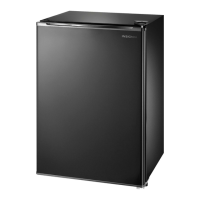
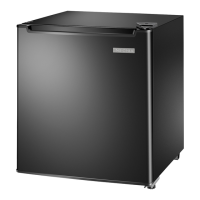
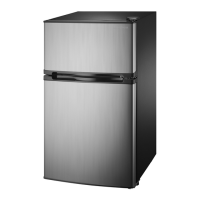
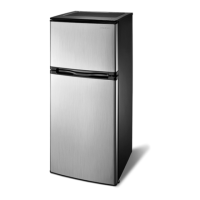
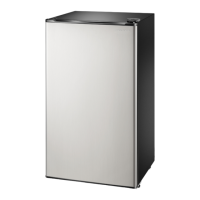
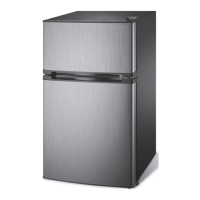
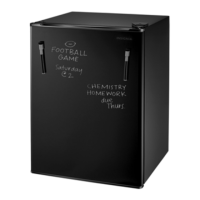
This document describes the Insignia 2.6 Cubic Foot Compact Refrigerator, models NS-CF26PK7, NS-CF26BL7, NS-CF26BL7-C, and NS-CF26BK8. This compact refrigerator is designed for reliable and trouble-free performance, featuring a dry-erase front door panel for notes and information, and includes erasable markers.
Function Description
The Insignia 2.6 Cubic Foot Compact Refrigerator is a freestanding appliance designed for household and similar environments. Its primary function is to cool and store food items. It features a chiller compartment for items requiring colder temperatures, though it is not suitable for ice cream or popsicles which require temperatures below 0°F (-17.8°C). The refrigerator includes an adjustable thermostat to control the internal temperature, a reversible door for flexible placement, and can storage for beverages.
Important Technical Specifications
- Dimensions (WxDxH): 19.1 x 17.7 x 27.6 inches (48.5 x 45.0 x 70.0 cm)
- Weight: 44.1 lbs (20 kg)
- Power requirements: 115V~60Hz - 90W
- Current: 1.5 A
- Power consumption (annual): 215 kWh
- Chiller compartment temperature range: 30°F (-1°C) to 48°F (8.9°C) at a room temperature of 77°F (25°C).
- Refrigerant: R600a (flammable gas)
Usage Features
- Dry Erase Front-Panel Surface: The front door panel is a dry-erase surface, allowing users to write notes or other information using the two included dry-erase markers. It is important to use only fluorescent- or neon-type dry-erase markers designed for black dry-erase boards and to avoid oil-based or Sharpie® type pens.
- Adjustable Thermostat: The refrigerator is equipped with an adjustable thermostat (TEMP CONTROL) to set the desired cooling level. The recommended initial setting is "7" for at least two hours, then adjusting to "4" for home or office use. Turning the thermostat to "OFF" stops the cooling cycle but does not cut power to the refrigerator.
- Reversible Smooth-Finish Door: The door can be reversed to open from either the left or right side, providing flexibility in placement. The process involves removing the top hinge cover, top hinge, door, bottom hinge, and door stopper, then re-installing them on the opposite side.
- Flat (Flush) Back: This design allows for closer placement against walls.
- Can Storage: The interior includes dedicated storage for cans.
- Ice Cube Tray and Drip Tray: An ice cube tray and a drip tray are included for convenience.
- Leveling Feet: The refrigerator has leveling feet that can be adjusted by turning them clockwise to raise or counter-clockwise to lower a side, ensuring the appliance is level for proper operation and door sealing.
Maintenance Features
- Cleaning:
- Exterior: Wipe the case with a mild detergent and warm water, then dry with a soft cloth. Avoid using gasoline, benzine, thinner, or abrasive cleaners to prevent damage to the finish.
- Interior: Turn off and unplug the refrigerator. Remove all food. Wash the inside with a damp warm cloth soaked in a solution of one quart of lukewarm water to two tablespoons of baking soda solution. Keep the door gasket (seal) clean for efficient operation. Dry the interior and exterior with a soft cloth.
- Defrosting the Chiller Compartment:
- Turn the thermostat to "OFF" and leave the refrigerator door open.
- Remove all food from both chiller and refrigerator compartments.
- Clean out melted frost with a cloth. For excessive frost, place a towel under the refrigerator or move it outdoors to prevent water damage.
- After defrosting, return the thermostat to its original position.
- Shutting Down for Extended Periods:
- Turn off and unplug the refrigerator.
- Remove all food.
- Clean the refrigerator.
- Leave the door open slightly to prevent condensation, mold, or odor.
- Moving the Refrigerator:
- Turn off and unplug the refrigerator.
- Remove all food.
- Securely tape down all loose items inside.
- Tape the doors shut.
- Ensure the refrigerator remains in an upright position during transportation.
Important Safety Instructions
- Electrical Safety: Always read instructions, heed warnings, and follow all instructions. Do not use near water. Ensure the power cord is protected and not pinched. Do not modify or extend the power cord. Unplug during lightning storms or long periods of non-use. Ensure AC power matches voltage requirements. Do not handle the plug with wet hands. Unplug by holding the plug, not pulling the cord. Do not turn the appliance on or off by plugging/unplugging. Turn off before unplugging.
- Ventilation: Do not block ventilation openings. Install according to manufacturer's instructions. Allow five inches of space between the back and sides for proper airflow.
- Heat Sources: Do not install near radiators, heat registers, stoves, or other heat-producing apparatus.
- Grounding: The refrigerator must be grounded with a 3-prong plug. Do not defeat the safety purpose of the polarized or grounding-type plug. Do not use extension cords or ungrounded (two-prong) adapters.
- Refrigerant (R600a): Contains flammable gas and refrigerant. Do not damage the refrigerant circuit. Dispose of the refrigerator according to local regulations.
- Child Safety: Never allow children to play with, operate, or crawl inside. Remove doors and leave shelves in place when disposing of old refrigerators to prevent child entrapment. Keep dry-erase markers away from children.
- Maintenance: Refer all servicing to qualified personnel. Do not use mechanical devices or other means to accelerate defrosting other than recommended. Do not use electrical appliances inside the food storage compartment unless recommended by the manufacturer. Do not touch the interior of the chiller compartment with wet hands to avoid frostbite.
- Placement: Place on a floor strong enough to support the refrigerator when fully loaded. Avoid direct sunlight, moist areas, and ambient temperatures below 50°F (10°C) or above 85°F (29.4°C).


 To Next Page
 General