EasyManua.ls Logo

Insignia NS-CF33SS3-C - User Manual

Insignia NS-CF33SS3-C
20 pages
Print Icon
To Next Page IconTo Next Page
Loading...
Before using your new product, please read these instructions to prevent any damage.
3.3 Cu. Ft.
Compact Refrigerator
NS-CF33BK3/NS-CF33BK3-C/NS-CF33SS3-C
USER GUIDE

Questions and Answers

  • M
    Michelle SellersAug 18, 2025
    Why my Insignia NS-CF33SS3-C Refrigerator does not operate?
    • J
      Jasmine HoffmanAug 18, 2025
      If your Insignia Refrigerator does not operate, ensure it is properly plugged into a working 115V, 60Hz power outlet. If a power failure has occurred, wait for the power to be restored.
  • M
    Mr. Michael SteeleAug 20, 2025
    What to do if food in Insignia Refrigerator compartment is not cold?
    • P
      parkjohnAug 20, 2025
      If the food in your Insignia Refrigerator compartment is not cold enough, make sure that the door is closed properly and the door gasket is clean to ensure a proper seal. Adjust the thermostat to a colder setting. Allow up to four hours for your refrigerator to cool completely if it has recently been disconnected. Let hot foods cool before placing them inside.
  • D
    Dawn ConwayAug 23, 2025
    How to fix Insignia Refrigerator door that does not close completely?
    • B
      Beth BryantAug 23, 2025
      If your Insignia Refrigerator door doesn't close completely, reposition food packages or remove some food that may be interfering with the door. Ensure the shelves are correctly positioned and clean the door gaskets. Also, level your refrigerator using the leveling foot.
  • M
    Maria HamiltonAug 25, 2025
    How to get rid of bad odor in Insignia NS-CF33SS3-C Refrigerator?
    • D
      Douglas WilliamsAug 26, 2025
      If your Insignia Refrigerator has a bad odor, ensure all foods are properly sealed. Remove any rotten food and clean the refrigerator thoroughly.
  • J
    Jimmy Bryant IVAug 27, 2025
    Why does the compressor turn on and off frequently in Insignia NS-CF33SS3-C?
    • C
      Christy WhiteAug 28, 2025
      If your Insignia Refrigerator's compressor turns on and off frequently, ensure the door is closed properly and clean the door seal if necessary. Avoid setting the temperature too low. Leave at least 3 in. (7.5 cm) of space between the wall and the back of your refrigerator, and 4 in. (10 cm) at the sides and top for heat dissipation. Allow up to four hours for your refrigerator to cool down completely if it has recently been disconnected.
  • T
    Thomas WrightAug 30, 2025
    Why is moisture building up inside my Insignia NS-CF33SS3-C Refrigerator?
    • D
      Darren CarrollAug 30, 2025
      If moisture is building up in the interior of your Insignia Refrigerator, ensure the door is closed properly. Move your refrigerator to a less humid location and repackage food to ensure it is sealed properly.
  • P
    paulsarahSep 1, 2025
    What to do if food is freezing in Insignia Refrigerator?
    • A
      Angela MccoySep 2, 2025
      If the food in your Insignia Refrigerator compartment is freezing, adjust the thermostat to a warmer setting.
  • W
    webbshawnSep 4, 2025
    Why is my Insignia NS-CF33SS3-C making unusual noises?
    • C
      chelseacampbellSep 4, 2025
      If your Insignia Refrigerator makes unusual noises or vibrations, level it with the leveling foot and ensure it is not touching a wall. Make sure that your refrigerator accessories are placed properly.
  • I
    iwashingtonSep 6, 2025
    Why is the exterior of my Insignia NS-CF33SS3-C warm?
    • G
      garciaalexisSep 6, 2025
      If the exterior of your Insignia Refrigerator feels warm, this is normal due to the heat exchanger coil in the insulated walls. Ensure the refrigerator has at least 3 in. (7.5 cm) of space between the wall and the back, and 4 in. (10 cm) at the sides and top for heat dissipation. Remove some food from your refrigerator.
  • B
    brooke47Sep 9, 2025
    Why is moisture building up on the outside of my Insignia NS-CF33SS3-C?
    • S
      Sylvia OwensSep 9, 2025
      If moisture is building up on the exterior of your Insignia Refrigerator, ensure the door closes completely. If the humidity is high, this is normal; simply wipe the condensation with a clean towel.

Summary

Important Safety Instructions

Electrical Information

Guidelines for proper electrical connection and safe usage of the appliance.

Fire Hazard

Information regarding the refrigerant and potential fire risks.

Safety for Children and Vulnerable Persons

Precautions for the safe use of the appliance by children and individuals with reduced capabilities.

Features and Contents

Setting Up Your Refrigerator

Before First Use

Steps to take before plugging in and operating the refrigerator for the first time.

Finding a Suitable Location

Guidance on selecting an appropriate and safe place for the refrigerator.

Proper Power Supply

Requirements for connecting the refrigerator to a suitable power source.

Thermostat and Door Adjustment

Maintaining Your Refrigerator

Troubleshooting

Refrigerator Does Not Operate

Common causes and solutions when the refrigerator is not functioning.

Compressor Operation Issues

Troubleshooting for frequent compressor cycling or continuous running.

Food Freezing in Compartment

Resolving issues where food is freezing unexpectedly.

Food Not Cold Enough

Solutions for when the refrigerator compartment is not cold.

Refrigerator Door Not Closing

Fixing problems where the refrigerator door does not seal properly.

Overview

This document is a user guide for the Insignia 3.3 Cu. Ft. Compact Refrigerator, models NS-CF33BK3, NS-CF33BK3-C, and NS-CF33SS3-C.

Function Description:

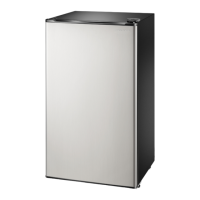
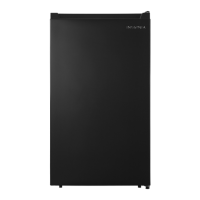
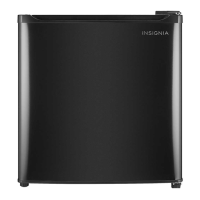
The Insignia 3.3 Cu. Ft. Compact Refrigerator is a freestanding appliance designed for indoor, domestic use. It provides refrigeration for food and beverages, with a temperature range adjustable from 32° to 50° F (0° to 10° C). The refrigerator is equipped with interior LED lighting to help users quickly find items and features three glass shelves for organization. Its reversible door with a recessed handle offers convenient entry and allows for flexible placement. The appliance has a flat back design, allowing it to sit flush against walls, and is available in black or stainless steel finishes.

Important Technical Specifications:

  • Dimensions (H x W x D): 33 1/8 × 18 3/4 × 17 11/16 in. (84 × 47.5 x 44.8 cm)
  • Weight: 42.77 lbs. (19.4 kg)
  • Capacity: 3.3 cu. ft. (.09 cu. m)
  • Temperature Range: 32° to 50° F (0° to 10° C)
  • Ambient Temperature Range: 55° to 100° F (12.8° to 43.3° C)
  • Power Cord Length: 5 1/8 ft. (1.55 m)
  • Noise Level: 41 dB
  • Power Requirements: 115V/60Hz
  • Current: 1A
  • Wattage (LED light): 1.5W
  • Power Consumption (Annual): 220kWh/year
  • Refrigerant Type: R600a (environmentally friendly but potentially flammable)
  • Garage Ready: No
  • Energy Star Certified: Yes

Usage Features:

  • Temperature Control: The refrigerator features a thermostat knob with settings for OFF, MIN (warmest), MID (moderate), and MAX (coldest) to adjust the internal temperature. The recommended setting is "MID."
  • Storage: Includes three glass shelves and three door trays capable of holding up to 18 12-ounce cans.
  • Reversible Door: The door can be reversed to open from either the right or left side, providing flexibility for placement. This process requires an 8 mm (5/16") socket driver, Phillips screwdriver, and a putty knife or flathead screwdriver.
  • Power Supply: Requires a dedicated 115 V, 60 Hz, AC-only electrical outlet with a three-prong grounding plug for safety. Extension cords or adapter plugs should not be used.
  • Placement: Designed for freestanding use, not to be recessed or built-in. Requires specific clearances: at least 3 inches (7.5 cm) between the wall and the back, and 4 inches (10 cm) at the sides and top for proper air ventilation. Should be placed away from direct sunlight, heat sources, and wet/moist areas. Not designed for use in garages or outside.
  • Leveling: Equipped with leveling feet to ensure proper function and door sealing, preventing cooling, frost, or moisture problems.
  • Initial Setup: After unpacking, the refrigerator should stand upright for approximately four hours before being connected to power to allow the cooling system to stabilize. The interior should be cleaned with lukewarm water and a soft cloth before first use.
  • Energy Saving Tips: Locate in the coolest area of the room, allow hot foods to cool before placing them inside, avoid overloading, wrap foods properly, and organize items to reduce door openings.

Maintenance Features:

  • Cleaning: The interior and accessories should be cleaned every two months. This involves unplugging the unit, removing food, washing with mild detergent and warm water, then wiping dry. The door gasket (seal) should be cleaned to maintain efficiency. The condenser on the back should be cleaned annually with a soft brush or vacuum cleaner to remove dust. The water drain hole on the back wall should be checked and cleared if blocked.
  • Defrosting: The refrigerator should be defrosted by turning the temperature control knob to OFF and allowing the evaporator (located at the back of the refrigerator in the middle of the third shelf) to defrost naturally. Mechanical devices or other means to accelerate defrosting are not recommended.
  • Light Bulb Replacement: The LED light is not user-replaceable. If damaged, customer service should be contacted.
  • Shutting Down: For long-term storage or vacations, the refrigerator should be turned off, unplugged, emptied, cleaned, dried, and the door left slightly open to prevent condensation, mold, or odor.
  • Moving: Before moving, the refrigerator should be turned off, unplugged, emptied, and all loose items and doors securely taped. It should be kept in an upright position during transportation.
  • Troubleshooting: The user guide provides a comprehensive troubleshooting section for common issues such as the refrigerator not operating, compressor running frequently, food freezing, food not cooling, unusual noises/vibrations, and moisture buildup.
  • Replacement Parts: Replacement parts can be obtained by calling Insignia Customer Service or by visiting partstore.encompass.com and searching for the product model number.


Insignia NS-CF33SS3-C Specifications

General IconGeneral
BrandInsignia
ModelNS-CF33SS3-C
TypeFrench Door
Capacity33 cu. ft.
Ice MakerYes
Water DispenserYes
ColorStainless Steel
Total Capacity33 cu. ft.
Counter-DepthNo
Defrost TypeAutomatic
Energy Star CertifiedYes
Reversible DoorNo
ShelvesAdjustable
Door StorageYes
Depth39.7 inches (without Handles)

Related product manuals